

Welcome to the guide on How to Transfer a Domain Name from GoDaddy to Namecheap. Many users are switching from GoDaddy due to high costs. First-time users often choose GoDaddy for familiarity, but it’s not the only option.
Switching to Namecheap saves money and makes management easier. This guide explains every step clearly. Whether it’s your first transfer or you’re reducing costs, follow along.
Learn how simple it is to move a domain. Discover why Namecheap is a smart choice. By the end of this guide, you’ll know how to transition a domain smoothly.
Let’s start exploring the steps for a successful domain transfer.
Step-1: Make Sure Domain Name Is Ready for Transfer
Before transferring a domain name, check its eligibility. Domains must not be brand new.
ICANN rules prohibit moving a domain within 60 days of registration. Also, avoid transferring close to renewal.
Specifically, transferring isn’t allowed within 45 days of renewal. These rules ensure stability and consistent ownership.
Always double-check timelines. This confirms a smooth domain transfer process.
Step 2: Unlock Domain Name for Transfer
Ready to transfer your domain to Namecheap?
Start by unlocking it. By default, GoDaddy locks domains to prevent unwanted changes. Unlocking is easy.
Log into the GoDaddy account. Find domain settings. Look for “Domain Lock.” Click “edit” next to it. Toggle the switch to unlock.
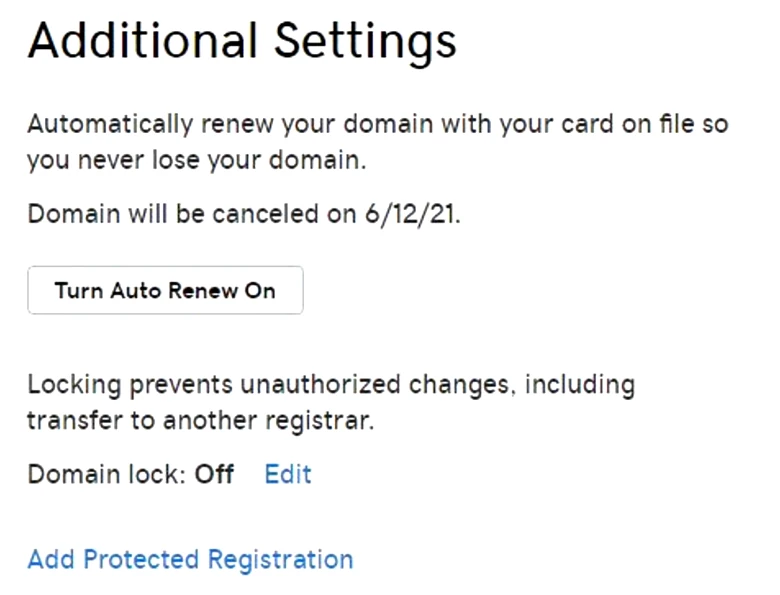
Unlocking is secure and fast. Once done, the domain is ready for transfer.
Remember, unlocking is crucial for any registrar change. It must be completed before proceeding with the transfer.
Step 3: Request an Authorization Code from GoDaddy
Every registrar must provide an authorization code within 5 days. Some send it via email.
Others, like GoDaddy, let you generate it yourself. To get this code from GoDaddy, go to admin settings.
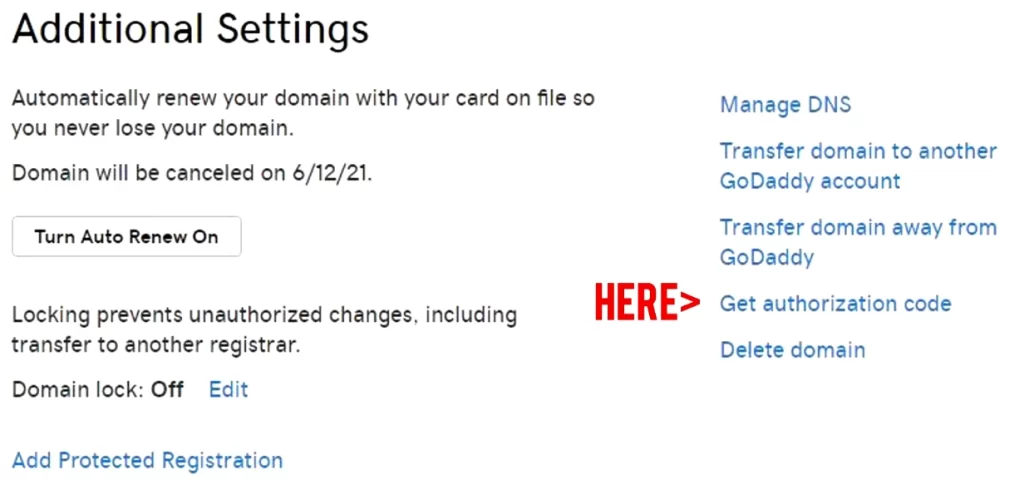
Find the “get authorization code” link. This code is crucial for domain transfer between registrars.
Click the link to get the code. You’ll reach a “domain transfer out” screen. GoDaddy will give the code needed for the transfer.
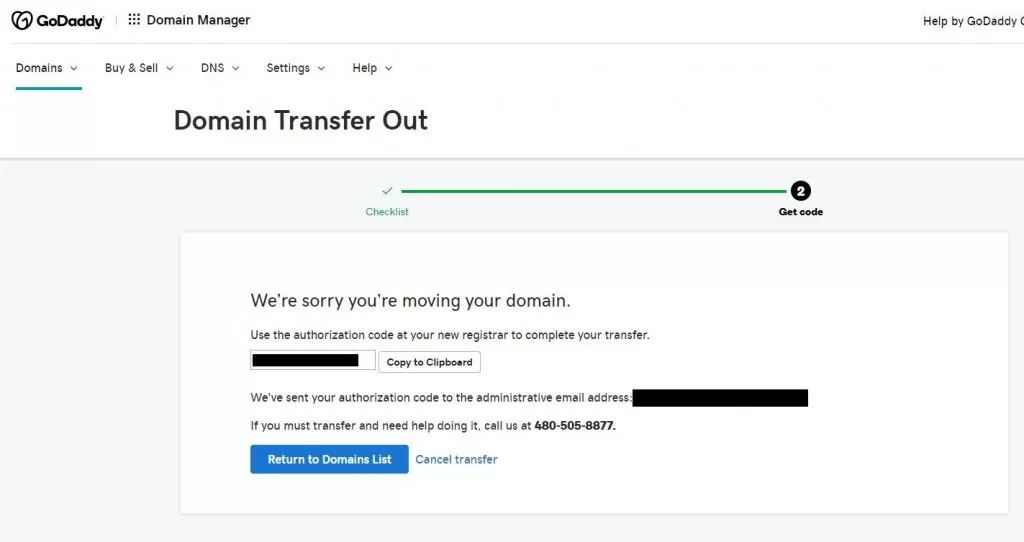
Step 4: Start the Transfer at Namecheap
Head over to Namecheap.com to kick off your domain transfer.
First, set up a Namecheap account if you don’t have one. Once logged in, hover over the “Domains” menu and click on “Domain Transfer.”
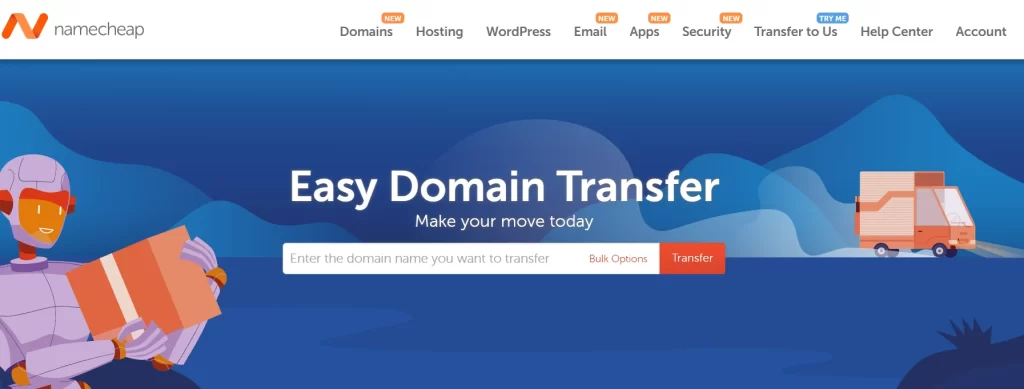
In the transfer section, type the domain name you want to move. Namecheap will check if your domain is unlocked and ready. Make sure you follow all steps correctly.
Enter the authorization code from GoDaddy. This code is essential for the transfer. GoDaddy may send an email for confirmation. Approve it and pay the transfer fee at Namecheap.
After that, wait with patience. Soon, your domain will be under Namecheap’s management.
Final Step: Wait for the Transfer to Complete
You’re close to the finish line! After submitting the domain transfer to Namecheap, expect it to take 3 to 7 business days.
This waiting period is normal. Keep an eye on your email for updates or actions from GoDaddy or Namecheap.
Namecheap will update the DNS settings once the transfer is nearly done. Check these settings to ensure they point to the correct web host. This ensures your website runs smoothly without hiccups.
Follow these steps for an easy domain transition. A successful transfer lets you focus on your website and its growth.
FAQs
How long does the domain transfer take?
Domain transfers usually need 3 to 7 business days. Start the process and approve it, then watch your email for updates or actions.
Will transferring my domain cause downtime?
No downtime if DNS settings are correct before and after the transfer. Ensure DNS points to the right web host post-transfer.
Do I lose registration time when transferring a domain?
No loss of registration time. Transferring adds an extra year to your registration with Namecheap.
Are there any fees for transferring a domain?
Yes, expect a transfer fee. This fee includes a one-year domain registration renewal.
Can I transfer my domain if it’s near renewal?
If within 45 days of renewal with GoDaddy, renew first. Renewal timing can affect the transfer process.

Leave a Comment