I tested InterServer by signing up, setting up a VPS, and exploring the dashboard and controls.
Here’s what the experience looks like and what you can expect.
Registration and Account Setup
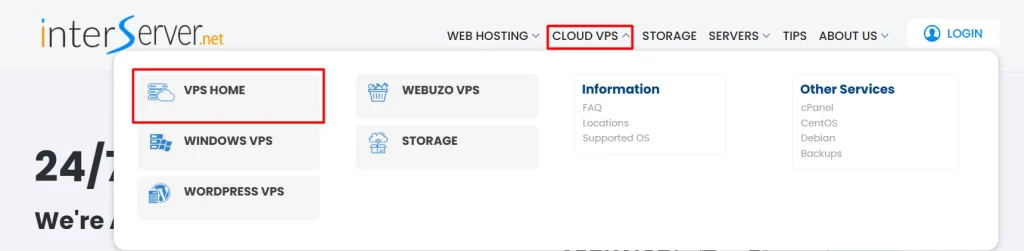
The signup process is fast and simple. After selecting your preferred hosting type, you can move directly to the available plan options without any hassle.
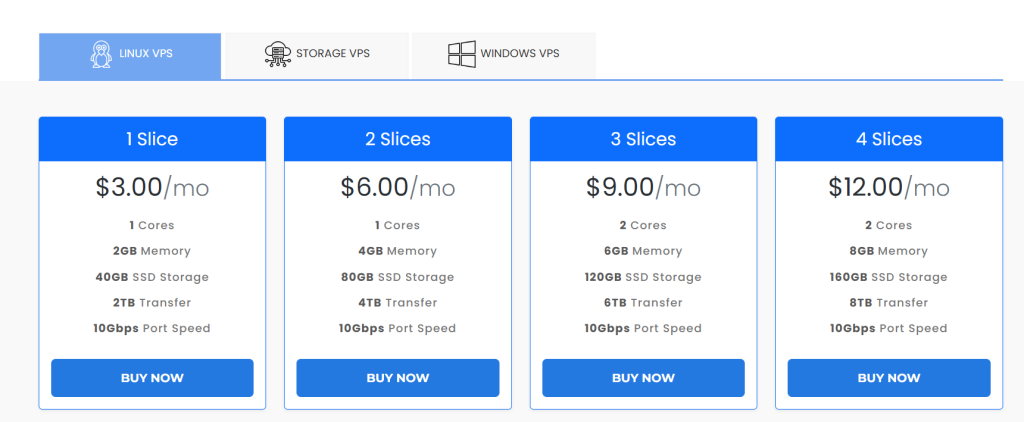
Since I wanted to try VPS hosting, the next step was selecting the type of VPS. The options included Linux VPS, Storage VPS, and Windows VPS. I chose Linux because it’s widely used and suitable for most projects.
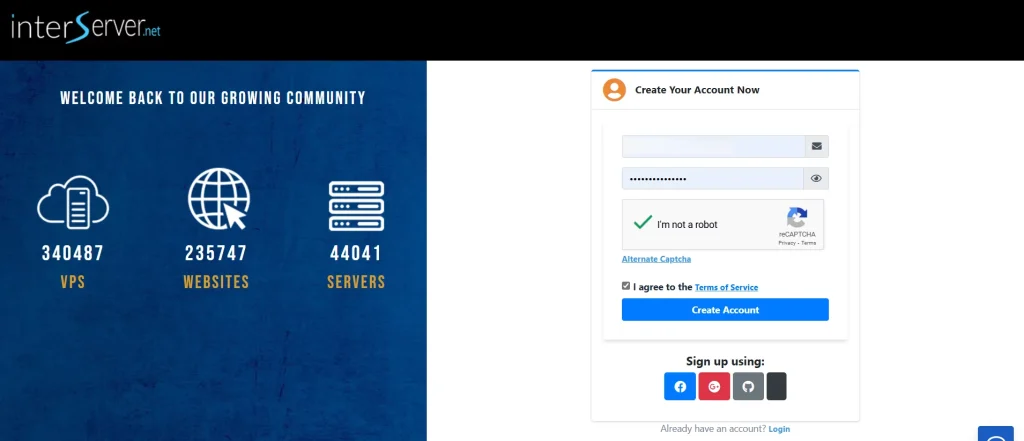
Next, I needed to sign in or create a new account. InterServer also offers quick social sign-in options through Google, Facebook, GitHub, or X, which makes the process faster.
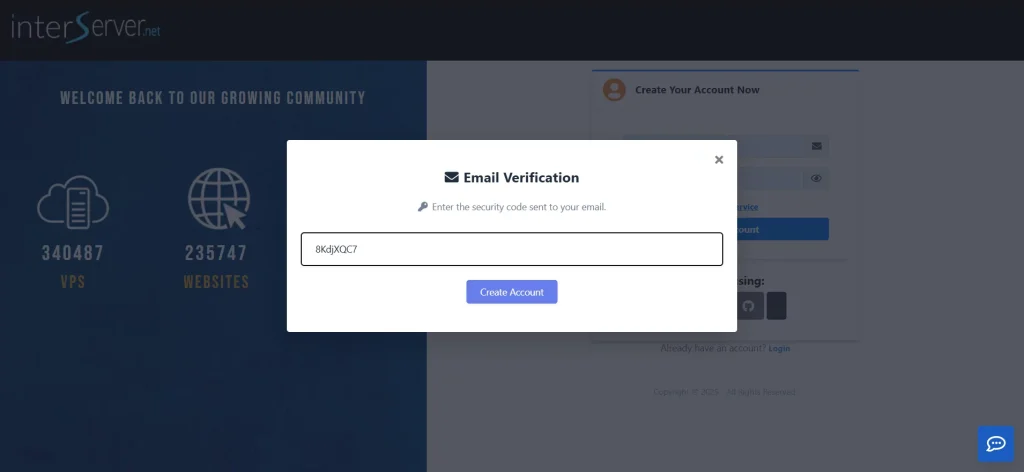
After completing the signup, InterServer sent a verification code to my email. I entered the code, and my account was verified right away.
After verification, I was taken directly to the InterServer dashboard. The purchase step comes later when you set up and configure your server.
Ordering a VPS from the Dashboard
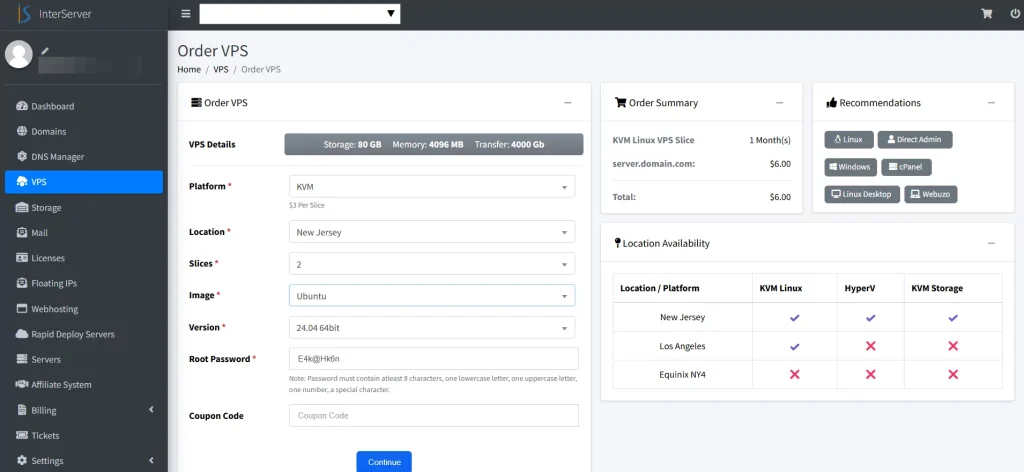
Once logged into the InterServer dashboard, I was directed to the Order VPS page. Here, I could customize the server setup before making a purchase.
The configuration process includes selecting storage and memory size, setting transfer limits, choosing the data center location, and creating a root password.
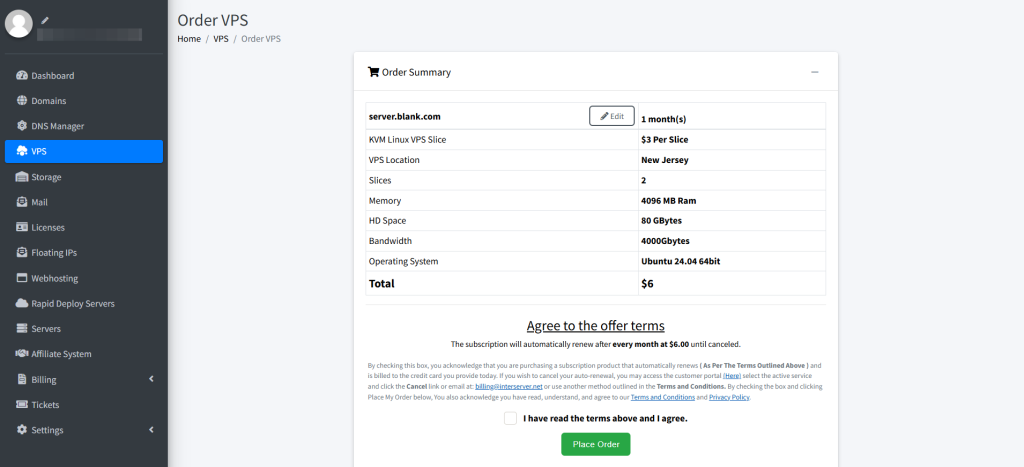
Next, I was directed to the order summary page to review all the server details. After I confirmed everything and agreed to InterServer’s terms, I clicked “Place My Order” to finish.
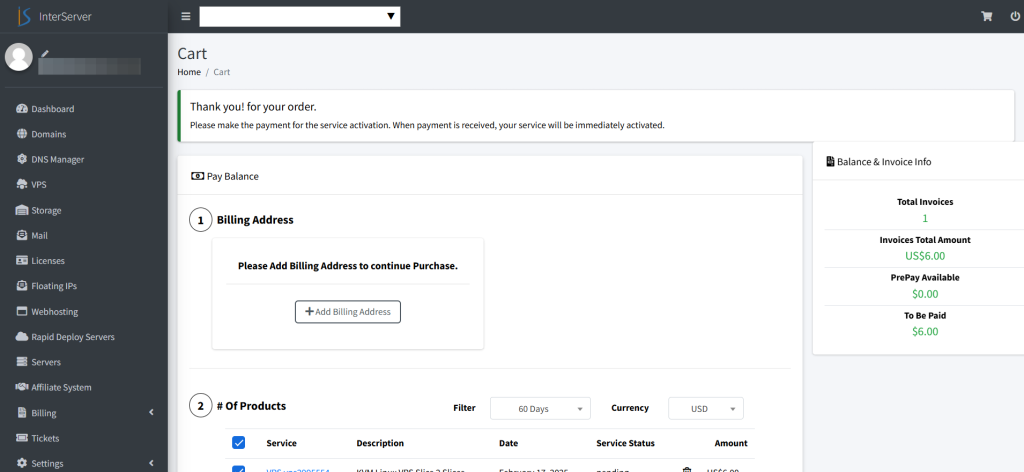
After placing the order, I was redirected to the Cart page. Here, I needed to enter my billing address and select a payment option. Once I chose my preferred payment method, I completed the transaction.
After the payment was processed, I received a confirmation email with my login details, steps to access the server, and a support link in case I needed help.
Exploring the Dashboard
At first glance, the InterServer dashboard felt well-organized and easy to navigate. InterServer stands out from other hosting platforms. Many hide key tools in multiple menus. In contrast, InterServer keeps everything in one central spot. You’ll find a clear and organized account overview there.
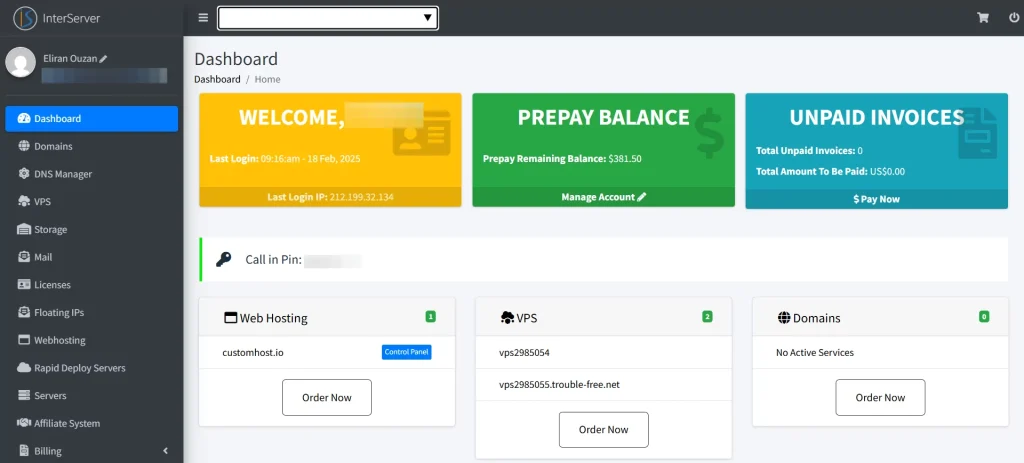
The left-hand menu includes sections for the dashboard, VPS management, web hosting settings, storage tools, and billing details.
I liked how everything was organized logically. It made finding important settings easy, with no extra searching needed.
Managing the VPS from the Control Panel
After setting up my VPS, I tested how easy it was to manage and optimize it through the InterServer control panel. From the dashboard, I selected the VPS section to begin.
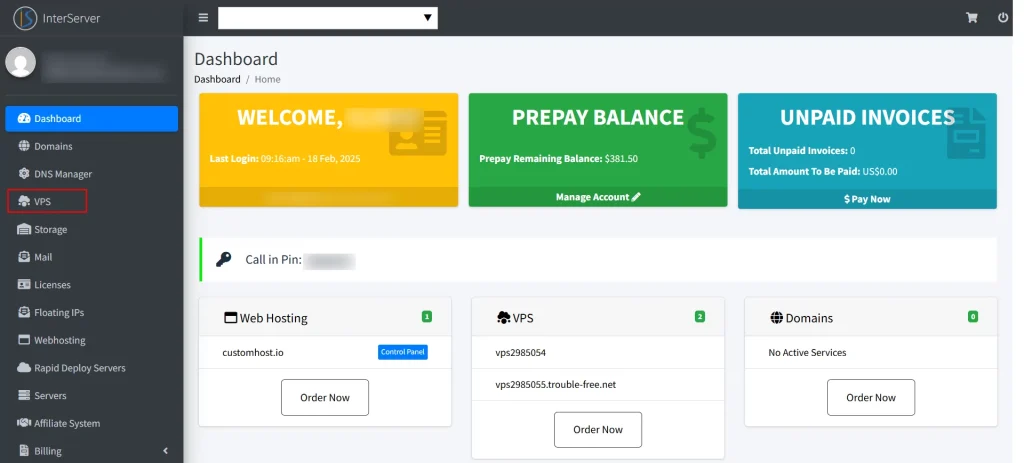
In this section, I could see a list of all active virtual servers associated with my account.
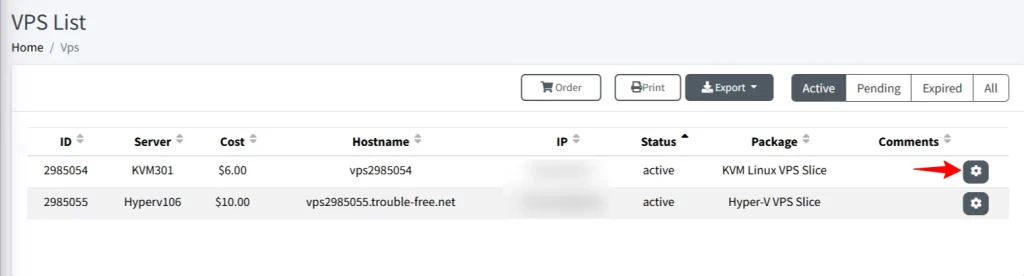
Clicking the Settings button on the right opened a simple management interface. It showed a clear overview of my server.
I could see the IP address, host server info, and details like the Vzid identifier.
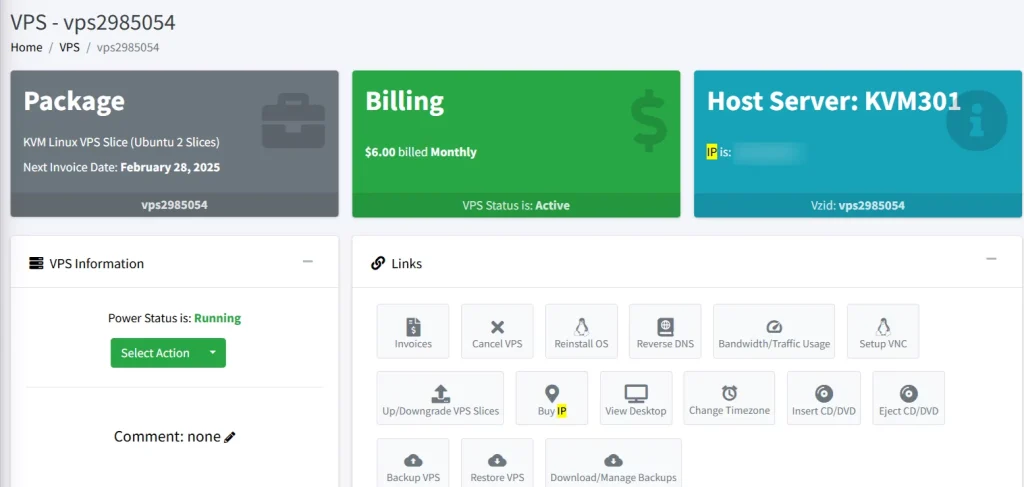
Back in the control panel, I found the management options very practical. You can install operating systems, back up or restore your server, and manage storage, bandwidth, and traffic usage.
InterServer offers optional control panel add-ons. These are for users who prefer a graphical interface. cPanel is available for $25 per month, while DirectAdmin is included for free.

Other options like Plesk Admin, Plesk Pro, and Plesk Host were listed but not available for my VPS setup. DirectAdmin is free. This makes it a budget-friendly choice for users. It helps manage their VPS easily, without just using the command line.
Managing Shared Web Hosting from the Control Panel
After testing the VPS panel, I explored how InterServer manages shared web hosting.
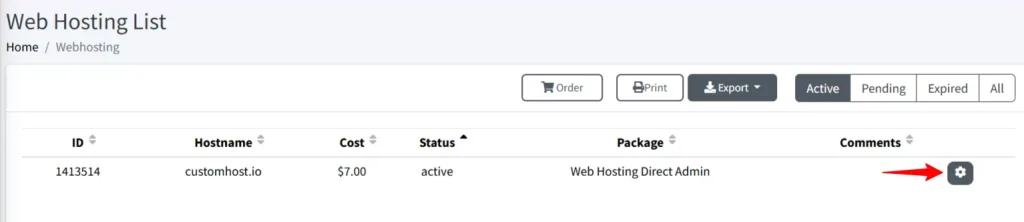
In the left-hand menu, I selected Web Hosting. This section worked much like the VPS panel, showing all my web hosting accounts in one organized list.
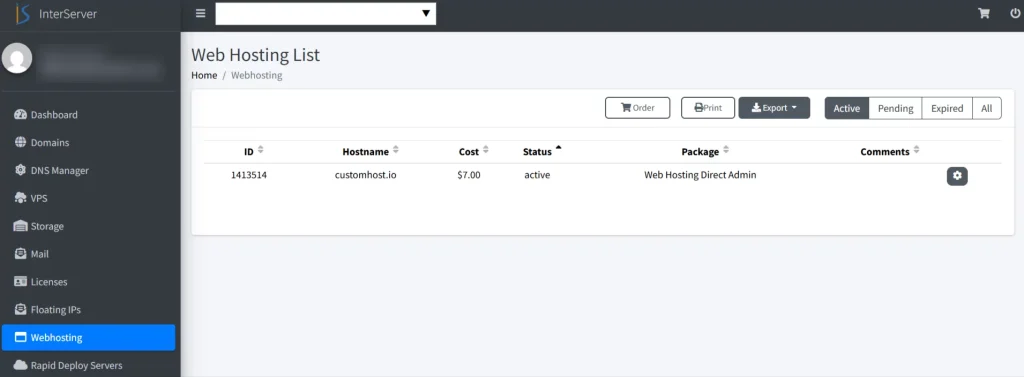
To manage my hosting plan, I clicked the Settings icon next to my customhost.io package.
A key feature here was the Web Hosting DirectAdmin Login area. I could access my hosting control panel right away. I didn’t need to enter separate login credentials.
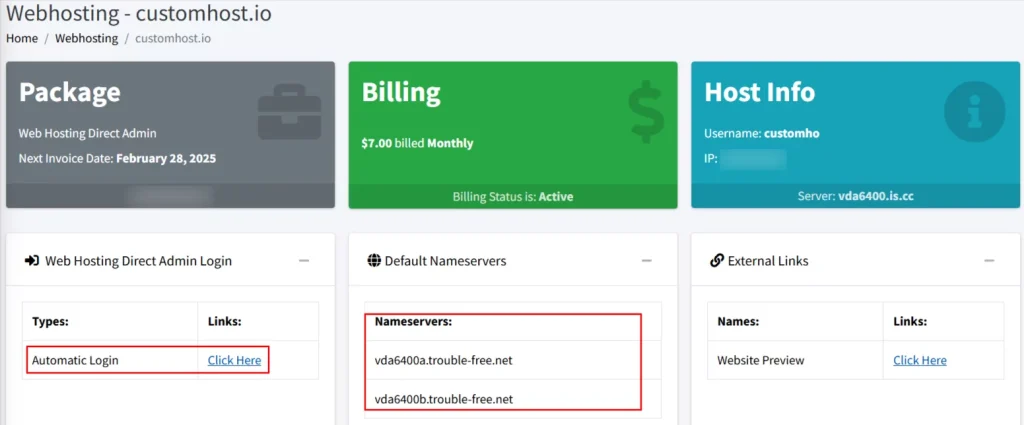
The InterServer web hosting control panel also provides useful tools. You can download backups, migrate websites, and buy a matching domain.
Exploring InterServer’s DirectAdmin Control Panel
While browsing the InterServer dashboard. I noticed a quick-access button to open the web hosting control panel. This made it easy to manage hosting settings without navigating through multiple menus.
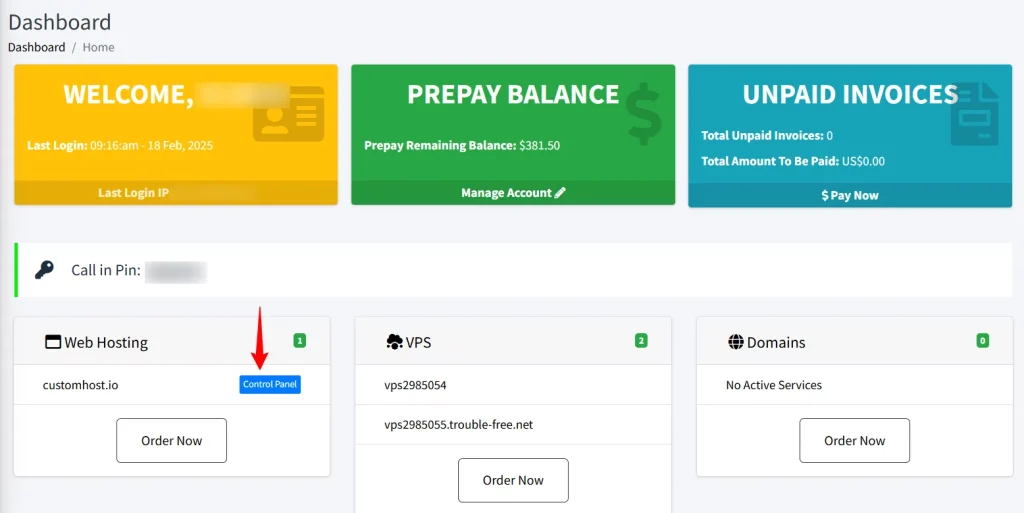
I clicked the button and went right to InterServer’s DirectAdmin interface. It had a different layout compared to the cPanel dashboards I was familiar with.
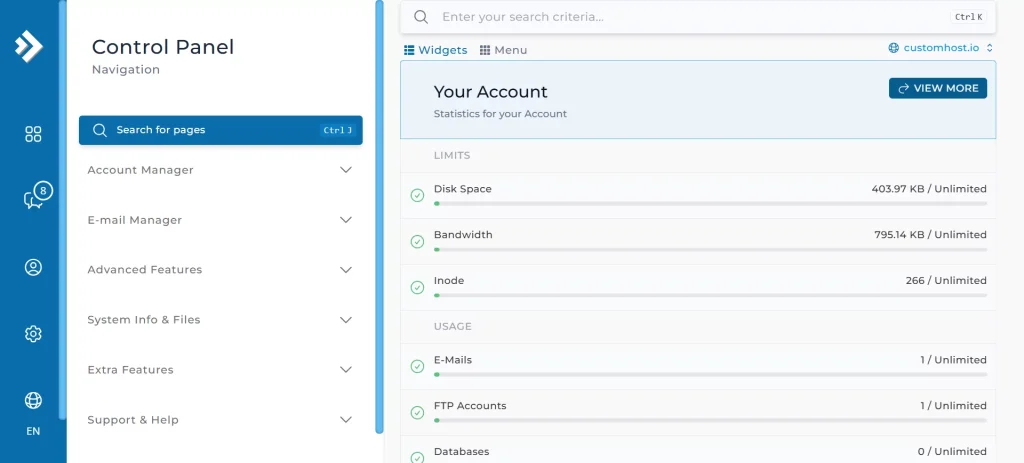
The left-hand menu had all the key tools for managing my website. It was clean and easy to navigate.
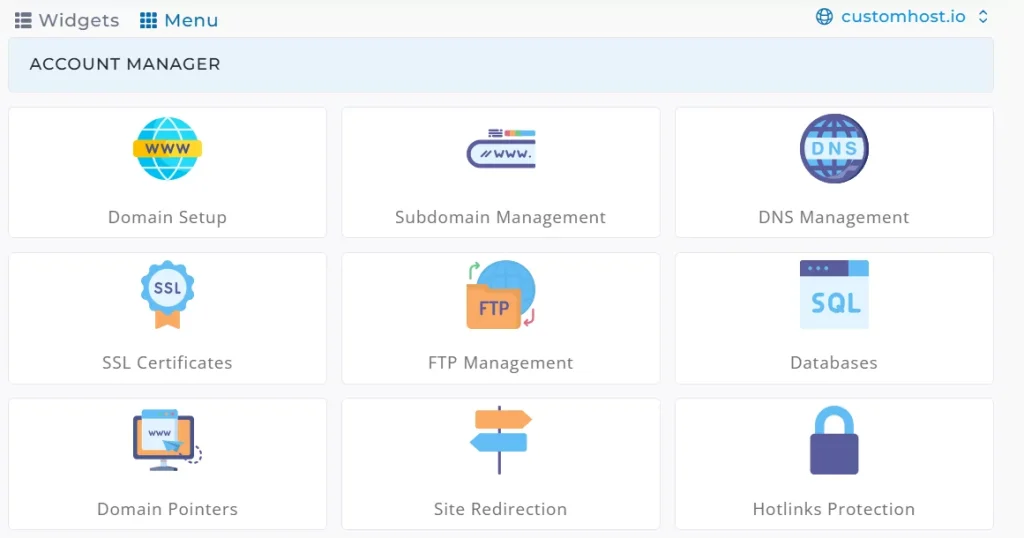
You can manage domain settings, databases, and emails from this panel. It also helps improve website security and performance.
A key feature is the WordPress Manager. It allows you to manage WordPress installations right from the control panel. InterServer’s DirectAdmin is different from traditional cPanel. It has a separate section just for themes, plugins, and updates.
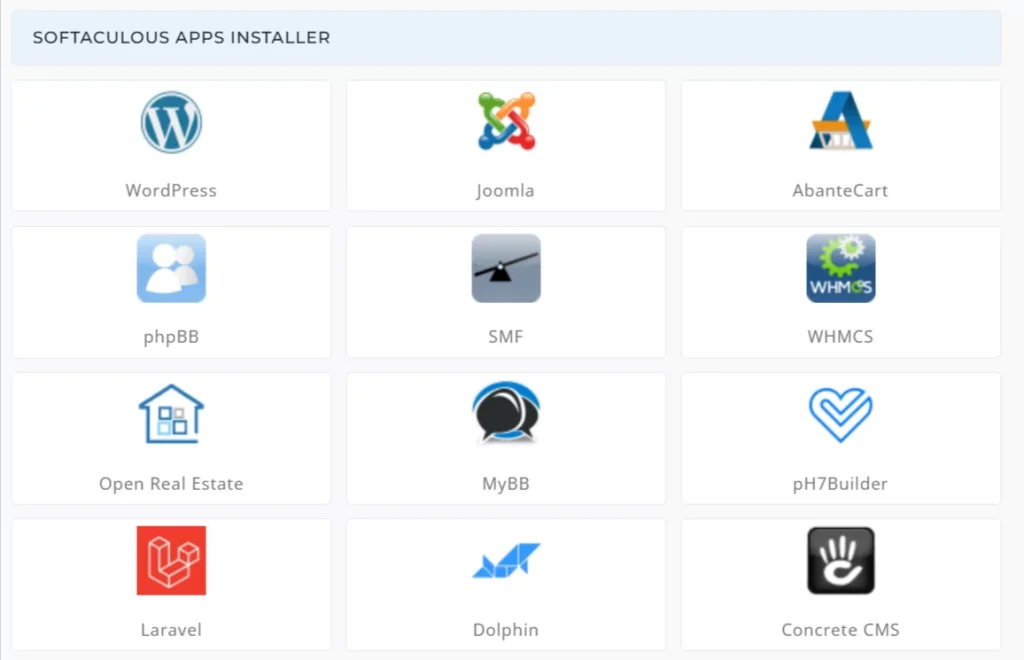
Using the control panel was easy. The widget mode gave a dashboard view of resource usage, so you could quickly see an overview.
Final Thoughts on InterServer’s Control Panels
Overall, InterServer is easy to use and full of features.
The registration process is quick, pricing is clear, and setting up a VPS only takes a few minutes. The dashboard is simple to navigate, and the control panel offers tools for both beginners and advanced users.
InterServer’s DirectAdmin interface is strong and sometimes more flexible than cPanel. It offers developer tools that other hosting options may not have.
Performance
The control panel was impressive, but I wanted to test how InterServer works in real life. I checked its shared hosting servers for speed, response time, and network latency. This helps me see how well it manages daily website traffic. Here’s what I found.
InterServer Shared Web Hosting Performance
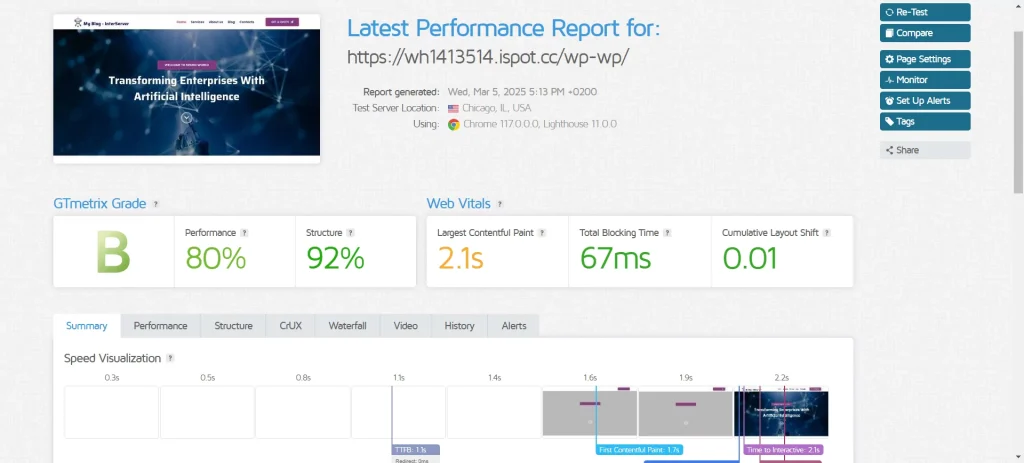
The GTMetrix results showed InterServer’s shared hosting performs well, but there’s room to improve. Total Blocking Time (TBT) and Cumulative Layout Shift (CLS) were low. This means the site stayed stable and had few delays from JavaScript.
InterServer GTMetrix Performance Test Results
Page load speed and Time to First Byte (TTFB) were slower than many competitors. This means the site could use some optimization. InterServer lacks a built-in CDN. So, users must add a third-party option, like Cloudflare, to speed up loading times worldwide.
Results:
- Performance: 80%
- Structure: 92%
- Total Page Size: 1.46 MB
- Fully Loaded Time: 2.2s
- Largest Contentful Paint (LCP): 2.1s
- Total Blocking Time (TBT): 67ms
- Cumulative Layout Shift (CLS): 0.01
- Time to First Byte (TTFB): 1.1s
InterServer’s shared hosting isn’t the fastest, but it’s stable and responsive. This makes it a good choice for small websites or projects with low to moderate traffic.
InterServer GTMetrix Week-Long Test Results
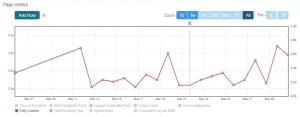
To see how consistent the site was, I ran daily GTMetrix tests on the same WordPress site for over a week. This way, I didn’t just rely on one test.
The results showed noticeable fluctuations in performance. The Performance Score varied widely, from a low of 45% to a high of 81%. On slow days, the site loaded slowly. The whole experience felt sluggish. This means InterServer can perform well, but its consistency may vary each day.
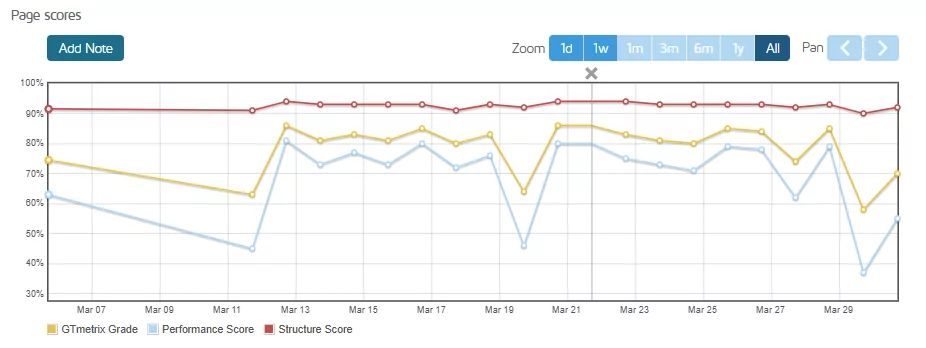
During the week-long GTMetrix test, I noticed that my InterServer website’s performance varied in all key metrics: LCP, TBT, and TTFB. The server usually took too long to respond. This caused slower loading times overall.

Fluctuations can greatly affect user experience. This is especially true for business websites and blogs. Even a small delay can lower engagement and visitor satisfaction.
One positive takeaway from the week-long test was the Cumulative Layout Shift (CLS). It stayed below 0.02, showing the page layout was stable while loading. This indicates a smooth browsing experience, which can help improve Google rankings.
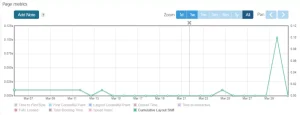
Extended testing backed up the initial findings. InterServer’s shared hosting offers decent speed, but it struggles with consistency.
For smaller projects or local websites, its performance is generally sufficient. If your site has a global audience or needs fast load times, consider adding a CDN. A VPS plan can also provide more reliable performance.
InterServer Uptime Robot Test Results
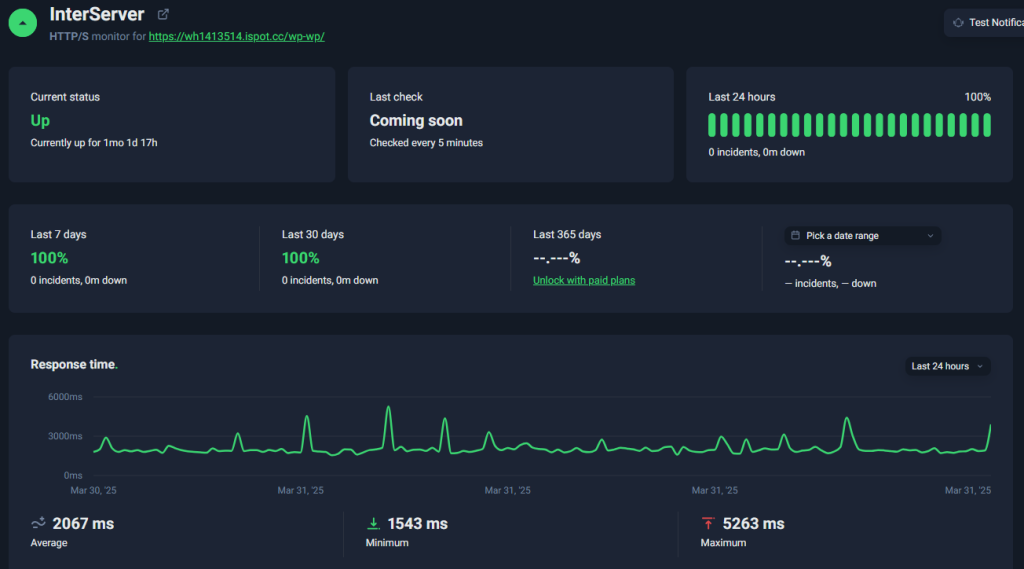
InterServer promises 99.9% uptime each month, not counting scheduled maintenance. This is the industry standard for hosting. To verify this, I ran a month-long uptime test using Uptime Robot, which checks the site every five minutes to ensure it’s online and responsive.
The results were impressive. During the entire 30-day period, the server remained online without a single interruption — not even for a minute. This level of reliability is noteworthy, especially for a shared hosting plan.
Results:
- Last 30 Days: 100%
- Downtime Incidents: 0
- Total Downtime: 0 minutes
InterServer CheckHost Response Time Test
The CheckHost test reveals that InterServer’s shared hosting works best in North America and Europe. This is due to most of their data centers being in these areas. In North America, response times were very fast, and Europe showed acceptable speeds as well.
Response times were much higher in Asia and South America. This means users in those areas might experience slower website performance.
Test Results:
- USA (Atlanta): 22.0ms
- Europe: France 73.5ms, Germany 79.9ms, UK 78.8ms
- Asia: India 207.8ms, Japan 172.0ms, Hong Kong 215.5ms, Vietnam 256.7ms
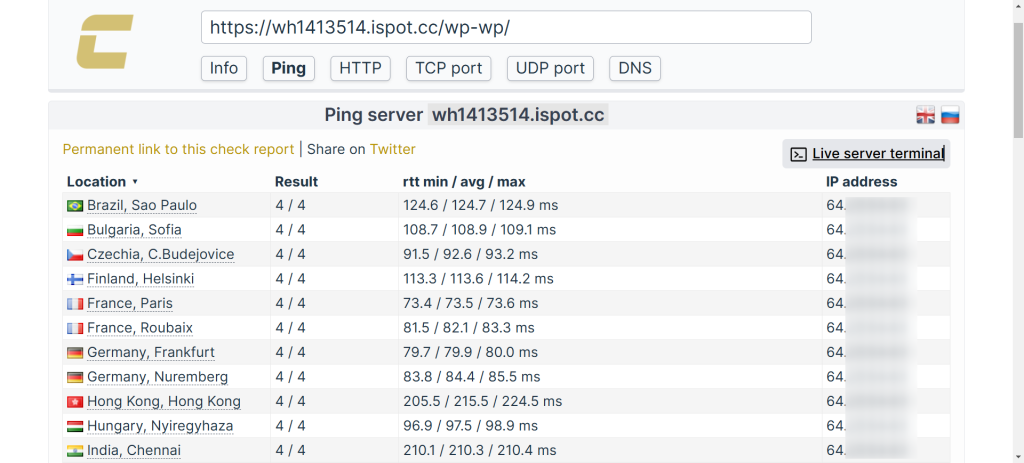
InterServer is best for websites aimed at North American and European audiences. Adding a CDN can speed up loading times for users in Asia, South America, and Australia. This benefits a global audience.
Final Thoughts on Shared Hosting Performance
Overall, InterServer’s shared hosting delivers solid performance for its price.
GTMetrix results showed good performance. The fully loaded time is 2.2 seconds. However, TTFB could improve. In the U.S. and Europe, websites load quickly. However, users in Asia and South America may face slower speeds because of higher latency.
InterServer provides reliable, affordable hosting for small business sites, blogs, and personal websites in North America.
Level Of Support
Customer support is a critical aspect of any hosting provider. InterServer offers 24/7 support through live chat, phone, email, and a ticketing system. Their support team is quick to respond and knows their stuff. They help with many issues, like tech problems and billing questions.
Live Chat Support
To test InterServer’s live chat, I clicked the chat bubble at the bottom-right corner of their website.
Initially, the system estimated a 24-minute wait and showed that I was #1 in the queue. A support agent replied in under a minute. That was much quicker than expected.
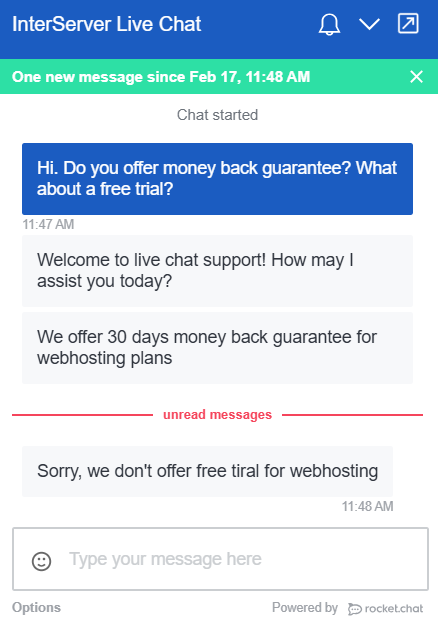
The agent replied clearly and professionally. They answered my question directly, with no extra filler. It didn’t feel like a generic response, but a specific answer to my query.
The entire chat took less than three minutes, and I received all the information I needed.
Phone Support
Next, I tested InterServer’s phone support to evaluate how easy it was to reach an agent and the quality of assistance.
InterServer offers multiple phone numbers depending on your location. I called the U.S. toll-free number to see how quickly an agent would respond and how effectively they addressed my questions.
The call was picked up almost instantly, and the agent gave clear, precise answers to my questions. There was no confusion, and the conversation stayed focused without unnecessary details. I also appreciated not being kept on hold.
For those who prefer speaking with a real person, InterServer’s phone support is efficient and direct. It’s an excellent choice for urgent technical or billing issues.
InterServer Review: Bottom Line
InterServer offers reliable hosting at a budget-friendly price. However, it might not be the best fit for everyone. Its key benefit is the price-lock guarantee. This means no unexpected increases at renewal, which is rare in the hosting industry.
InterServer’s VPS hosting shines with great performance. It gives users full control and flexible setups. You can scale easily and activate instantly. The free DirectAdmin control panel is great for businesses that want customizable hosting solutions.
Shared hosting showed mixed results. It has helpful features like unlimited storage, free website migration, and good performance. However, server response times are slower than top competitors. Also, latency outside North America needs improvement.
InterServer is a great choice for anyone wanting budget-friendly hosting. It offers clear pricing, flexible VPS options, and strong security.