
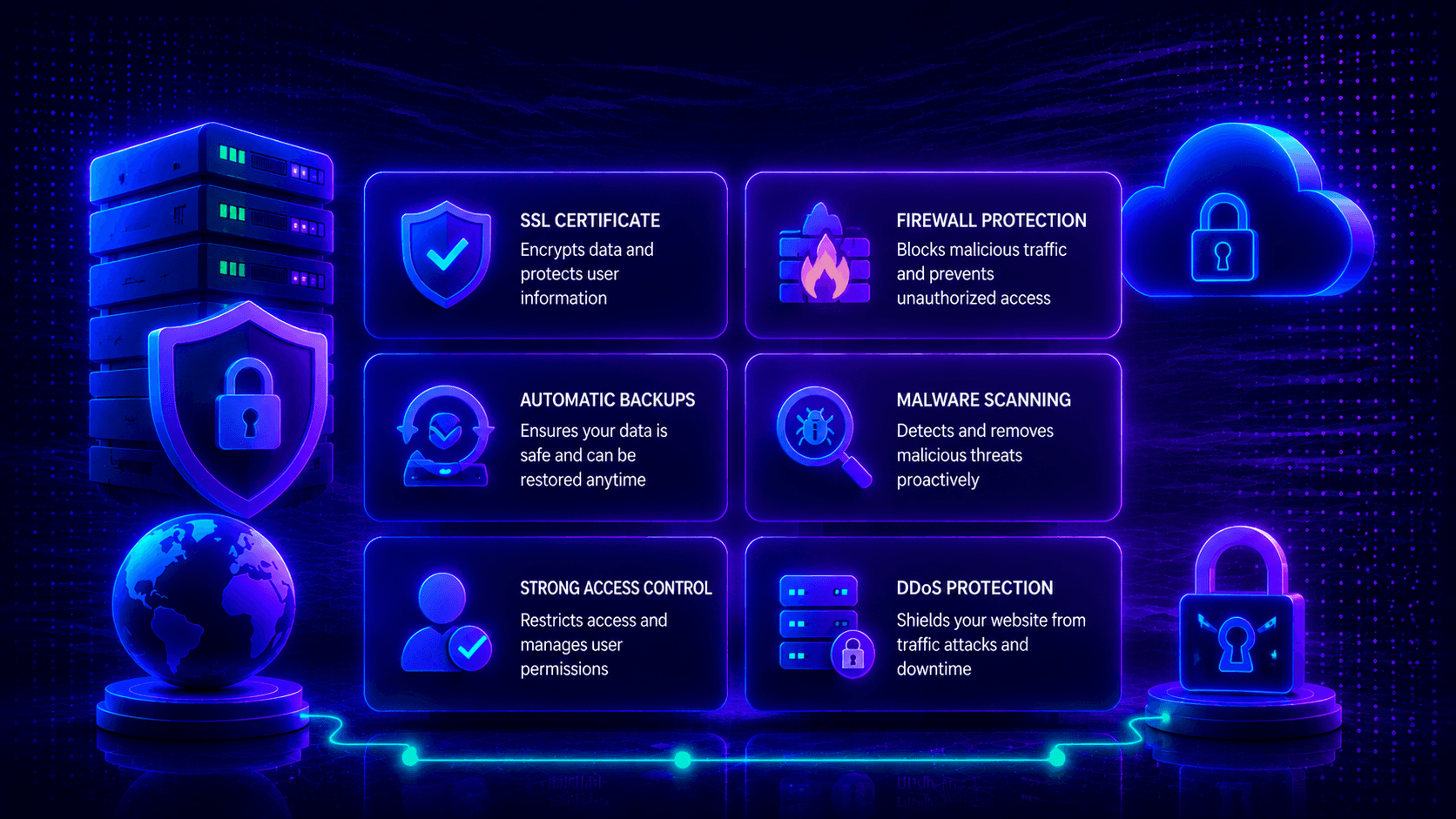
Online security matters more than ever today. Weak hosting can break your business. One small gap leads to a data breach. Your site goes down. Your reputation suffers. Attackers move fast. They steal private data in minutes.
So what actually keeps you safe? Top Hosting Security Features You Should Never Ignore start with strong firewalls. They include daily backups. They also cover real-time monitoring. Each feature blocks a different threat.
This blog walks you through those features. Smart choices keep your site safe. You also build trust with visitors.
SSL Certificates
SSL stands for Secure Sockets Layer. It is a security tool. It scrambles data between a browser and your website. This stops hackers from reading private details like passwords or credit card numbers.
What does SSL actually do?
SSL is short for Secure Sockets Layer. Think of it as a secret code machine. When someone visits your site, their browser talks to your server. SSL scrambles that conversation. No one can eavesdrop. Hackers see only garbage text. This keeps logins, credit cards, and private details safe during the trip online.
Why SSL helps your site twice over
First, it locks the door on data thieves. Your visitors stay protected. Second, search engines notice. Google gives a thumbs up to HTTPS sites. That means better rankings. People also trust the padlock icon. More trust leads to more clicks and sales.
Three SSL types explained simply
One website only? Grab a Single Domain SSL.
Got extra pages like shop.yourdomain.com or blog.yourdomain.com? A Wildcard SSL covers everything under your main name.
Running a store or bank? Pick Extended Validation (EV) SSL. Your verified business name appears in the address bar. Customers feel safe typing their info.
Importance for website encryption and SEO
SSL locks data between users and your site. It blocks cyber threats. It also helps SEO. Google likes secure websites. HTTPS sites rank higher. You gain trust. Your credibility grows.
How to spot free SSL in your hosting
Open your hosting dashboard. Find the security menu. Look for “Let’s Encrypt.” That is a free and trusted SSL provider. Flip the switch to turn it on. No payment needed. Still not seeing it? Ask support one question: “Does my plan include free SSL?” Or read your plan’s feature list carefully.
Firewalls
What does a firewall actually do?
A firewall blocks bad traffic. It stops hackers before they reach your server. Think of it like a security guard at a gate. The guard checks every visitor. Good ones get in. Bad ones get turned away.
Two main types you should know
Hardware firewalls are physical boxes. They protect your whole network at the door.
Software firewalls live on your server. They watch traffic coming to that one machine.
The special one: Web Application Firewall (WAF)
A WAF fights specific attacks. Two big ones to know.
SQL injection is when a hacker tricks your database. They steal or delete your data.
Cross-site scripting (XSS) is when someone hides bad code in your site. It runs on your visitors’ browsers.
A WAF spots both and stops them cold.
Real hosting examples that include WAF
Many hosts offer built-in WAF protection. SiteGround includes it in their plans. Cloudflare gives you a WAF too. These tools block threats automatically. You do not need to be a security expert.
Malware and Virus Protection
Short description: Malware and viruses sneak into your site and cause chaos. Good hosting stops them before they start.
What malware does to your site
Bad software hurts your website in many ways. It steals customer data. It slows everything down. It can even take over your site completely. This happens to small blogs and big stores alike. No one is safe.
Why automatic scanning matters
You cannot watch your site 24/7. That is why hosting with auto malware scanning is a lifesaver. The system finds threats on its own. Then it removes them. You do nothing. This stops hackers before they cause real trouble.
How real-time detection helps
Real-time virus detection works like a smoke alarm. The moment something looks wrong, it alerts your host. Threats get caught early. They never get a chance to spread.
One more layer: regular monitoring
Security monitoring checks your site around the clock. It spots weird activity fast. Maybe someone tries to log in too many times. Maybe a file changes for no reason. Catching this early saves you from costly downtime, lost data, and a broken reputation.
Daily Backups and Recovery
Think of backups as a time machine for your website. If something goes wrong, you turn back the clock. Data gets stolen? Hackers break in? Your server crashes? You made a mistake by accident? A good backup fixes it all fast.
Daily backups beat weekly ones every time. Why? Less data falls through the cracks. If you lose one day of work, that hurts. If you lose seven days, that is a disaster.
A smart hosting provider makes restoration simple. One click. A few minutes. You are back online. No long phone calls. No tech headaches.
Cloud-based backups store your files far away from your main server. That means extra safety. Even if your whole server burns out, your backup stays safe. Local backups live on the same machine. They give you speed when you need a quick fix.
Two‑Factor Authentication (2FA)
A password alone is not enough anymore. Hackers steal them all the time. That is why you need a second lock on your door. Two‑Factor Authentication (2FA) gives you that second lock.
Here is how it works. First, you type your password. That is something you know. Second, you enter a short code from your phone. That is something you have. An authenticator app gives you a new code every 30 seconds. Both pieces are needed to get in.
Even if a thief grabs your password, they still cannot break in. They do not have your phone. That stops most attacks cold.
Many good hosting companies include 2FA for free. Bluehost has it. SiteGround offers it. Namecheap gives you the option too. You turn it on inside your account dashboard or control panel. It takes two minutes. It adds a huge layer of safety.
DDoS Protection
A DDoS attack is a nasty trick. DDoS stands for Distributed Denial of Service. Hackers take over many computers. They point all of them at your website at the same time. Your server gets flooded with fake traffic. Real visitors cannot get in.
This fake traffic chokes your site. It slows everything down. Then your site crashes. Legitimate users see error pages. You lose sales. You lose trust.
Good hosting providers fight back. Their systems spot the fake traffic instantly. They filter it out. Bad requests get blocked before they ever touch your server. Real visitors pass through like nothing happened.
This happens in real time. You do not see the attack. Your customers do not see it either. Anti-DDoS systems keep your website running. Performance stays high. People reach your site without trouble. Your brand reputation stays clean.
Secure Data Centers
Your website lives in a building. If that building is weak, your site is weak. Secure data centers fix that.
Why data center security matters
Your website lives on a server. That server sits inside a data center. If that building is not safe, your site is not safe. Strong data center security stops physical threats. Think theft. Think fire. Think floods or power outages. Good security keeps your site online. It protects your information. Your users stay happy and trusting.
What real security looks like
Safe data centers do not rely on luck. They use 24/7 CCTV monitoring. Cameras watch every corner. Strict access controls mean only approved people get inside. Redundant power and network systems kick in if something fails. Advanced climate control keeps servers from overheating. These steps prevent break-ins and hardware failures.
Stopping physical threats before they start
Controlled access stops strangers at the door. 24/7 surveillance catches anything suspicious. Fire suppression systems put out flames fast. Reinforced infrastructure stands up to storms and disasters. These layers work together. No unauthorized entry. No theft. No surprise downtime.
Automatic Software Updates
Old software is a hacker’s best friend. Why? Because known holes stay open. Automatic updates close those holes before anyone breaks in. They patch your CMS, your plugins, and your server software. No waiting. No forgetting.
Updates do more than block hackers. They also fix bugs. They speed up your site. They stop malware from sneaking in. They block unauthorized access too. One small update can save you from a big disaster.
Good hosting providers handle all of this for you. Reliable auto-updates run in the background. You do nothing. Your site stays protected without manual work. No late nights. No stress.
Keeping your software current is one of the easiest ways to stay safe. It takes zero effort from you. Yet it works better than most expensive security tools.
Account Isolation & Multi‑Tenant Security
Shared hosting means many sites on one server. Account isolation makes sure bad neighbors cannot touch yours
What account isolation means in shared hosting
Shared hosting puts many websites on one machine. That sounds risky. One bad site could hurt others. But good hosts use account isolation to stop that. Each website gets its own private space. Files stay separate. Data stays separate. Processes stay separate. Your site cannot see another site’s folders. Another site cannot touch yours. Everyone shares the same hardware, but never the same access.
Protection from infected neighbors
Imagine your neighbor gets hacked. With weak isolation, that hack spreads to you. With strong isolation, the problem stops at their door. Account isolation contains malware. It contains hacks. It contains server mistakes. Your website stays safe, stable, and fully working. Even when another account on your server is already broken.
Benefits for shared hosting users
What does this mean for you? Enhanced security without paying for a private server. No cross-site infections. No data breaches from bad neighbors. Stable performance every day. Your sensitive information stays locked down. Peace of mind comes standard. Many websites can safely live on the same server. Nobody gets hurt. Nobody gets hacked because of someone else.
Security Monitoring & Alerts
Think of security monitoring as a guard who never sleeps. It watches your website all day and all night. It looks for weird activity. Strange login attempts. Odd file changes. Signs of a break-in. The goal is simple. Spot trouble early. Stop it before it grows into a disaster.
Alerts are your phone ringing in an emergency. When something unusual happens, you get a notification. A bunch of failed logins from another country? Alert. Possible malware found? Alert. That message lets you react fast.
Speed matters more than you think. The sooner you know about a problem, the less damage it causes. A quick response saves your data. It protects your uptime. It keeps user trust intact. Ignore an alert for a few hours? That small delay could cost you everything.
Conclusion
Let’s wrap this up. Good hosting security is not a nice bonus. It is a must-have. Your website, your customer data, and your hard-earned reputation all depend on it.
Think of each security feature as one layer of armor. SSL certificates lock down data. Firewalls block bad traffic. Daily backups save you from disaster. DDoS protection fights off traffic floods. Real-time monitoring catches trouble early. Alone, each one helps. Together, they make your site nearly bulletproof.
So how do you pick a host? Look for one that gives you all these tools in one package. Do not settle for cheap plans that skip the basics. A host with strong security lets you focus on growing your business. No constant worry. No late-night emergencies.
One more thing. Security is never a set-it-and-forget-it deal. Review your setup now and then. Keep things updated. That small habit gives you long-term protection and real peace of mind.
FAQ
Do I really need all these security features for a small blog?
Yes. Hackers do not care about your size. They use automated tools that scan millions of websites. If your blog has a weak spot, a bot will find it. Small sites get attacked every day.
What is the single most important security feature?
Daily backups. Why? Because every other feature can fail sometimes. Firewalls miss things. SSL gets misconfigured. But a good backup always works. You lose something, you restore it. Simple.
Can I add my own security if my hosting provider offers little?
You can try. Install security plugins. Add a firewall service like Cloudflare. Use strong passwords. But honestly? Starting with a secure host is much easier. You get less headache.
How often should I check my security settings?
Every three to six months. Set a calendar reminder. Look at your SSL, your backup schedule, and your 2FA settings. Small checks now prevent big fires later.
Is free SSL from Let’s Encrypt safe for an online store?
Yes, it is safe. The encryption is just as strong as paid options. However, some stores need Extended Validation (EV) SSL. This shows their business name in the browser bar. That builds extra trust. But for security alone, free SSL works fine.
What happens during a DDoS attack if my host has no protection?
Your site goes down. Real visitors see error pages. The attack keeps going until the flood stops. That could be hours or days. You lose sales. You lose trust. Some hosts will even suspend your account to protect their other customers.
Can two-factor authentication (2FA) ever lock me out?
Yes, if you lose your phone. That is why good hosts give you backup codes. Save those codes somewhere safe. A password manager works well. A piece of paper in your desk works too.

Leave a Comment