
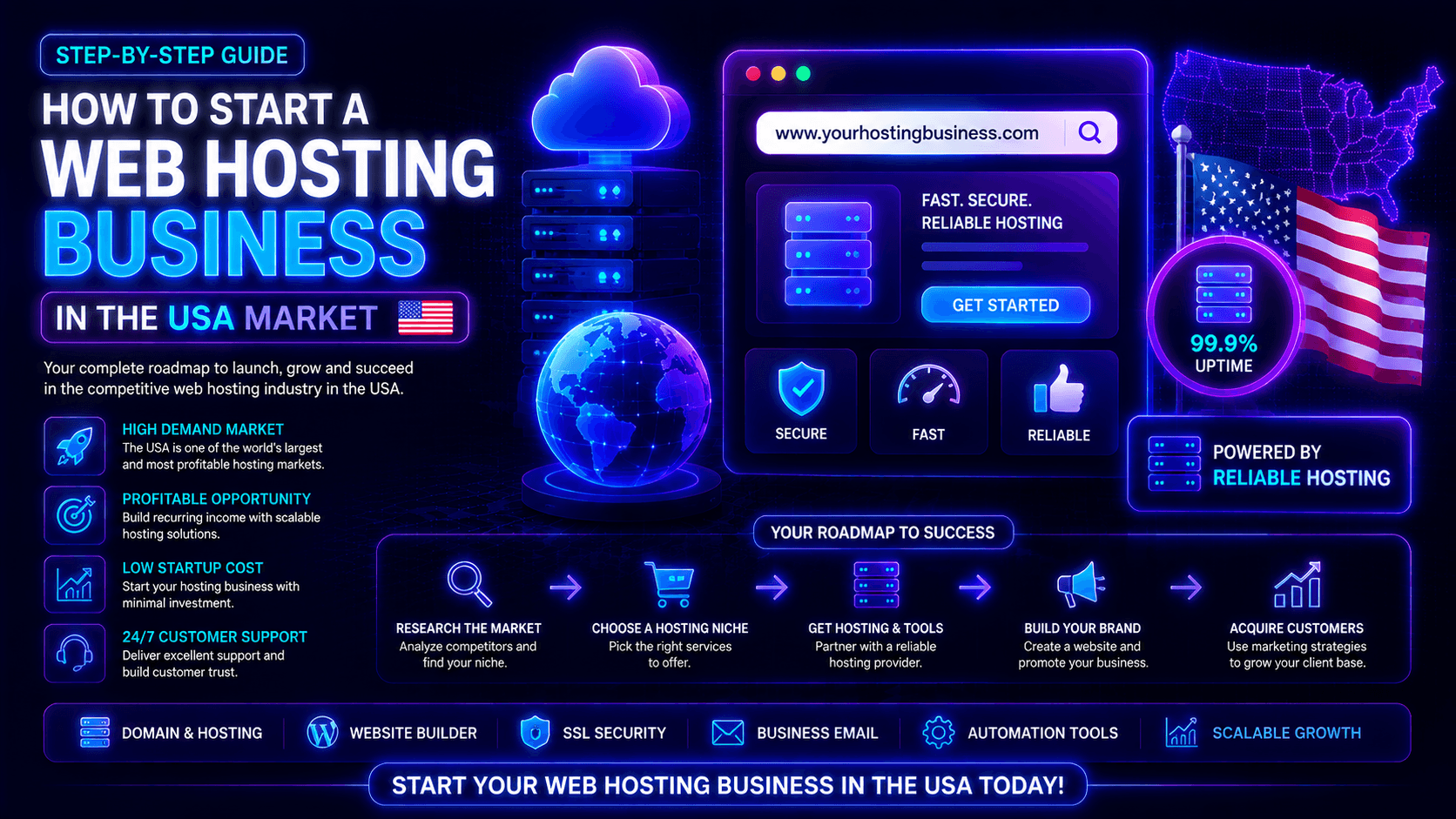
The US web hosting industry remains one of the most profitable and resilient sectors in tech. In 2026, demand continues growing as businesses rely more on e-commerce, AI applications, cloud infrastructure, and cybersecurity-focused hosting solutions. Modern customers want fast, secure, and specialized hosting rather than generic low-cost plans.
For entrepreneurs, this creates strong opportunities for recurring revenue. You can launch shared hosting, reseller hosting, managed WordPress hosting, VPS services, or cloud hosting businesses depending on your budget and expertise. Reseller hosting remains popular for agencies and beginners, while managed and performance-focused hosting often generates higher margins.
Success today depends on specialization, performance, support quality, and automation rather than competing only on price. This guide explains how to launch and grow a hosting business in the competitive US market.
2. Understanding the USA Hosting Market
The US hosting market is competitive but growing, driven by demand for cloud services, AI applications, e-commerce, and cybersecurity. Customers expect fast, secure, reliable hosting. Key target markets include small businesses, agencies, developers, SaaS platforms, and WordPress site owners.
Key Market Trends
Growing demand for fast and secure hosting. Website speed is no longer a luxury. It is a necessity. A one-second delay reduces conversions by up to 7%. Google uses page speed as a ranking factor. Cybersecurity threats are more sophisticated than ever. Customers expect built-in security features: free SSL certificates, DDoS protection, malware scanning, and automated backups. Hosting providers that prioritize speed and security will win customers.
Rise of AI-powered websites and eCommerce. Artificial intelligence is transforming how websites are built, managed, and optimized. AI tools generate content, personalize user experiences, and automate customer support. E-commerce continues its steady growth, with more businesses moving online every year. These websites need hosting that can handle database-driven content, high-resolution product images, and traffic spikes during sales events.
Importance of uptime and customer support. Website downtime costs money. For an eCommerce store, even minutes of downtime can mean lost sales and damaged reputation. The industry standard is 99.9% uptime, but premium customers expect 99.99% or higher. Equally important is customer support. When a website goes down, customers need help immediately—not hours later. 24/7/365 support across multiple channels (live chat, phone, ticket) is no longer optional.
Who Your Target Customers Can Be
Small businesses. Local shops, restaurants, service providers, and professional offices need websites. They are not technical experts. They want hosting that is reliable, easy to manage, and includes support. They value affordability but will pay more for convenience and peace of mind. Small businesses are the largest segment of the hosting market.
Bloggers and content creators. Personal bloggers, niche publishers, and influencers need hosting that handles moderate traffic and allows room to grow. They often use WordPress and appreciate one-click installations, automatic updates, and staging environments. Many bloggers are cost-sensitive but will upgrade as their audience grows.
eCommerce stores. Online stores need hosting that can handle transactions securely, manage product databases, and scale during traffic spikes. They require PCI compliance, SSL certificates, and fast checkout pages. WooCommerce, Shopify, and Magento users have specific hosting needs. They are willing to pay more for performance and security.
Agencies. Web design and digital marketing agencies build and manage websites for their clients. They need reseller hosting or white-label solutions that allow them to brand hosting as their own. Agencies value control panels that make managing multiple client accounts easy. They are less price-sensitive than individual consumers because they pass costs to their clients.
SaaS startups. Software-as-a-Service companies run web applications that require reliable, scalable hosting. They often need cloud hosting with auto-scaling, database optimization, and API access. SaaS customers are technical and demand high performance. They are willing to pay premium prices for infrastructure that supports their growth.
Local service businesses. Plumbers, electricians, HVAC companies, roofers, and landscapers need simple websites that generate leads. They often lack technical expertise and value providers who offer hands-on support. Local service businesses are a stable, often overlooked segment that can be reached through local SEO and partnerships.
3. Choose Your Hosting Business Model
Select a hosting model based on your budget, skills, and target customers. Reseller hosting is beginner-friendly and low-cost, while VPS, dedicated server, and cloud hosting offer higher performance, scalability, and profit potential for more advanced or business-focused clients.
Reseller Hosting
Best for beginners. Reseller hosting is the easiest and most affordable way to start a hosting business. You purchase a reseller plan from a larger provider (like Hostinger, HostGator, or Liquid Web). That plan gives you a pool of resources—storage, bandwidth, email accounts, and databases. You then divide those resources into smaller packages and sell them to your own customers under your own brand.
Low startup cost. Reseller plans typically cost $20-50 monthly. You do not need to buy or maintain any servers. You do not need to manage data centers or negotiate bandwidth contracts. The upstream provider handles hardware, security patches, and network infrastructure. Your job is customer acquisition, support, and billing.
Easy to launch. Many reseller plans include WHMCS (billing and automation software) and cPanel/WHM (control panel for you and your customers). You can be ready to sell hosting within a day of signing up. White-label options allow you to brand the control panel and emails with your company logo.
Best for: Web designers, digital agencies, freelancers, and anyone who wants to test the hosting market without significant upfront investment.
VPS Hosting
More control and scalability. A Virtual Private Server (VPS) gives you a slice of a physical server with dedicated resources. Unlike reseller hosting, where you share a server with other resellers, a VPS provides isolation. Your customers’ performance is not affected by other resellers on the same machine.
Suitable for growing brands. VPS hosting is the natural upgrade path for successful resellers. You have root access to install custom software, configure security settings, and optimize performance. You can also create custom hosting packages that are not possible on shared reseller plans. VPS plans start at $30-100 monthly.
Technical requirements: You need basic server administration skills or the budget to hire a system administrator. Many VPS providers offer managed plans where they handle security updates and monitoring for an additional fee.
Best for: Growing hosting businesses that have outgrown reseller plans and need more control, better performance, and higher margins.
Dedicated Server Hosting
High performance hosting. A dedicated server gives you an entire physical machine. No sharing. No neighbors. Every CPU core, every gigabyte of RAM, and every megabyte of storage is yours alone. This delivers maximum performance for resource-intensive websites: large eCommerce stores, high-traffic news sites, and enterprise applications.
Enterprise-level clients. Dedicated servers cost $100-500+ monthly. Your clients are businesses that cannot tolerate performance degradation from shared resources. They expect 99.99% uptime, fast support, and custom configurations.
Technical requirements: You need significant server administration expertise or a dedicated IT team. You are responsible for operating system updates, security patches, hardware monitoring (though the provider handles physical repairs), and performance optimization.
Best for: Established hosting businesses serving enterprise clients or running high-traffic applications that cannot run on VPS infrastructure.
Cloud Hosting
Flexible and scalable infrastructure. Cloud hosting spreads your customers’ websites across a network of interconnected servers. Resources scale automatically during traffic spikes. If one server fails, another takes over instantly. You pay for what you use, like a utility bill.
Popular in modern hosting businesses. Cloud hosting is ideal for customers with variable traffic: eCommerce stores during Black Friday, SaaS platforms during product launches, or news sites during breaking events. You can offer pay-as-you-go pricing, which appeals to startups and seasonal businesses.
Technical requirements: Cloud hosting requires more technical knowledge than reseller or VPS hosting, but many providers offer managed cloud platforms that abstract the complexity.
Best for: Hosting businesses targeting developers, SaaS companies, and eCommerce stores with unpredictable traffic patterns.
4. Pick the Right Hosting Infrastructure
Choose reliable infrastructure with fast SSD or NVMe storage, scalable cloud resources, strong security, and USA-based data centers for low latency. Popular providers include DigitalOcean, Linode, Vultr, and Amazon Web Services for performance and uptime reliability.
Important Things to Consider
USA-based data centers. Server location directly affects website speed. A server in New York delivers files to a Boston visitor in 10-15 milliseconds. A server in Tokyo delivers to that same visitor in 150-200 milliseconds. For USA customers, choose providers with data centers in multiple US regions: East Coast (Virginia, Ohio, North Carolina), West Coast (California, Oregon, Washington), Central (Texas, Illinois, Iowa), and sometimes Southeast (Georgia, Florida). Having data centers close to your customers dramatically improves load times and SEO rankings.
SSD/NVMe storage. Storage type is one of the most overlooked performance factors. NVMe (Non-Volatile Memory Express) drives connect directly to the server motherboard via PCIe lanes, delivering speeds 3 to 10 times faster than standard SATA SSDs . For WordPress and database-driven sites, this difference shows up directly in page load times. Most legacy US hosting providers built their infrastructure on SATA hard drives. Modern hosting businesses should insist on NVMe storage as standard.
Server uptime guarantee. Uptime is the percentage of time your servers are available. Industry standard is 99.9% (about 8.76 hours of downtime annually). Premium providers guarantee 99.95% or 99.99%. Some reseller plans offer 99.95% uptime targets . Your SLA (Service Level Agreement) should match your target market. eCommerce customers need higher uptime than personal blogs.
DDoS protection. Distributed Denial of Service attacks flood your servers with fake traffic, making websites unavailable to real visitors. DDoS protection is non-negotiable for hosting businesses. Look for providers offering network monitoring, advanced DDoS mitigation, and free SSL certificates .
Backup systems. Data loss destroys customer trust. Your infrastructure must include automated backup systems. Look for daily automated snapshot backups, on-demand backup creation, and off-site storage. Some providers offer 7 days of automated snapshot backups . Others include JetBackup and daily backup options .
Recommended Infrastructure Providers
USA data center providers. Major players in the US data center market include hyperscale operators like Amazon Web Services (AWS), Microsoft Azure, and Google Cloud, which have been recognized as 2026 Cloud IaaS leaders for their performance, scalability, security, and service reliability . The data center market is seeing unprecedented demand, with major operators developing over 2 gigawatts of capacity to meet AI and cloud infrastructure needs . For hosting businesses, colocation providers like Equinix (operating 280 data centers across 36 countries) and Digital Realty Trust (310 data centers across 6 continents) offer enterprise-grade facilities .
Cloud infrastructure options. For startups, managed cloud providers offer the easiest path. DigitalOcean and Vultr are recognized as “Accelerators” in the IaaS market, focusing on usability and ease of deployment . They offer simple interfaces, predictable pricing, and data centers across the USA. AWS, Azure, and Google Cloud provide maximum flexibility but require more technical expertise to manage cost-effectively.
White-label reseller solutions. For beginners who want to launch quickly without managing servers, white-label reseller hosting is ideal. These solutions allow you to brand the hosting as your own while the provider handles infrastructure . Look for providers offering:
- WHMCS integration for automated billing and provisioning
- Custom nameservers (ns1.youragency.com, ns2.youragency.com)
- White-label client portals on your domain
- NVMe storage and server-level caching
- Built-in security (WAF, malware scans, DDoS protection)
Some reseller plans include WHMCS license bundled, saving $192-335 annually . Server locations should include the United States with stated uptime targets of 99.95% or higher .
5. Register Your Brand & Business
Register your business legally, secure a professional domain name, create a trustworthy website, and set up business banking and billing systems. Strong branding, transparent pricing, customer reviews, clear policies, and reliable support help build trust in the competitive USA hosting market.
Business Setup Checklist
Choose a business name. Your business name should be memorable, pronounceable, and hint at your services (e.g., “Bluehost,” “SiteGround,” “Cloudways”). Avoid names that are too generic (“Web Hosting USA”) or too similar to existing brands. Check domain availability and trademark databases before committing.
Register your domain. Your domain is your online address. Register yourbusiness.com, yourbusiness.net, and yourbusiness.org to protect your brand. If your exact name is taken, consider .host, .cloud, or .agency extensions. Register for 2-5 years to avoid accidental expiration.
Create a professional logo. Your logo appears on your website, invoices, social media, and email signatures. Use professional design tools (Canva, Looka, 99designs) or hire a freelance designer. A clean, modern logo builds credibility.
Setup business email. Use your domain for email: yourname@yourbusiness.com, support@yourbusiness.com, billing@yourbusiness.com. Never use Gmail or Yahoo addresses for business communication. Google Workspace or Microsoft 365 are the standard choices.
Register LLC or company in the USA. Operating as a sole proprietorship puts your personal assets at risk. Register a Limited Liability Company (LLC) to separate business and personal liability. Costs vary by state (typically $50-500). You will also need an EIN (Employer Identification Number) from the IRS for taxes and banking. Consult a business attorney or use online services (LegalZoom, ZenBusiness, Tailor Brands).
Build Trust with Customers
Professional website. Your website is your sales floor. It must be modern, fast, mobile-responsive, and easy to navigate. Include clear explanations of your hosting plans, pricing, features, and support options. Use professional photography (not stock photos of fake teams). Testimonials from real customers (once you have them) build credibility.
Terms & conditions. Every hosting business needs legally sound terms and conditions. Cover: acceptable use policy (prohibited content and activities), payment terms, cancellation and refund policies, service level agreement (uptime guarantee, support response times), limitation of liability (you are not responsible for customer data loss), and termination rights (when and how you can suspend accounts). Have a lawyer review your terms before publishing.
Privacy policy. Your privacy policy explains what personal data you collect, why you collect it, how you protect it, and whether you share it with third parties. Hosting businesses collect names, email addresses, IP addresses, and payment information. Your privacy policy must comply with US state privacy laws (California, Virginia, Colorado) and international laws (GDPR) if you serve non-US customers.
Transparent pricing. Customers hate hidden fees. Clearly display: monthly vs annual pricing, renewal rates (not just promotional first-term pricing), add-on costs (additional storage, backups, CDN), setup fees, cancellation fees, and money-back guarantee terms. Transparent pricing builds trust and reduces support tickets.
6. Create Your Hosting Packages
Design clear tiered plans (basic, standard, premium) with scalable resources and upgrade paths. Avoid overpromising “unlimited” features. Add profitable extras like backups, SSL, security, and managed support to increase revenue and customer value.
Shared Hosting Plans
Shared hosting is the entry point for most customers. Structure your plans in three tiers: Starter, Business, and Premium. Each tier should have distinct limits that encourage upgrades.
Starter package. This is your entry-level offering. Target: personal blogs, hobby sites, and very small businesses. What to include: 1 website, 5-10 GB NVMe storage, 25-50 GB bandwidth, 1 database, 5 professional email accounts, free SSL certificate, and weekly backups (automated). Price: 3−6 monthly(promotional)//8-12 monthly (renewal).
Business package. This is your most popular plan. Target: growing small businesses, active blogs, and portfolio sites. What to include: 5-10 websites, 25-50 GB NVMe storage, 100-200 GB bandwidth, unlimited databases, unlimited email accounts, free SSL, daily backups, free CDN, and staging environment. Price: 8−12 monthly(promotional)/15-20 monthly (renewal).
Premium package. This is your high-tier offering. Target: eCommerce stores, agencies, and high-traffic sites. What to include: unlimited websites, 100-250 GB NVMe storage, unmetered bandwidth, unlimited databases, unlimited email, free SSL, daily backups with longer retention, free CDN, staging environment, malware scanning and removal, and priority support. Price: 15−25 monthly(promotional)/25-35 monthly (renewal).
Important considerations: Avoid unlimited storage or bandwidth claims—they invite abuse. Use “unmetered” bandwidth instead, with fair use policies in your terms. NVMe storage is essential; cheap SATA storage is 3-10x slower. Customers will notice.
Add-On Services
Add-ons increase your average order value without increasing your core costs. Price them reasonably so customers add them without hesitation.
Domain registration. Many customers do not have a domain yet. Offer registration for $12-15 per year for .com, .net, .org, .ca, etc. Some hosts offer a free domain for the first year with annual hosting plans.
SSL certificates. Free Let’s Encrypt SSL is included in most plans. For customers who need higher validation (EV or OV certificates), offer premium SSL from $30-100 annually.
Website migration. Some customers come from other hosts and need help moving their sites. Offer migration service for $50-150 per site (depending on complexity). Standard migrations (WordPress, cPanel to cPanel) are simpler; custom applications cost more.
Daily backups. Your core plans include weekly or daily backups. Offer extended backup retention (30 days, 90 days) as an add-on for $2-5 monthly. Also offer one-click restore (already included) and off-site backup copies.
Email hosting. While standard email accounts are included in hosting, some customers want more robust email hosting (Exchange, larger mailboxes, advanced spam filtering). Partner with Google Workspace or Microsoft 365 and offer resold plans at a small markup.
Additional add-ons to consider: Malware removal service, SEO tools, CDN upgrades (from free to paid tier), dedicated IP address, and site lock security.
7. Essential Tools You Need
Use billing automation tools, hosting control panels like cPanel or Plesk, and security systems such as firewalls and backups. These tools streamline operations, automate account setup, and protect your infrastructure.
Billing & Automation
WHMCS is the industry standard for hosting billing and automation. It handles recurring invoicing, payment collection (Stripe, PayPal, credit cards), domain registration (integrates with Enom, Namecheap, OpenSRS), automated account provisioning (creates cPanel accounts instantly when customers pay), suspension and termination (automatic on non-payment), and support ticketing. WHMCS pricing starts at $18.95 monthly for up to 250 clients. Annual licensing is more cost-effective.
Client management systems beyond WHMCS include HostBill (feature-rich, steeper learning curve) and Blesta (open-source, developer-friendly). For most hosting businesses, WHMCS is the safe, well-documented choice. It integrates with virtually every hosting control panel, payment gateway, and domain registrar.
Automated invoicing is critical at scale. Manually sending invoices to 500 customers is impossible. WHMCS sends invoices automatically on your billing cycle (monthly, quarterly, annually), retries failed payments (dunning management), sends overdue reminders, and applies late fees. Set it up once; it runs forever.
Control Panels
cPanel & WHM is the most widely used control panel in the hosting industry. cPanel is for your customers (manages files, emails, databases, domains). WHM (Web Host Manager) is for you (creates and manages customer accounts, sets resource limits, configures server settings). cPanel/WHM is what customers expect. However, pricing changed in recent years; you pay per account. Factor these costs into your pricing.
Plesk is the primary alternative to cPanel. It works on both Linux and Windows servers, has a more modern interface, and offers better built-in security features (modsecurity, fail2ban, firewall). Some customers prefer Plesk; others prefer cPanel. Offering both is complex; pick one and specialize.
DirectAdmin is a lightweight, affordable control panel for budget-focused hosting businesses. It consumes fewer server resources than cPanel or Plesk, costs less per account, and covers the essentials (file management, email, databases, DNS). DirectAdmin is less common, so customer familiarity may be lower.
Security Tools
Firewall. Your server needs a firewall to block malicious traffic. ConfigServer Security & Firewall (CSF) is the standard on Linux servers. It blocks brute force attacks, limits connection rates, and integrates with control panels. WHM/cPanel includes basic firewall capabilities; CSF adds advanced features.
Malware scanning. Customers expect you to protect their websites. ImunifyAV and CXS (ConfigServer eXploit Scanner) scan for known malware signatures, backdoors, and suspicious code. Imunify360 adds a web application firewall (WAF) and DDoS protection. These tools are paid add-ons ($10-30 monthly per server) but essential for maintaining customer trust.
Backup monitoring. Backups are useless if they fail silently. JetBackup is the standard backup tool for cPanel servers. It creates automated backups, stores them off-site (Amazon S3, Google Cloud, FTP), and alerts you if a backup fails. Test your backups monthly. A backup that cannot be restored is worthless.
Other security tools to consider: ModSecurity (WAF rules), Fail2ban (blocks repeated failed login attempts), ClamAV (virus scanning), and kernel-level DDoS protection (provided by many infrastructure providers).
8. Build a Professional Hosting Website
Create a professional site with clear pricing pages, hosting plans, features, FAQs, and support contact options. Add trust signals like uptime guarantees, reviews, and secure checkout to improve conversions and build credibility.
Must-Have Pages
Home page. The homepage must answer three questions within five seconds: what do you sell (hosting), who is it for (small businesses, bloggers, agencies), and why choose you (fast, secure, great support). Include a clear call-to-action (CTA) button: “View Plans” or “Get Started.” Use professional imagery, not generic stock photos of fake teams.
Pricing page. Your pricing page should compare plans side by side. Use a table format with columns for Starter, Business, and Premium. Highlight the most popular plan (Business) with a “Best Value” badge. Include monthly and annual pricing. Annual billing discounts (e.g., 2 months free) improve cash flow. Be transparent about renewal rates—hidden price increases generate negative reviews.
About us. Customers buy from people, not logos. Introduce your team (real names, photos, roles). Share your story: why you started the hosting business, what you value, and how you are different. If you are a solo founder, that is fine. Authenticity beats corporate polish.
Support page. Your support page should list all contact options: live chat (24/7 if available), ticket system, phone number (if applicable), and email. Also include your support hours, average response times, and a link to your knowledge base. Customers need to know they can reach you when something breaks.
Knowledge base. A knowledge base reduces support tickets. Write articles on common topics: “How to point your domain to our nameservers,” “How to create an email account in cPanel,” “How to install WordPress,” “How to access phpMyAdmin,” and “How to restore a backup.” Organize articles by category (Getting Started, Email, Domains, Security, Troubleshooting).
Contact page. The contact page should include a simple form (name, email, message), your physical address (even if it is a PO box or virtual office), phone number, email address, and a map (if you have a physical location). Also list your social media profiles.
Features That Increase Sales
Live chat. Live chat converts visitors who have quick questions before buying. You do not need 24/7 coverage initially. Start with business hours; add 24/7 as you grow. Tools like Tawk.to are free; Zendesk Chat and LiveChat are premium options.
Speed test. Hosting customers care about speed. Offer a free speed test tool on your website. Visitors enter their current website URL; your tool analyzes load time and compares it to your hosting. This builds credibility and captures leads.
Customer reviews. Display real customer reviews prominently. Use a widget from Trustpilot, Google Reviews, or an on-site testimonial section. Include the customer’s name, website, and photo (with permission). Generic “Great host, 5 stars” testimonials are less convincing than specific ones: “Our eCommerce sales increased 30% after switching to [Your Brand] Hosting.”
Free migration offer. One of the biggest barriers to switching hosts is the hassle of moving websites. Offer free migration for new customers. Most migrations can be automated or handled by your support team. This removes friction and accelerates signups.
Other conversion elements: Money-back guarantee (30 days is standard), uptime guarantee (display 99.9% prominently), security badges (SSL, DDoS protection, daily backups), and clear call-to-action buttons on every page.
9. Pricing Strategy for the USA Market
Set competitive mid-range pricing, avoid ultra-low rates, and use tiered plans to encourage upgrades. Increase profit through upsells like backups, SSL, and managed services while focusing on value and long-term customer retention.
Competitive Pricing Tips
Research competitors. Before setting your prices, study what similar hosts charge. Look at entry-level shared hosting from Hostinger, Bluehost, SiteGround, and DreamHost. Note their promotional prices and renewal rates. Also study niche hosts targeting your specific audience (e.g., managed WordPress hosts, eco-friendly hosts, developer-focused hosts). Your pricing should be in the same range unless you offer significantly better features or support.
Offer monthly & yearly plans. Monthly plans attract price-conscious customers and those testing your service. Yearly plans improve your cash flow and reduce churn (customers who pay annually are less likely to cancel impulsively). Discount yearly plans by 15-25% compared to monthly billing. For example, 10 months or 96 annually ($8 per month effective).
Create limited-time offers. Promotional pricing creates urgency. Offer 50-70% off the first term (3 months, 6 months, or 1 year). After the promotional period, prices revert to standard renewal rates. This is standard industry practice. Be transparent: display both promotional and renewal prices on your pricing page.
Other pricing tips: Offer a free trial (7-14 days) for risk-free testing. Include a 30-day money-back guarantee on all plans. Avoid hidden fees—customers hate surprise setup fees or cancellation charges. Price in USD with no confusing international conversions.
How to Increase Profit
Upsell VPS and backups. Not every customer needs VPS hosting, but when a shared hosting customer outgrows their plan, offer a seamless upgrade path to VPS. Train your support team to recognize resource usage patterns. Also offer backup upgrades: from weekly backups to daily backups, or from 7-day retention to 30-day retention. These low-cost add-ons have high profit margins.
Offer managed services. Many customers do not want to manage their own hosting. Offer managed services for a premium: server security monitoring and patching, WordPress plugin updates, malware cleanup, performance optimization, and proactive support (you call them when you detect an issue). Price managed services at $20-50 monthly above standard hosting.
Bundle SEO or web design services. Web designers and agencies are natural hosting resellers. Partner with them. Offer white-label hosting that they can brand as their own. In return, they bring you customers. Alternatively, offer your own SEO or web design services as add-ons. Small businesses often need both hosting and design; being a one-stop shop increases customer lifetime value.
Other profit strategies: Charge for site migrations (or offer free migration as a promotional tool). Sell domain registration (low margin but keeps customers in your ecosystem). Offer premium SSL certificates (Let’s Encrypt is free; offer EV certificates for $50-100 annually). Resell email hosting (Google Workspace or Microsoft 365) at a small markup.
10. Marketing Strategies to Get USA Clients
Use SEO to rank for hosting keywords, run targeted ads, and leverage social media marketing to build awareness. Add affiliate programs to expand reach and attract new customers through commissions and referrals.
SEO Marketing
Target local USA keywords. Generic keywords like “web hosting” are dominated by industry giants. Instead, target long-tail, intent-rich phrases: “best managed WordPress hosting for agencies,” “affordable VPS hosting for startups,” “cPanel reseller hosting for web designers.” Also target local keywords: “web hosting for small business in Texas,” “cloud hosting for LA eCommerce stores,” “shared hosting for New York bloggers.”
Create helpful blog content. Write blog posts that answer customer questions: “How to choose a web host: 7 factors to consider,” “Shared vs VPS vs Cloud: which is right for you?” “How to migrate your website to a new host (step by step),” “WordPress speed optimization guide,” “What is cPanel and how do you use it?” Each blog post is an opportunity to rank for relevant keywords and demonstrate your expertise.
Optimize hosting comparison pages. Customers often search “Hostinger vs Bluehost” or “SiteGround vs Cloudways.” Create comparison pages that pit your brand against competitors. Be honest about strengths and weaknesses. Comparison pages rank well and attract high-intent customers who are actively evaluating options.
Paid Advertising
Google Ads. Google Ads captures customers actively searching for hosting. Bid on keywords with commercial intent: “buy web hosting,” “cheap VPS,” “WordPress hosting deals.” Start with a $20-50 daily budget. Use location targeting (USA only). Use negative keywords to exclude free or low-intent searches (“free web hosting,” “web hosting meaning”). Track conversions (signups, purchases) not clicks.
Facebook Ads. Facebook Ads reach customers who are not actively searching but might be interested. Target small business owners, bloggers, freelancers, and web designers. Use lookalike audiences once you have customer data. Facebook is less effective for immediate conversions but works for brand awareness and retargeting.
Reddit promotions. Reddit has niche communities (subreddits) for web hosting, WordPress, web design, small business, and eCommerce. Participate genuinely. Answer questions. Do not spam links. Once you have credibility, you can mention your hosting brand when relevant. Reddit traffic is highly targeted but low volume.
Social Media Marketing
Twitter/X. Follow web developers, designers, and small business owners. Share hosting tips, security alerts, and industry news. Engage in conversations. Use hashtags like #webhosting, #WordPress, #smallbiz, #webdev.
LinkedIn. LinkedIn is the best platform for B2B hosting sales. Connect with agency owners, IT managers, and small business operators. Share case studies and whitepapers. Join LinkedIn groups for web professionals.
YouTube tutorials. Create video tutorials: “How to start a website in 30 minutes,” “cPanel tutorial for beginners,” “WordPress vs Wix vs Squarespace.” YouTube videos rank in Google search and build trust. Your face and voice humanize your brand.
Affiliate Program
Let others promote your hosting brand. Affiliates are your sales force. You pay only for results. Offer competitive commissions: one-time $50-100 per sale or recurring 15-30% of monthly payments for the customer’s lifetime. Provide affiliates with banners, text links, email templates, and promotional content.
Commission-based referrals. Recruit bloggers, YouTubers, web designers, and agency owners. Web designers are especially valuable—they build websites for clients who need hosting. Offer them white-label hosting they can brand as their own, plus generous commissions.
Affiliate management platforms: ShareASale, Impact, and Post Affiliate Pro are popular. For beginners, WHMCS has built-in affiliate management. You can also start simple: unique coupon codes and manual payouts via PayPal.
11. Customer Support Strategy
Strong customer support is a key competitive advantage in hosting. Offer fast, knowledgeable assistance through live chat, email, and ticket systems. Personal, responsive support builds trust, improves retention, and differentiates you from larger providers.
Why Support Matters in Hosting
Fast response time builds trust. When a customer’s website goes down or an email stops working, they panic. Every minute feels like an hour. A support ticket that takes 4 hours to receive a response is unacceptable. A live chat response in 60 seconds? That builds loyalty for life. Aim for first response under 2 hours for tickets, under 5 minutes for live chat (during business hours).
Technical support improves retention. Customers leave hosts not because of price, but because of problems. A slow website that never gets fixed. A migration that fails and no one helps. A security breach that could have been prevented. When you resolve technical issues quickly and competently, customers stay for years. The lifetime value of a retained customer far exceeds the cost of supporting them.
Support reduces churn. Hosting has notoriously high churn rates (10-20% annually for shared hosting). Customers leave for competitors offering lower prices, but also leave because they feel unsupported. Your support team is your retention engine. Every positive interaction makes it harder for a competitor to poach that customer.
Support Channels
Live chat. Live chat is the most important support channel in hosting. Customers want immediate answers, not email waiting. Live chat response times should be under 2 minutes during business hours. Tools: Tawk.to (free, simple), Zendesk Chat (premium, integrates with ticketing), or WHMCS built-in chat (basic). If you cannot staff live chat 24/7 initially, offer it during your business hours and clearly display those hours.
Ticket support. Ticketing systems provide structure and accountability. Each support request gets a number. Customers can track progress. Agents can see history. WHMCS includes a built-in ticket system with departments (Sales, Billing, Technical Support, Abuse). Tickets are best for complex issues that require research or escalation. Set clear response time expectations: 2-4 hours for standard tickets, 24 hours for low-priority.
WhatsApp support. WhatsApp is increasingly popular for business communication, especially for customers who prefer messaging over email or live chat. You can send images, videos, documents, and voice notes. Customers can send you photos of error messages instantly. WhatsApp Business API integrates with helpdesk software. Smaller hosts can start with WhatsApp Business app (free) on a dedicated phone number.
Email support. Email is the baseline support channel. Every hosting business must offer email support. Customers expect to email support@yourdomain.com. The challenge is managing volume. Use a helpdesk system that converts emails into tickets (WHMCS, Freshdesk, Zendesk). Never let emails sit in a shared inbox.
Phone support (optional). Phone support is expensive to staff but valuable for emergencies. If you offer phone support, clearly state your hours and expected wait times. For many hosting businesses, excellent live chat and ticket support are sufficient. Phone support can be added as a premium feature for higher-tier plans.
12. Common Mistakes to Avoid
Avoid cheap unreliable servers, weak security, poor support, unrealistic pricing, and lack of backups. These mistakes damage trust, reduce performance, and can quickly lead to customer loss and business failure in the competitive hosting market.
Choosing Cheap Unreliable Servers
The cheapest server is rarely the best value. Low-cost providers overcrowd servers, use outdated hardware, and offer minimal support. Your customers will experience slow page loads, frequent downtime, and frustrated visitors. The result? High churn and negative reviews. Invest in quality infrastructure with SSD/NVMe storage, USA-based data centers, and strong uptime guarantees. Your reputation depends on it.
Ignoring Security
Security is not optional. A hacked customer website damages your reputation. A compromised server affects every customer on that machine. Yet many new hosts skip basic security: firewalls, malware scanning, DDoS protection, and automatic updates. Customers expect these features. Build security into your infrastructure from day one. Use tools like CSF firewall, Imunify360, and daily malware scans. Provide free SSL certificates as standard.
Poor Customer Support
Hosting problems happen 24/7. A server issue at 3 AM on a Sunday needs attention. Customers who cannot reach you will leave—and tell others. Poor support includes slow response times (24+ hours), unhelpful scripted answers, and no phone or live chat options. Invest in support. Even if you are a solo founder, be available. Set clear response time expectations and meet them consistently. Your support quality is your competitive advantage over larger, impersonal hosts.
Overpricing Without Value
The USA hosting market is competitive. Overpricing your plans without offering corresponding value drives customers to established competitors. But underpricing attracts bargain hunters who are expensive to support and quick to leave. Research competitor pricing. Position yourself in the same range unless you offer significantly better features (faster hardware, more security, managed services). Be transparent about renewal rates. Hidden price increases generate negative reviews and refund requests.
No Backup System
Backups are your last line of defense. When a customer accidentally deletes their database, when a hack corrupts their files, when a server crash occurs—backups restore what was lost. Yet many new hosts skip automated backups or offer them as an expensive add-on. This is a mistake. Provide automated daily backups as standard. Store backups off-site. Test your restoration process monthly. A backup that cannot be restored is worthless.
13. Estimated Startup Cost
Startup costs vary by model. Reseller hosting is low-cost and beginner-friendly, while VPS or dedicated setups require higher investment for servers, software, and automation tools. Expenses scale with infrastructure and service level.
Beginner Setup (Reseller Hosting)
| Item | Estimated Cost | Notes |
| Reseller hosting plan | $20-50 monthly | Includes server resources, cPanel/WHM, basic support |
| Domain registration | $12-15 yearly | Your brand domain (.com preferred) |
| Business email (Google Workspace) | $6 monthly per user | Professional email with your domain |
| Billing software (WHMCS) | $18.95 monthly | Up to 250 clients; annual license discounts available |
| Website hosting (your brand site) | $10-20 monthly | Separate from your reseller plan; keep customer hosting separate |
| Logo and branding | $50-300 one-time | Freelance designer or DIY tools (Canva, Looka) |
| Business registration (LLC) | $50-500 one-time | Varies by state; LegalZoom or ZenBusiness |
| Marketing (initial) | $100-500 monthly | Google Ads, social media, content creation |
| Monthly recurring total | $55-105 | Excluding one-time costs |
| First year total estimate | $1,000-2,500 | Includes one-time and recurring costs |
Beginner setup is ideal for testing the market, learning the business, and acquiring your first customers. Startup costs are low; you can launch with as little as $500-1,000.
Advanced Setup (VPS or Dedicated Servers)
| Item | Estimated Cost | Notes |
| VPS hosting (managed) | $50-200 monthly | More control, better performance, scalability |
| Dedicated server (optional) | $100-500+ monthly | For high-performance needs or enterprise clients |
| Data center colocation | $500-2,000+ monthly | If you buy your own hardware; not for beginners |
| Team hiring | $2,000-10,000+ monthly | Support staff, system administrators, marketing |
| Premium support systems | $50-200 monthly | Advanced helpdesk, phone support, monitoring |
| WHMCS (unlimited clients) | $49.95 monthly | For larger client bases |
| Security tools (Imunify360) | $15-30 monthly per server | Advanced malware scanning, WAF, DDoS protection |
| Backup system (JetBackup) | $10-20 monthly per server | Automated backups, off-site storage |
| Professional website design | $1,000-5,000 one-time | Custom design, not template |
| Legal & compliance | $1,000-3,000 one-time | Terms, privacy policy, business structure |
| Marketing (ongoing) | $500-2,000+ monthly | SEO, paid ads, content, affiliate program |
| Monthly recurring total | $2,600-8,000+ | Excluding one-time costs |
| First year total estimate | $30,000-100,000+ | For a full-scale hosting business |
Advanced setup is for established hosting businesses, entrepreneurs with significant capital, or those targeting enterprise clients. Startup costs are substantial; return on investment may take 12-24 months.
Cost-Saving Tips
- Start with reseller hosting; upgrade later.
- Use free or low-cost tools initially (Tawk.to for live chat, Canva for design, Mailchimp free tier for email).
- Handle support yourself until you reach 50-100 customers.
- Outsource logo, website design, and legal documents to freelancers, not agencies.
- Use open-source alternatives where possible (WordPress for your brand site, MariaDB instead of commercial databases).
14. How to Scale Your Hosting Business
Scale by adding managed WordPress hosting, expanding into cloud services, and targeting new customer segments. Build agency partnerships and offer white-label hosting to increase recurring revenue and grow without heavily increasing acquisition costs.
Offer Managed WordPress Hosting
Managed WordPress hosting is one of the fastest-growing segments of the hosting market. Customers want WordPress-optimized servers, automatic updates, staging environments, and expert support. Upgrade your shared hosting customers to managed plans as their traffic grows. Package includes server-level caching, CDN integration, automatic WordPress core and plugin updates, daily backups with one-click restore, malware scanning and removal, and staging environment. Price managed plans at $20-50 monthly.
Expand to Cloud Hosting
Cloud hosting appeals to developers, SaaS companies, and eCommerce stores with variable traffic. Cloud resources scale automatically during traffic spikes; customers pay only for what they use. Expand to cloud hosting by using providers like DigitalOcean, Vultr, or AWS Lightsail. Offer self-service VPS creation with your control panel and hourly billing as an option. Cloud hosting customers are more technical, expect API access, and are often willing to pay premium prices for flexibility.
Build Agency Partnerships
Web design and development agencies are natural hosting resellers. They build websites for clients who need hosting. Offer agencies: white-label hosting (they brand it as their own), generous commissions (20-30% recurring), priority support, developer-friendly tools (staging, Git, SSH), and no minimum monthly commitment. Acquire agency partners through LinkedIn, industry conferences, and outbound email. Each agency partner brings you multiple customers at zero acquisition cost.
Launch White-Label Hosting
White-label hosting allows other businesses to resell your hosting under their own brand. This is a scalable growth channel. Your partners do the marketing and customer acquisition; you provide the infrastructure and support. Provide your partners with custom nameservers, branded control panel, automated billing integration, and support escalation. White-label hosting works for agencies, IT consultants, and even non-competing hosting businesses.
15. Final Thoughts
The US web hosting market is highly competitive, dominated by major players like GoDaddy, Bluehost, and Hostinger. While they invest heavily in marketing, success in this industry is not about matching their scale, but about offering better reliability, support, and niche value. (Gain)
Profitability is real, but it depends on customer retention. Hosting margins may be thin, but long-term subscribers generate strong recurring revenue if service quality is consistent. The industry rewards stability more than aggressive pricing.
Success comes from trust: stable infrastructure, fast support, and a clear brand identity. Customers leave providers mainly due to downtime, poor support, and broken expectations—not price alone.
Start small, focus on service quality, and scale gradually into VPS, cloud, or managed hosting as demand grows.

One thing that really stands out in theBlog Comment Creation Guide US hosting market right now is how much customer expectations have shifted from just low pricing to performance, security, and niche-focused solutions. I also think recurring revenue is what makes this business model attractive, but long-term success probably depends on support quality and reliability more than marketing alone. It’ll be interesting to see how smaller hosting businesses compete as AI-driven applications continue increasing infrastructure demands.