
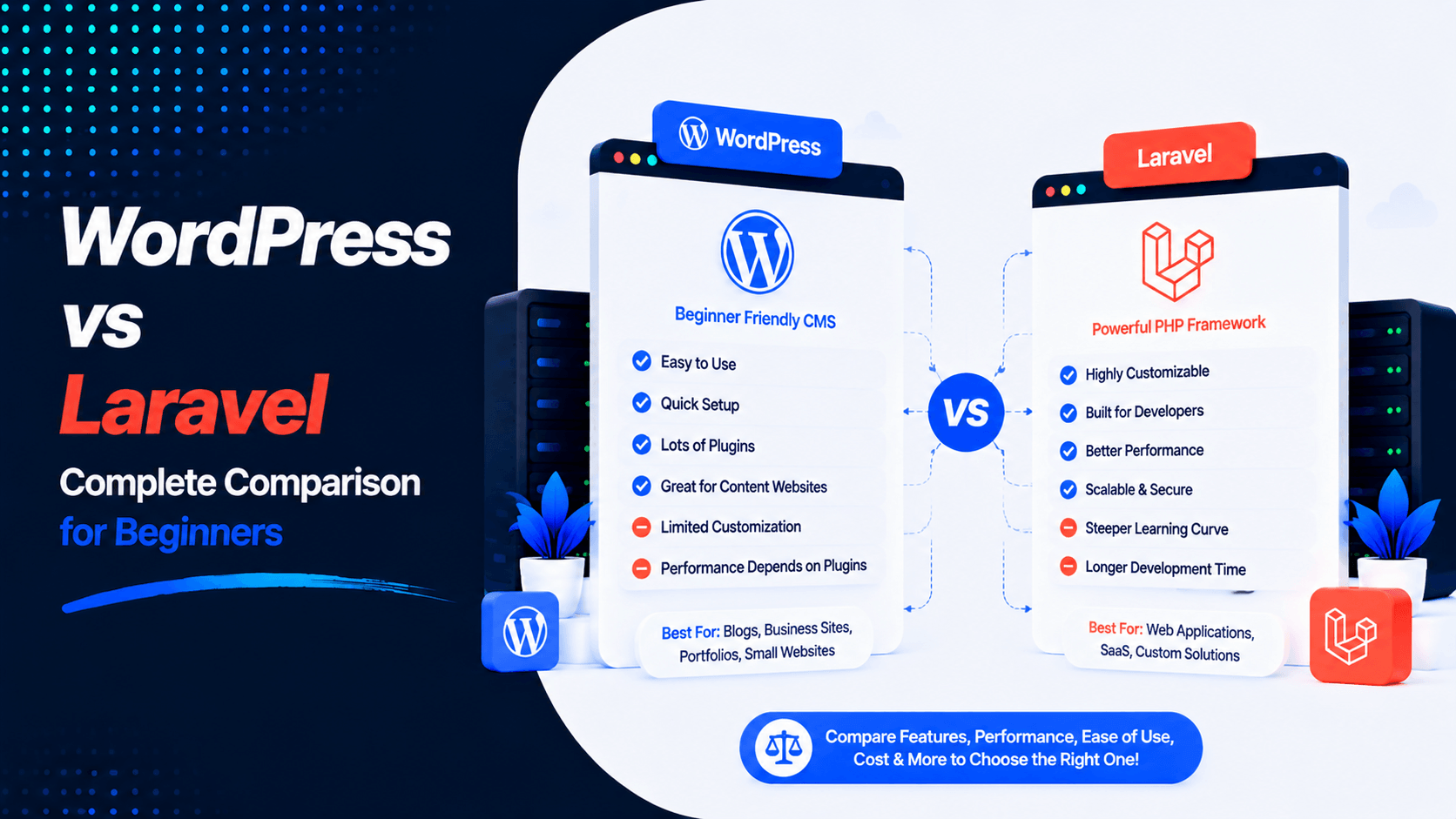
WordPress and Laravel are both built with PHP. But they are not the same. Each one has a different job.
WordPress helps you build websites fast. It is simple and beginner-friendly. Laravel is for custom web apps. It gives you more control and power.
This guide will compare WordPress vs Laravel. We will look at features, security, and speed. We will also check flexibility, costs, and best uses. By the end, you will know which one fits your project best.
What is WordPress?
WordPress is one of the world’s most popular Content Management Systems (CMS). It helps users create and manage websites without advanced coding skills. Themes control the design, while plugins add features and functionality.
How WordPress Works
WordPress stores website content in a database and displays it through themes. From the dashboard, users can:
- Publish pages and blog posts
- Upload images and videos
- Install plugins
- Customize website design
- Manage users and SEO settings
Many hosting providers also offer one-click WordPress installation.
WordPress.org vs WordPress.com
WordPress.org is self-hosted. You get full control. You can choose your own hosting, themes, plugins, and ways to earn money.
WordPress.com is a hosted service. Setup is simpler. But features and customization depend on your plan.
Common Uses of WordPress
- Business websites – Create professional websites and manage content easily.
- Blogs – Publish articles, guides, and news.
- Portfolio websites – Showcase creative work and projects.
- WooCommerce stores – Turn WordPress into an online store.
- News websites – Organize and publish large amounts of content.
What is Laravel?
Laravel is a modern PHP framework used to build custom web applications. Unlike WordPress, Laravel is not a CMS. It gives developers the tools to create secure, flexible, and scalable applications.
What Is a PHP Framework?
A PHP framework has reusable tools and code. These tools help developers build web apps faster. Laravel comes with many built-in features. These include routing, authentication, database management, and security.
MVC Architecture Explained
Laravel follows the Model-View-Controller (MVC) architecture:
- Model – Manages data, database interactions, and business logic.
- View – Controls how information looks to users. Laravel uses Blade for this.
- Controller – Connects the Model and View by processing user requests and returning responses.
MVC keeps the code organized and makes applications easier to maintain and update.
Common Laravel Projects
Laravel is ideal for custom, database-driven applications, including:
- Custom Business Software – Solutions designed for specific business needs.
- CRM Systems – Manage customers, sales, and support.
- ERP Systems – Manage business operations such as inventory, HR, and accounting.
- POS Systems – Process sales and manage inventory and customers.
- Booking Systems – Handle appointments, reservations, and scheduling.
- SaaS Applications – Build subscription-based online software.
- Customer Portals – Provide secure accounts, resources, and support features.
WordPress vs Laravel: Quick Comparison Table
Compare WordPress and Laravel side by side to quickly identify the best platform for your website or custom web application.
| Feature | WordPress | Laravel |
| Type | CMS (Content Management System) | PHP Framework |
| Learning Curve | Easy | Moderate to Advanced |
| Coding Required | Minimal (themes/plugins may need code) | Extensive |
| Development Speed | Fast (pre-built themes, plugins) | Medium (custom coding required) |
| Customization | High (via themes & plugins) | Unlimited (full control) |
| Security | Good (requires plugins & maintenance) | Excellent (developer-controlled) |
| Performance | Good (depends on hosting & optimization) | Excellent (optimized for custom applications) |
| SEO | Excellent (built-in SEO tools) | Depends on implementation |
| Best For | Websites, blogs, eCommerce (WooCommerce) | Custom web applications, APIs, enterprise solutions |
| Cost | Lower (hosting, themes, plugins) | Higher (development time, developer costs) |
WordPress vs Laravel: Feature-by-Feature Comparison
Ease of Use
Beginner Friendliness
- WordPress is built for non-technical users. You can create pages and publish content easily. You do not need to know HTML, CSS, or PHP to get started.
- Laravel is made for developers. You need basic PHP and web development knowledge. The learning curve is steeper for complete beginners.
Dashboard
- WordPress has a user-friendly dashboard. You can manage content, media, themes, and plugins from one place. The Block Editor lets you design page layouts without any coding.
- Laravel does not have a built-in visual dashboard. Developers work through code and a code editor. They also use Laravel’s Artisan command-line tools.
Learning Curve
- WordPress is fairly easy to learn. Beginners can set up a basic website quickly. But advanced changes may need coding skills.
- Laravel requires knowledge of PHP and MVC architecture. You also need to understand object-oriented programming and command-line tools. It offers more flexibility but needs more technical experience.
Installation
- WordPress is simple to install. Many hosting providers offer one-click installation. Manual setup is also easy and needs minimal technical know-how.
- Laravel needs a development environment with PHP and Composer. You create projects using Composer or the Laravel Installer. This means you need some experience with the command line.
Customization
Themes
- WordPress uses themes to control design and layout. You can switch themes quickly. There are thousands of free and premium options. Many themes include page builders for visual editing.
- Laravel has no traditional theme system. Developers build the front end with Blade templating. They can also use React, Vue, or Svelte. This offers more design freedom. But it requires coding skills.
Plugins
- WordPress plugins add features without coding. You can add eCommerce, SEO, forms, analytics, and memberships easily. Just install and activate.
- Laravel uses packages and libraries to extend apps. Packages handle authentication, payments, caching, queues, and databases. You install and configure them through Composer and code.
Custom Coding
- WordPress supports custom PHP coding. You can modify themes and plugins. Developers use hooks and APIs to create custom features, post types, and functionality.
- Laravel is built for custom development. You can build apps from scratch. Laravel gives you structure, tools, and MVC architecture to work with.
Flexibility
- WordPress works well for blogs, business sites, online stores, portfolios, and membership sites. Complex apps may need heavy customization.
- Laravel offers more flexibility. It is great for custom web apps, APIs, SaaS platforms, enterprise systems, and data-driven projects.
Performance
Website Speed
- WordPress performance depends on hosting, themes, plugins, images, and caching. A well-optimized site can be fast. But poor themes or too many plugins may slow it down.
- Laravel is built for high-performance custom apps. Developers can use caching, optimized queries, and queues. These tools improve speed and handle heavy traffic.
Database Optimization
- WordPress has a standard database structure. It works well with themes and plugins. Caching and optimization can boost performance. Complex sites may need extra tuning.
- Laravel uses Eloquent ORM to manage databases. It gives developers control over queries, indexing, caching, and structure.
Scalability
- WordPress can handle high traffic with good hosting, caching, and CDN integration. Large sites may need advanced infrastructure.
- Laravel offers strong scalability for custom apps. Developers can use Redis, queues, and cloud infrastructure. These tools help distribute workloads and support growing traffic.
Security
Common Vulnerabilities
- WordPress has a large user base. This makes it a common target for attacks. Outdated plugins, themes, and weak passwords create risks. Poorly coded extensions can also cause problems. Regular updates and good security practices are essential.
- Laravel includes built-in protections. It guards against SQL injection, cross-site scripting (XSS), and cross-site request forgery (CSRF). Developers still need to configure and maintain the app securely.
Updates
- WordPress needs regular updates. You must update the core, themes, and plugins. Keeping everything current helps protect against known threats.
- Laravel updates are managed through Composer. This gives developers more control. But it also requires technical know-how.
Authentication
- WordPress has built-in authentication for admins and users. Advanced login and membership features often need plugins or custom code.
- Laravel offers a flexible authentication system. It includes starter kits for login, registration, and user management.
Security Best Practices
- WordPress users should use strong passwords and reliable hosting. Regular backups and security tools help too. Always keep themes and plugins updated.
- Laravel developers should use secure authentication and password hashing. Encryption and CSRF protection are important. Proper access controls and regular updates keep the app safe.
SEO
Built-In Capabilities
- WordPress has a strong SEO foundation. It offers clean content structures and customizable URLs. SEO plugins help manage titles, meta descriptions, sitemaps, and more.
- Laravel does not include built-in SEO tools. Developers must add title tags, meta descriptions, XML sitemaps, and structured data manually.
SEO Plugins and Packages
- WordPress has popular SEO plugins like Yoast SEO and Rank Math. These tools make on-page optimization easy. They also handle technical SEO tasks.
- Laravel does not use a traditional plugin system. Developers can use packages for specific SEO functions. But most SEO features need coding.
Custom SEO Implementation
- WordPress lets developers customize meta tags, URLs, and schema markup. You can do this through themes, plugins, or custom code.
- Laravel gives complete control over HTML, URLs, metadata, and technical SEO. Developers can build exactly what they need.
Scalability
Small Websites
- WordPress excels for small websites. A basic site can handle thousands of visitors daily on shared hosting. It is easy to use and has a rich ecosystem. This makes it ideal for blogs, portfolios, and small business sites.
- Laravel can also build small websites. But it is often more than needed. Development takes longer. Resource requirements are higher. For content-focused sites, WordPress is usually more practical.
Medium Businesses
- WordPress can power medium-sized business sites and online stores. With good hosting and optimization, it handles moderate traffic well. Plugins like WooCommerce make it a strong eCommerce choice.
- Laravel offers better performance and scalability for medium businesses. As traffic grows, Laravel’s architecture makes scaling easier. For apps with complex business logic, Laravel is often the better choice.
Enterprise Projects
- WordPress can work for enterprise projects. But it needs significant investment in hosting, optimization, and development. High-traffic sites often use custom caching, CDNs, and managed WordPress hosting.
- Laravel is built for enterprise applications. It handles complex, high-traffic apps with ease. The framework is designed to scale to enterprise workloads. Laravel apps have handled hundreds of millions of requests per month.
Maintenance
Updates
- WordPress needs regular updates for core, themes, and plugins. Updates are usually simple. But compatibility issues can sometimes happen.
- Laravel updates are managed through Composer. They often need testing in a development environment first. This gives more control but requires technical skills.
Plugin and Package Management
- WordPress sites often use many plugins. Each plugin can affect security, performance, and compatibility. Regular updates and reviews are important.
- Laravel uses packages that developers add based on app needs. This keeps the application focused. Developers control which dependencies are installed.
Framework Updates
- WordPress updates can be installed from the dashboard. Major updates may need testing. This ensures themes and plugins still work correctly.
- Laravel major updates may require code changes. Careful testing is essential. Developers review upgrade requirements first. They test the app before updating production.
Development Time
Ready-Made Solutions
- WordPress offers thousands of ready-made themes and plugins. Users can build functional websites quickly without coding. It works great for blogs, business sites, portfolios, and online stores.
- Laravel has fewer ready-to-use solutions for non-developers. It provides starter kits and packages. But developers often need to build and customize features themselves.
Custom Development Timeline
- WordPress is usually faster for traditional CMS websites. Themes, plugins, and tools reduce development time. Complex custom features may need extra work.
- Laravel can be more efficient for custom web apps. Its tools, MVC structure, Eloquent ORM, Blade, and Artisan CLI help developers build complex features quickly.
Cost Comparison
Hosting
- WordPress hosting is available at all price points. Shared hosting can cost $3‑10 per month. Managed WordPress hosting costs $20‑100+ per month. It includes optimization, security, and support.
- Laravel hosting needs are similar to other PHP apps. Shared hosting works for simple sites. But VPS or cloud hosting is often better. Costs range from $5‑50+ per month. Free cloud tiers are available for low-traffic apps.
Development
- WordPress development costs are lower for standard sites. You can build a basic site yourself. Hiring a developer is moderately priced. Complex custom work can still be costly.
- Laravel development costs are higher. You need a skilled developer. Laravel experts cost more than WordPress developers. For complex apps, the cost is often justified.
Maintenance
- WordPress maintenance includes updates and security monitoring. Premium plugins and themes have annual fees. Non-developers can handle basic updates.
- Laravel maintenance needs a developer. Updates, security patches, and bug fixes require technical skills. Ongoing costs are higher with an agency.
Premium Plugins
- WordPress has many premium plugins and themes. Costs add up with multiple products. A single premium plugin costs $50‑300 per year. A premium theme is $50‑100 per year. Some are one-time purchases.
- Laravel packages are mostly free and open-source. Premium packages are rare and for specialized uses. Most development uses free packages.
Long-Term Ownership Cost
- WordPress long-term costs include hosting and premium plugins. Developer fees are occasional. For small to medium sites, this is manageable. Costs grow gradually with new features.
- Laravel long-term costs are mostly developer fees. Custom-built apps avoid plugin license fees. This can be cost-effective for complex, long-term projects.
WordPress Pros and Cons
WordPress is great for building websites quickly. It makes content management easy. The platform is user-friendly. But it needs regular maintenance for security and speed.
Advantages
- Easy to learn and manage, even for beginners.
- Thousands of themes and plugins for added functionality.
- Lower development costs and faster website launch.
- SEO-friendly with powerful optimization plugins.
- Large global community with extensive support and tutorials.
Disadvantages
- Plugin conflicts can cause compatibility issues.
- Security risks if updates are neglected.
- Too many plugins may reduce website performance.
- Less suitable for highly complex custom applications.
- Requires ongoing updates, backups, and maintenance.
Laravel Pros and Cons
Laravel is a powerful PHP framework. It builds secure, scalable, and fully customized web apps.But it needs more development time and technical skills.
Advantages
- Fully customizable to meet unique business requirements.
- Clean code structure makes applications easier to maintain.
- Strong built-in security features, including authentication and data protection.
- Excellent performance and scalability for growing applications.
- Ideal for complex systems such as CRM, ERP, SaaS, and booking platforms.
Disadvantages
- Requires experienced PHP and Laravel developers.
- Higher development and maintenance costs than WordPress.
- Longer development time due to custom coding.
- No ready-made themes or large plugin ecosystem.
- Regular framework and package updates require technical knowledge.
When Should You Choose WordPress?
WordPress is best when you need a professional website that is easy to build and manage. You don’t need extensive coding skills.
Choose WordPress if you need:
- Blogs: Publish articles regularly with an easy-to-use content editor.
- Small Business Websites: Create a professional online presence quickly and affordably.
- Company Websites: Showcase your services, team, and contact information.
- Landing Pages: Build high-converting pages for marketing campaigns and lead generation.
- News Portals: Manage large volumes of articles with categories and tags.
- Portfolio Websites: Display creative work, projects, and client testimonials.
- WooCommerce Stores: Launch an online store with product management, payments, and shipping features.
- Local Business Websites – Improve local SEO with location pages and reviews.
If you want to launch fast, keep costs low, and manage content without developers, WordPress is an excellent choice.
When Should You Choose Laravel?
Laravel is the right choice for projects with custom functionality and advanced business logic. It scales as your business grows.
Choose Laravel if you need:
- CRM Systems: Manage customer data, sales pipelines, and communication.
- ERP Software: Integrate accounting, inventory, HR, and operations into one platform.
- POS Software: Build custom point-of-sale systems with inventory and reporting features.
- School Management Systems: Manage students, teachers, attendance, exams, and fees.
- Hospital Management Software: Handle patient records, appointments, billing, and staff management.
- Multi-Vendor Marketplaces: Support multiple sellers, products, and payment systems.
- SaaS Platforms: Develop subscription-based software with secure user accounts and billing.
- Booking Systems: Create online reservation platforms for hotels, clinics, or service businesses.
- Membership Platforms: Offer user registration, subscriptions, and protected content.
- Custom Enterprise Applications: Build scalable solutions tailored to unique business processes.
If your project needs high performance, advanced security, and custom workflows, Laravel beats WordPress.
Can Laravel and WordPress Work Together?
Yes. Laravel and WordPress can work together to build powerful websites and apps. A common approach uses WordPress as the content management system. Laravel then handles custom business logic and advanced features.
Common Integration Approaches
- Headless WordPress: WordPress manages blog posts and pages, while Laravel displays the content through APIs.
- Laravel as the Backend: Laravel powers custom features such as user authentication, dashboards, payments, and business workflows.
- WordPress as the CMS: Content editors can easily update articles, images, and pages without involving developers.
API Integration Examples
- A company website built with WordPress connected to a Laravel customer portal.
- A WooCommerce store integrated with a Laravel inventory or ERP system.
- A WordPress blog sharing content with a Laravel SaaS application via REST APIs.
Benefits of Combining Both
- Easy content management with WordPress.
- Powerful custom functionality using Laravel.
- Better scalability for growing businesses.
- Faster content updates without affecting the custom application.
- A flexible solution that combines the strengths of both platforms.
Common Mistakes Beginners Make
Beginners often pick a platform without thinking about key factors. This can lead to higher costs or limits later on.
Common Mistakes to Avoid
- Choosing Based on Popularity – Pick the platform that fits your needs. Do not just choose what is more common.
- Ignoring Future Scalability – Think about how your site will grow. Check if the platform can handle new features.
- Underestimating Maintenance – Both need regular updates, security checks, backups, and ongoing care.
- Not Considering Your Budget – WordPress costs less. Laravel needs more money for custom development.
- Using WordPress for Complex Apps – WordPress may not work well for CRM, ERP, or SaaS platforms.
- Building Simple Sites in Laravel – Using Laravel for a basic site raises costs and time without good reason.
Knowing these mistakes helps beginners choose wisely from the start. This saves time, money, and effort as the project grows.
Real-World Examples
Looking at real-world scenarios makes it easier to choose. The right platform depends on your project.
Choose WordPress If:
- Restaurant Website: Display menus, locations, online reservations, and customer reviews.
- Law Firm Website: Showcase legal services, attorney profiles, and contact forms.
- Real Estate Website: List properties with images, search filters, and inquiry forms.
- Personal Blog: Publish articles, tutorials, and news with an easy-to-manage dashboard.
- Small Online Store: Sell products quickly using WooCommerce with minimal development.
- Portfolio Website: Present projects, case studies, and client testimonials professionally.
Choose Laravel If:
- Inventory Management Software: Track products, warehouses, and stock levels in real time.
- Custom CRM: Manage customer relationships, sales pipelines, and support tickets.
- HR Management System: Handle employee records, payroll, attendance, and leave requests.
- Accounting Software: Manage invoices, expenses, financial reports, and tax records.
- Multi-User SaaS Platform: Build subscription-based applications with user roles and billing.
- Healthcare Management System: Manage patient records, appointments, prescriptions, and hospital workflows.
These examples show that WordPress is ideal for content-driven websites. Laravel is better for custom software and complex business apps.
Frequently Asked Questions (FAQs)
Final Verdict
Both WordPress and Laravel are powerful platforms. But they serve different purposes.
Choose WordPress if you need a blog, business site, portfolio, news portal, or WooCommerce store. It offers fast setup and easy management. Costs are lower. You get a huge selection of themes and plugins.
Choose Laravel if you are building custom business software. It works well for SaaS platforms, CRM, ERP, booking systems, and enterprise apps. These projects need advanced features, strong security, and long-term growth.
The best choice depends on your project goals and budget. Think about your technical skills and customization needs. Consider your future growth plans too.
Pick the platform that fits your needs today. Also think about where your business is heading tomorrow. This way, you will build a solution that is easier to manage and more cost-effective. It will be built for long-term success.

Leave a Comment