
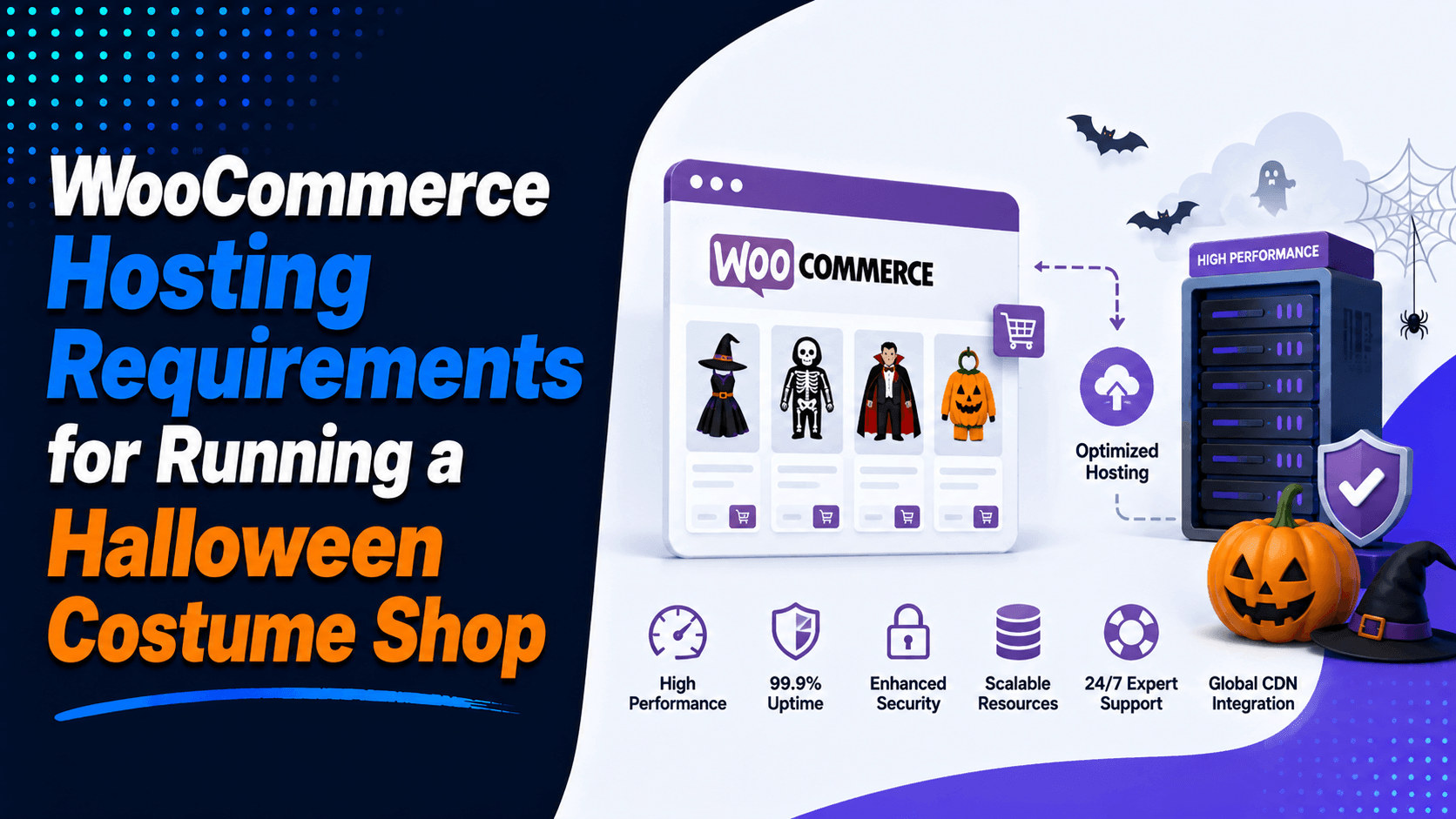
Running a Halloween costume shop online requires fast, secure, and reliable hosting. Good hosting keeps pages loading quickly. It protects payments. It supports smooth shopping during busy periods.
Halloween traffic can increase sharply as the season approaches. Online shopping is a major channel for Halloween purchases. Your store needs hosting that can handle sudden traffic spikes.
This guide covers essential WooCommerce hosting requirements. We will look at speed, security, server resources, uptime, and scalability. These factors help your costume store handle more visitors and sales.
Why Halloween Costume Shops Need Specialized WooCommerce Hosting
A WooCommerce store needs more from a server than a basic website does. It runs product pages, customer accounts, and shopping carts.
High traffic in September and October
Halloween stores often see big traffic jumps as the season builds. Many shoppers browse early and compare products. They return later to make a purchase. Traffic usually spikes again in the final days before October 31. If your hosting cannot handle these bursts, pages slow down. Carts fail to update. Sales start to slip away.
Large catalogs with many variations
A costume shop often sells the same product in many sizes, styles, colors, and bundles. This means more database calls and more filter requests. Your hosting must process these requests quickly. Category pages, product pages, and on-site search must stay responsive at all times.
Heavy image use on product pages
Costume buyers want to see every detail. They look at fabric, fit, and accessories. They check masks, props, and size guides. Image-heavy pages are normal in this niche. Fast storage, a CDN, and image compression are not nice extras. They are core tools for good performance.
Busy checkout periods
Checkout speed directly affects your sales. Research from Portent shows that load time matters greatly. A site loading in 1 second can convert much better than one loading in 5 seconds. In their study, a 1-second page load had a conversion rate 2.5 times higher. That is why WooCommerce performance is most important on cart and checkout pages.
Essential Server Requirements for WooCommerce
A Halloween costume store needs more than the minimum WordPress setup. It should run on a modern stack. This means enough memory, fast storage, and a strong database.
WooCommerce works best on a current PHP release.
Recommended PHP version for WooCommerce
- PHP 8.3 or newer
- Better speed for modern WordPress workloads
- Stronger security support
- Better plugin and theme compatibility
Why the latest supported PHP version helps
- Faster code execution
- Lower server strain
- Better long-term support
- Smoother WooCommerce behavior
WooCommerce recommends PHP 8.3 or greater. They test up to newer versions as they become available.
MySQL or MariaDB
Your database powers the store behind the scenes. It stores products, orders, sessions, customer records, settings, and checkout data.
Recommended database versions
- MySQL 8.0+
- MariaDB 10.6+
These are not random numbers. They match the current recommendations from both WordPress and WooCommerce WooCommerce WordPress.
Why the database matters
- Faster product filtering
- Better search response
- Smoother cart updates
- Stronger checkout stability during busy periods
Memory Limit
A WooCommerce site needs more memory than a blog or brochure site. Product filtering, shipping rules, payment plugins, and admin tasks all increase memory usage.
PHP memory limits
- Minimum practical level: 256 MB
- Better target for active stores: 512 MB or more
WooCommerce recommends a WordPress memory limit of 256 MB or greater WooCommerce.
What enough memory does
- Reduces slow admin screens
- Helps avoid plugin conflicts
- Prevents checkout errors
- Improves stability during traffic spikes
Storage Type
Storage affects both front-end speed and back-end speed.
Why SSD or NVMe storage matters
- Faster page generation
- Quicker database reads
- Better product image delivery
- Smoother order processing
SSD vs NVMe
-
SSD is a solid baseline
-
NVMe SSD is the better option for a busy WooCommerce store
If your costume shop uses many high-resolution product images and lots of variation data, NVMe storage gives you a clear edge.
Recommended Hosting Resources for Halloween Stores
Resource needs depend on your catalog size, traffic, and plugin load. A store with 200 products and light traffic does not need the same setup as a store with 8,000 products. That larger store also has layered filters and paid ads running all month.
Small Store (Up to 500 Products)
This setup fits a new or lean seasonal business.
Suggested resources
- 2 CPU cores
- 2 to 4 GB RAM
- 20 to 50 GB SSD storage
Best for
- New costume shops
- Focused product lines
- Light to moderate traffic
This type of setup can work if the store is well optimized and does not run too many heavy plugins.
Medium Store (500 to 5,000 Products)
As the catalog grows, hosting must grow too.
Suggested resources
- 4 to 8 CPU cores
- 8 to 16 GB RAM
- 100+ GB SSD or NVMe storage
Best for
- Stores with many categories
- Shops using filters and variations
- Businesses expecting strong October traffic
This level gives you more breathing room. It handles promotions, email traffic, social traffic, and repeat visits.
Large Store (5,000+ Products)
A large catalog needs stronger infrastructure.
Suggested resources
- 8+ CPU cores
- 16 to 64 GB RAM
- High-speed NVMe storage
Best for
- Enterprise costume retailers
- Stores with heavy daily traffic
- Shops with complex product data and many active users
What large stores often need
- Dedicated servers
- Cloud clusters
- Load balancing
- Advanced caching
- Separate staging and production workflows
These are not strict legal requirements. They are practical planning targets. They help a store maintain steady speed during the Halloween rush.
Traffic Handling Capabilities
Traffic handling is one of the most important parts of scalable hosting. Seasonal ecommerce does not move at a flat pace. It surges, drops, and then surges again.
Prepare for shopping spikes
Halloween traffic often rises on weekends. It also rises after work hours. The final days before the holiday see big jumps too. Paid ads, influencer posts, and email campaigns can send bursts of visitors all at once. Your host should handle these waves without slowing down.
Support for concurrent users
Concurrent users are the shoppers on your site at the same time. A weak hosting plan may work fine with a few visitors. But it can fail when many people hit search, category pages, and checkout at once. A stronger plan can serve more simultaneous page requests and database calls.
Auto-scaling options
For a seasonal business, cloud hosting with auto-scaling can be a smart fit. It lets server resources rise when traffic jumps. They drop again after the busy period ends. This helps keep the site live during peak demand. You do not have to pay for large fixed capacity all year.
Load balancing
Load balancing spreads traffic across more than one server. If one machine gets too busy, the load shifts elsewhere. This lowers the risk of a full outage. It also improves resilience during traffic bursts.
WooCommerce Performance Features to Look For
Fast hosting is not just about CPU and RAM. It also depends on the tools built into the hosting stack. The best WooCommerce hosting plans include features that reduce server work. They also speed up content delivery.
Server-Level Caching
Caching stores common data so the server does not rebuild the same response every time.
Object Caching
WooCommerce uses frequent database calls for products, sessions, and store settings. Object caching stores common query results in memory and cuts down repeat work.
Benefits
- Faster product browsing
- Quicker cart updates
- Better checkout response
- Less database strain
Redis and Memcached Support
Redis caching and Memcached are common object cache tools for WordPress and WooCommerce.
Why they help
- Faster database response
- Better handling under heavy traffic
- More stable browsing during promotions
- Less pressure on the origin server
For a costume shop with many visitors and many product variations, this makes a real difference.
CDN Integration
A Content Delivery Network copies static files to edge servers in many locations. That means shoppers download images, CSS, and scripts from a server closer to them.
Why CDN integration matters
- Faster global loading
- Better mobile performance
- Lower latency
- Reduced load on the main server
Google’s web.dev guidance points to CDN use as a strong way to improve time to first byte. It also supports Core Web Vitals. The guidance recommends making key images easy for the browser to discover. They should be prioritized in the HTML.
Image Optimization
Costume stores rely on images more than many other store types.
Why it matters for costume product photos
- Shoppers need detail before they buy
- Large image files can slow category and product pages
- Mobile users leave fast sites less often than slow ones
Modern image formats
- WebP
- Other modern compressed formats where supported
Benefits
- Faster page speed
- Lower bandwidth use
- Better Core Web Vitals
- Better mobile shopping experience
web.dev also recommends setting clear width and height values for images. This reduces layout shifts. It is especially useful on image-heavy ecommerce pages.
Security Requirements for an Online Costume Store
A Halloween store handles customer accounts, addresses, and payment steps. That makes security essential. It becomes even more important during seasonal peaks. Bot traffic and attack attempts can rise during these busy periods.
SSL Certificate
An SSL certificate is required for any serious online store.
Why SSL matters
It protects data sent between the shopper’s browser and your site, including:
- Login details
- Personal information
- Billing and shipping addresses
- Payment-related data
It also builds trust. Modern browsers warn users when a site is not secure. WooCommerce and WordPress both list HTTPS support as part of the recommended hosting environment.
Malware Protection
Ecommerce sites are common targets for malware, login abuse, and spam traffic.
Helpful protection features
- Real-time scanning
- Suspicious file detection
- Login protection
- Bot filtering
- Brute-force defense
These tools stop infections before they damage the store. They also protect customer data from exposure.
Web Application Firewall (WAF)
A WAF filters harmful requests before they hit the site.
It helps block:
- SQL injection attempts
- Cross-site scripting attacks
- Spam orders
- Malicious bots
- Some DDoS traffic
For a seasonal store, a firewall helps keep the site usable when demand is already high.
Automated Backups
Backups are your safety net. If an update fails or a plugin breaks the site, backups can save hours of lost work.
Recommended backup setup
- Daily backups at minimum
- More frequent backups during peak weeks
- Off-site storage
- One-click restore when possible
Why this matters
Backups protect:
- Product data
- Orders
- Customer records
- Site settings
- Theme and plugin changes
Fast recovery matters most when your store is in its short, high-value selling window.
E-Commerce Features Your Hosting Should Support
Good hosting should support the daily needs of a working online store, not just the server itself.
Look for:
- Full WooCommerce optimization
- One-click WordPress setup
- Staging environments
- Email hosting or email compatibility
- Payment gateway support
- Automatic updates
- Developer tools
- Easy backup access
- Simple CDN connection
- Basic performance monitoring
These features save time. They also lower the chance of mistakes when you update the site before the season starts.
Uptime Requirements During Halloween Season
For a costume store, uptime is not just a technical metric. It is sales protection.
Why 99.9% Uptime Is the Minimum
A host that offers 99.9% uptime is giving you a basic industry standard. That may sound strong, but a seasonal store should aim higher if the budget allows. During a short sales window, even a brief outage can cost real money.
Better providers may offer:
- 99.95% uptime
- 99.99% uptime
- Monitoring and incident response
- Redundant systems
If Halloween is your core sales season, uptime should be a buying priority, not a footnote.
Revenue Impact of Downtime
Downtime can lead to:
- Abandoned carts
- Lost trust
- Missed ad traffic
- Lower repeat visits
- Customers buying from competitors instead
If the store goes down during a flash sale or a final-week traffic spike, the damage can happen fast.
Monitoring and Failover
Professional hosting providers often include:
- 24/7 monitoring
- Fast alerts
- Automatic failover
- Quick recovery support
These systems reduce the chance that a short technical issue turns into a long sales problem.
Managed vs Unmanaged WooCommerce Hosting
Choosing between managed WooCommerce hosting and unmanaged hosting depends on your budget. It also depends on your skills and how much control you want.
Managed Hosting Benefits
With managed hosting, the provider handles much of the technical work for you.
Common benefits
- Automatic core and plugin updates
- Security hardening
- Built-in caching
- CDN support
- Backup management
- WooCommerce-aware support teams
This is often the best option for store owners. They want to focus on products, orders, and marketing. They do not want to worry about server administration.
Unmanaged Hosting Benefits
With unmanaged hosting, you control the server.
Common benefits
- Full server access
- More room for custom setup
- Lower base cost
- Better fit for technical users
This works best if you know Linux server management or already have a developer who does. The price may be lower, but the responsibility is much higher.
Best Hosting Type for a Halloween Costume Shop
The best hosting type depends on store size, technical skill, and the kind of traffic you expect.
Shared Hosting
Shared hosting is the cheapest and simplest option.
Pros
- Low monthly cost
- Easy setup
- Good for beginners
Cons
- Limited resources
- Weak performance during spikes
- Poor fit for serious WooCommerce growth
Best for
Very small stores with light traffic and simple catalogs.
VPS Hosting
VPS hosting gives your site its own portion of server resources.
Pros
- Dedicated CPU and RAM allocation
- Better performance than shared hosting
- More control
- Better path for growth
Cons
- Costs more than shared hosting
- May require technical knowledge
Best for
Growing costume stores that need stronger speed and more stable performance.
Cloud Hosting
Cloud hosting spreads workloads across connected infrastructure.
Pros
- Strong scaling
- Better handling of traffic spikes
- High flexibility
- Good uptime potential
Cons
- Pricing can change with usage
- Setup may be less simple than shared plans
Best for
Seasonal stores that expect sharp traffic increases in September and October.
Dedicated Servers
Dedicated hosting gives your store a full physical server.
Pros
- Maximum performance
- Full control
- Strong fit for large catalogs
- Handles heavy demand well
Cons
- Higher cost
- Usually needs technical management
Best for: Large Halloween retailers with large product ranges and high daily order volume.
Common Hosting Mistakes Halloween Store Owners Make
Many store owners lose sales because of weak hosting choices, not weak products.
Choosing the Cheapest Plan
Low-cost hosting often comes with:
- Small resource limits
- Slower response times
- Weak WooCommerce tuning
- Less reliable uptime
That may be fine in the off-season. It is risky during the Halloween rush.
Ignoring Scalability
A costume store may feel stable in July and fail in October. If the plan cannot scale, the store may slow down or crash when traffic rises.
Skipping Backups
Without good backups, you face serious risks. A single bad plugin update can wipe out orders. A server issue can delete products or site settings. This is dangerous during peak sales weeks.
Overlooking CDN and Caching
Some store owners focus only on the hosting label. They ignore the speed stack. Without caching and CDN integration, image-heavy pages load slowly. The server gets overloaded much faster.
Not Testing Capacity Before Halloween
A store should be tested before the season starts. If you never test for traffic, hidden weak spots may show up only when real shoppers arrive. By then, it is too late.
Checklist: WooCommerce Hosting Requirements for Halloween Costume Shops
Before you choose a host, confirm that it offers:
✔ Latest supported PHP version
✔ MySQL 8.0+ or MariaDB 10.6+
✔ SSD or NVMe storage
✔ At least 256 MB memory limit, with more for growth
✔ Free or easy SSL certificate setup
✔ Daily automated backups
✔ CDN integration
✔ Redis caching or similar object cache support
✔ At least 99.9% uptime guarantee
✔ Clear WooCommerce optimization
✔ Scalable hosting options
✔ Malware protection
✔ Staging environment
✔ Fast support with WordPress or WooCommerce knowledge
Conclusion
A successful Halloween store needs more than great products and marketing. Reliable hosting improves speed, uptime, security, and customer trust. It helps during seasonal traffic spikes. Meeting the right WooCommerce Hosting Requirements keeps your store ready when demand increases.
Choose hosting with modern PHP and updated databases. Look for SSD or NVMe storage and enough memory. Include caching, CDN, HTTPS, and reliable backups. For busy stores, consider managed WooCommerce, VPS, or cloud hosting. Base your choice on your traffic and needs.
Prepare before the Halloween rush. Optimize your images. Test your checkout flow. Improve your security. Make sure your hosting can handle increased traffic.
Ready to prepare your Halloween store for higher traffic? Choose reliable WooCommerce hosting today. Give your customers a faster, safer shopping experience.

Leave a Comment