
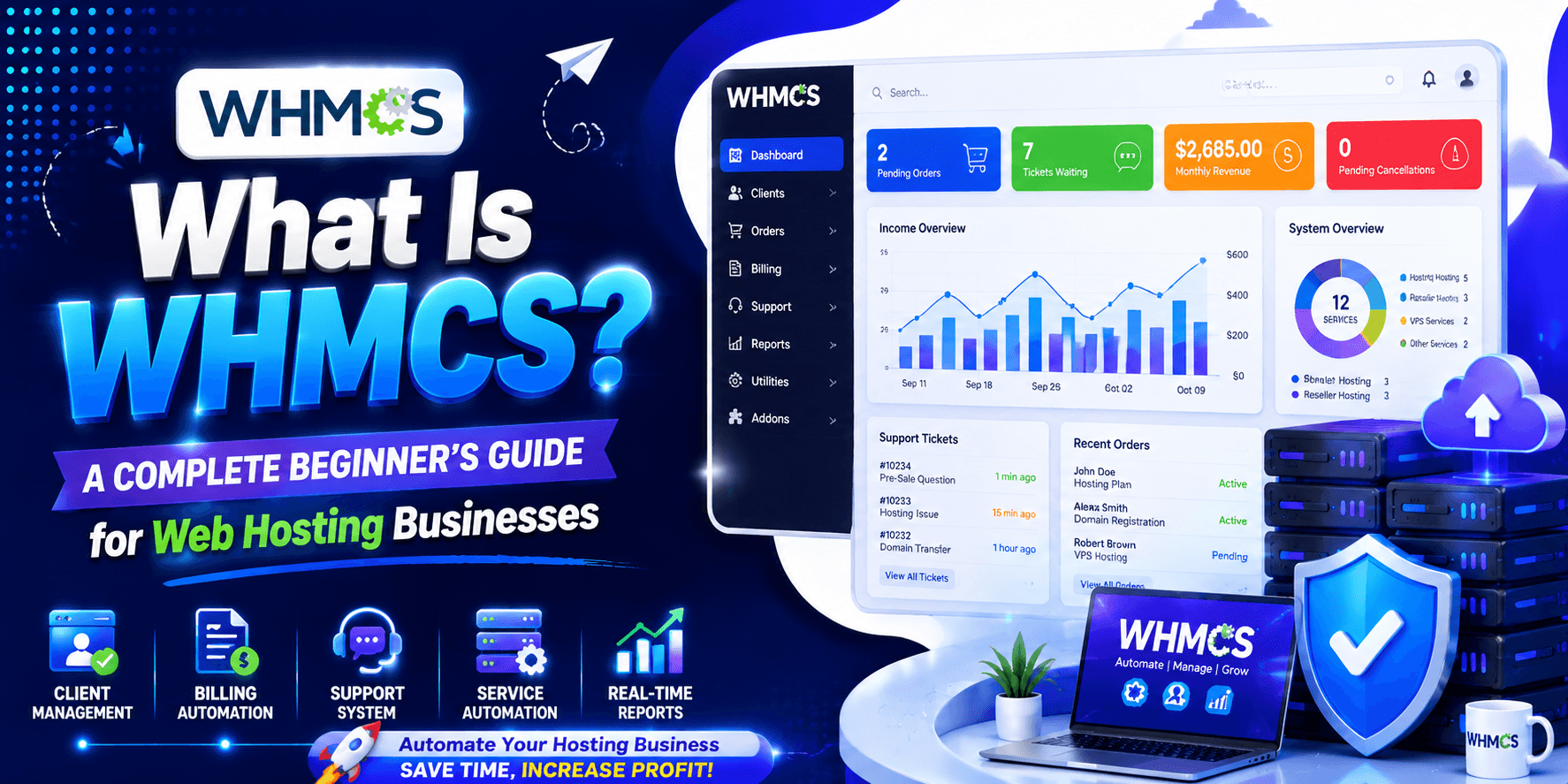
What Is WHMCS? It is a hosting automation and billing platform. It helps businesses manage customers, invoices, payments, domains, hosting accounts, and support. All of this happens in one place.
WHMCS automates many routine tasks. It handles recurring billing. It collects payments. It sets up hosting accounts. It manages domains. These automations make daily operations easier. They also make your business more efficient.
This guide will teach you about WHMCS. You will learn how it works and its main features. We will cover the major benefits and integrations. You will also learn about installation and pricing. We will look at alternatives and best practices too.
What Does WHMCS Stand For?
What is WHMCS? The name stands for Web Host Manager Complete Solution. It was built for the web hosting industry. Over time, it grew into a strong platform. It handles billing, customer management, and automation.
History & Evolution
The story began in 2003. Founder Matt Pugh ran a hosting business. He needed a better way to manage his work. So he started building WHMCS.
-
In 2005, WHMCS launched officially. It became popular very quickly. Why? It automated billing and client management. It also handled support tasks well.
-
In 2019, a big change happened. WebPros bought WHMCS. WebPros also owns cPanel and Plesk. This made WHMCS even stronger.
Today, WHMCS serves many businesses. Over 40,000 companies use it. They are spread across 140+ countries. The platform manages millions of end users.
WHMCS is now the industry standard. It combines billing and support. It also handles account setup. All of this happens in one place. That is why hosting businesses love it.
How WHMCS Works
WHMCS does it all. Think of it as an all-in-one tool for hosting companies. It manages signups, billing, and support. Everything works from a single platform. Here is a simple breakdown:
Client Management: You get a central dashboard. It stores every customer detail. You can add clients quickly. Search and edit profiles too. Set different permissions for each user. Even let multiple staff members access one account.
Billing and Invoicing: This part handles money automatically. It creates and sends invoices. Processes recurring payments with ease. Manages refunds when needed. Even follows up with late payers. Supports many currencies. Works with PayPal, Stripe, and more.
Domain Management: Sell domain names directly. Register new ones. Transfer existing domains. Handle renewals without hassle. Connects to major registrars. Customers control everything from their client area.
Hosting Account Automation: Links with cPanel and Plesk. Creates hosting accounts instantly. Suspends them if needed. Terminates accounts when required. All of this runs on order placement or payment receipt.
Support Ticket System: Comes with a built-in ticketing tool. Includes a knowledge base too. Email piping ensures messages arrive correctly. Customers get help without leaving your site.
The best part? It runs on a cron job. This automates daily tasks. You do not need to do anything manually.
Key Features of WHMCS
WHMCS comes packed with useful tools. These features automate your hosting business. They save time and reduce manual work. Here are the main capabilities:
Automated Billing
WHMCS takes care of all your billing needs. It works automatically from start to finish.
- Recurring Invoices: The system creates professional invoices. It sends them on a set schedule. You do not need to do this by hand.
- Payment Reminders: It sends automatic reminders for overdue payments. Late notices go out too. This keeps your cash flow steady.
- Multiple Payment Gateways: WHMCS connects with over 50 payment options. Popular ones include PayPal, Stripe, and Authorize.net. It stores payment details securely using tokenization.
Hosting Account Provisioning
Setting up hosting accounts becomes simple. Everything happens without your input.
- Automatic Account Creation: Orders trigger instant account setup. There is no need for manual work. Customers get access right away.
- Suspension and Termination Automation: The system suspends accounts for non-payment. It terminates them when services end. This happens on its own.
- Integration with Hosting Control Panels: It works smoothly with major panels. These include cPanel, Plesk, and DirectAdmin. Connections are seamless.
Domain Registration Management
Selling domains becomes easier with WHMCS. It handles the entire process.
- Domain Registration Automation: Sell and register domains instantly. The system uses over 20 built-in registrar modules. Everything runs automatically.
- Domain Renewals: Renewals process on their own. You can adjust settings as needed. Customers get notifications too.
- Domain Transfer Management: Transferring domains is simple. The system makes it easy between registrars.
Customer Support System
WHMCS includes a complete support system. It helps you serve customers better.
- Ticket Management: The helpdesk comes fully featured. It has departments and email piping. You can assign tickets and set escalation rules.
- Knowledge Base Integration: Customers can find answers themselves. Searchable articles reduce support requests. This saves your team time.
- Client Communication Tools: Send announcements and updates. Share downloads with clients. Automated emails keep everyone informed.
Reporting and Analytics
Know your business numbers clearly. WHMCS provides useful insights.
- Revenue Reports: Track sales and payments easily. Monitor recurring revenue too. See all financial activity in one place.
- Customer Insights: Analyze client lifetime value. Study churn rates and retention. Understand your customer base better.
- Business Performance Tracking: View dashboard overviews. Check product popularity quickly. See service distribution and order analytics at a glance.
Benefits of Using WHMCS for Hosting Businesses
WHMCS does more than handle billing. It powers successful hosting companies. Thousands of providers trust it. Here is why:
Save Time Through Automation
WHMCS handles daily tasks automatically. These include invoicing and payment collection. It also manages account setup and support tickets. When a customer orders hosting, the system acts fast. It creates their account right away. Login details go out automatically. The first invoice generates without any help from you.
Reduce Manual Work
WHMCS connects with top control panels. These include cPanel, Plesk, and DirectAdmin. It also links with domain registrars. This creates a smooth workflow. Your staff saves hours each day. They no longer do repetitive tasks. Account setup and invoice generation happen automatically. Support tickets, client management, and service tracking all live in one dashboard .
Improve Customer Experience
WHMCS gives clients a self-service portal. They can manage services there. Viewing invoices is simple. Accessing support tickets takes seconds. The onboarding experience guides new users. The client area looks professional. A smooth checkout process builds trust. This helps reduce early customer loss.
Increase Revenue Collection
Recurring billing brings in steady income. Automated payment reminders help too. Abandoned cart recovery captures more sales. WHMCS supports many payment gateways. Multiple currencies are accepted as well. This makes collecting payments on time much easier.
Scale Your Hosting Business Efficiently
WHMCS fits businesses of all sizes. Startups with 250 clients use it. Large enterprises manage over 100,000 clients too. WHMCS Cloud lets you launch quickly. You avoid server management problems. As your client base grows, just upgrade your plan. It adapts to your needs perfectly.
Who Should Use WHMCS?
WHMCS fits businesses that sell hosting, domains, or recurring online services.
- Shared hosting providers: Handle large numbers of hosting accounts. Manage recurring invoices, automated setup, and customer support from a single dashboard.
- Reseller hosting businesses: Offer a professional customer experience. Use a branded portal. Automate billing, service provisioning, and support tools.
- VPS and server providers: Manage VPS plans and server services. Handle billing and customer accounts. Use WHMCS modules that fit your needs.
- Domain sellers: Sell and manage domains alongside hosting. Handle billing and customer support. Keep everything in one workflow.
- Web agencies and developers: Sell recurring hosting, maintenance, and other digital services. Keep billing and client communication organized.
WHMCS Integrations
WHMCS connects with many tools. It links control panels, domain registrars, and payment gateways. All from one dashboard.
Hosting Control Panels
WHMCS integrates with popular panels such as cPanel, Plesk, and DirectAdmin. Key features include:
- Automated account creation and provisioning
- Domain and service synchronization
- Automatic upgrades and downgrades
- Password resets and resource management
- Service suspension and termination
- SSL automation and billing integration
Domain Registrars
WHMCS supports integrations with various domain registrars, allowing businesses to:
- Register and manage domains
- Automate domain renewals
- Sync domain information
- Manage hosting and domains from one dashboard
- Offer domains alongside hosting and other services
Payment Gateways
WHMCS works with popular payment gateways such as Stripe and PayPal. These integrations can provide:
- One-time and recurring payments
- Refund and payment management
- Digital wallet support
- Multi-currency payment options
- Faster and more convenient checkout
These integrations cut manual work. They boost automation. They also create smoother experiences for providers and their customers.
How to Install WHMCS
Installing WHMCS is simple. But your server must meet certain requirements. A self-hosted setup needs a Linux server. It also needs Apache, PHP, MySQL, and ionCube Loader. Several PHP extensions are required too. WHMCS suggests at least 128 MB of PHP memory. This ensures better performance.
Basic Installation Steps
The main installation process includes:
-
Purchase a WHMCS license and download the software.
-
Check that your server meets the system requirements.
-
Upload the WHMCS files to your server.
-
Create a MySQL database.
-
Run the web-based installation wizard.
-
Delete the installation directory.
-
Check file and folder permissions.
Initial Setup
After installation, complete a few basic tasks:
- Add your company name and logo.
- Configure the system cron job to run every five minutes.
- Set up a payment gateway.
- Create your first hosting product.
- Create a support department.
Security
Security is vital for self-hosted WHMCS. It stores customer, billing, and service data. Recommended measures include:
- Enable SSL.
- Secure the configuration.php file.
- Rename the admin directory.
- Move writable directories outside the public web root.
- Restrict admin access where possible.
- Apply proper server and database security.
Do you want to avoid server management? WHMCS Cloud is a simpler choice. It handles updates, backups, and security for you.
Setting Up Your First Hosting Business with WHMCS
After installing WHMCS, build one reliable sales flow. Connect products, payments, provisioning, and support.
Create Hosting Packages
Start with a few simple shared or reseller plans. Add clear names and prices. Set up server-side packages too. This lets WHMCS automate provisioning after payment.
Configure Payment Methods
Set up a gateway like Stripe or PayPal. Find it in Apps & Integrations. Pick what suits your customers. Test payments to confirm invoices are marked paid.
Set Up the Client Area
Add your company name, logo, and support department. Make sure customers can easily:
- Log in to their account
- View and pay invoices
- Manage hosting services
- Contact support
Test Automation
Before launch, place a test order. Check the whole process:
- Order is created
- Invoice is generated
- Payment is recorded
- Hosting account is provisioned
- Confirmation emails are sent
Start simple. Do not install every addon or customization right away. Get the basic workflow working first. Then add more hosting plans, domains, support features, and branding over time.
WHMCS Pricing and Licensing
WHMCS offers two options. You can choose self-hosted or cloud-based plans. This gives flexibility based on your needs.
Self-Hosted Pricing
Current self-hosted plans include:
- Plus: $34.95/month — up to 250 active clients
- Professional: $54.95/month — up to 500 active clients
- Business: From $84.95/month — more than 500 active clients
WHMCS also offers a 30-day money-back guarantee on new licenses.
WHMCS Cloud Pricing
For users who prefer a managed solution, WHMCS Cloud offers:
- Starter: $9.99/month — up to 25 active clients
- Growth: $25/month — up to 100 active clients
- Expansion: $75/month — up to 300 active clients
An active client has at least one active product, service, addon, or domain. Keep this in mind when choosing a plan.
Which Plan Should You Choose?
Self-hosted WHMCS gives you more control over infrastructure. It suits businesses with technical skills to manage their environment. WHMCS Cloud works best for beginners. It is also good for smaller businesses. It offers faster setup with less maintenance.
Pick a plan based on your current client count. Leave room for future growth too.
Common WHMCS Challenges and Solutions
WHMCS automates many tasks. But proper configuration is key. Most problems come from setup errors. Server issues can also cause trouble. Untested automation creates problems too.
Email Delivery Issues
Emails may fail to reach customers. This includes invoices, password resets, and support notifications. Always configure your email settings. Test them before launch.
Payment Gateway Errors
Wrong gateway settings block payments. Incorrect credentials also prevent completion. Test your payment gateway first. Confirm that successful payments update invoices correctly.
Automation Problems
The cron job runs automated tasks. For self-hosted setups, run it every five minutes. If cron fails, many actions stop. Invoices may not send. Reminders might not go out. Service actions could fail too.
Security Issues
Self-hosted WHMCS needs proper security. Key measures include:
- Protecting configuration.php
- Using SSL
- Securing the admin area
- Moving writable directories
- Restricting database privileges
- Protecting cron and vendor directories
- Keeping the server and WHMCS updated
Test everything before launch to avoid these issues. Check orders, payments, and provisioning. Test emails, support, and security too. This ensures your WHMCS setup works reliably.
WHMCS Alternatives
WHMCS is a popular choice for hosting automation. But other options exist. Blesta, HostBill, and ClientExec are worth considering. They offer different pricing, features, or simpler management.
Blesta
Blesta is a strong alternative to WHMCS. Monthly plans start at $17.95. One-time licenses cost from $350. Plans support unlimited clients and staff. Blesta appeals to businesses that want predictable pricing. It also offers owned licenses and a more open codebase.
HostBill
HostBill focuses on perpetual licensing. It has a wide range of integrations. Public plans include Data Center at $1,599 one-time. All-Inclusive costs $5,999 one-time. Both include one year of support and updates. It suits established hosting businesses. But the upfront cost is higher.
ClientExec
ClientExec focuses on simplicity. It offers predictable pricing. Plans support unlimited clients, products, servers, tickets, and orders. It also provides a 30-day free trial. It fits small and mid-sized hosting providers. They get straightforward billing and management.
WHMCS vs. Alternatives
Each platform has different strengths:
- WHMCS: Best for a large ecosystem and extensive hosting integrations
- Blesta: Best for open code and flexible licensing
- HostBill: Best for advanced features and perpetual licensing
- ClientExec: Best for simplicity and predictable pricing
The best choice depends on your budget. Consider your technical skills too. Think about business size and growth plans. WHMCS remains a strong all-round option. But these alternatives can offer better value for specific needs.
Best Practices for WHMCS Management
Good WHMCS management focuses on security and reliable automation. It also needs simple configuration and a great customer experience. A few best practices prevent many common problems.
Secure Your Installation
For self-hosted WHMCS, apply basic security from the start:
- Protect the configuration.php file.
- Move writable directories outside the public web root.
- Secure the cron directory.
- Rename and restrict the admin area.
- Use SSL for secure connections.
- Limit database privileges.
- Protect the vendor directory from direct access.
Keep the Setup Simple
Avoid too many addons at launch. Skip complicated workflows too. Start with a few products. Use one reliable payment gateway. Set up a support department. Test your order process. Add more features as your business grows.
Monitor Automation
The cron job runs many automated tasks. This includes billing, reminders, and service actions. Check that it runs correctly. Pay attention after software updates. Also check after server changes or module installations.
Use Reliable Integrations
Start with official WHMCS integrations when possible. This applies to control panels and payment gateways. Third-party modules can be useful. But test them carefully first. Never use them in production without testing.
Choose the Right Hosting Model
Pick self-hosted WHMCS if you want server-level control. You also need the technical skills to manage it. WHMCS Cloud works better for less maintenance. It also offers faster setup.
Test the Customer Experience
Use WHMCS like a customer before launch. Place a test order. Make a payment. Open a support ticket. Reset a password. Review notification emails. This catches small issues. Fixing them early improves customer satisfaction.
Conclusion
Understanding What Is WHMCS? It is more than a billing tool. It is a complete hosting automation platform. It connects orders, invoices, and payments. It also handles domains, provisioning, and customer support. All in one system.
For beginners, WHMCS acts as the business layer. Control panels like cPanel, Plesk, and DirectAdmin manage the technical side. With the right setup, WHMCS reduces manual work. It minimizes errors too. It also helps your hosting business grow.
Ready to simplify your hosting business? Start with WHMCS today. Automate your daily operations and save time.

Leave a Comment