
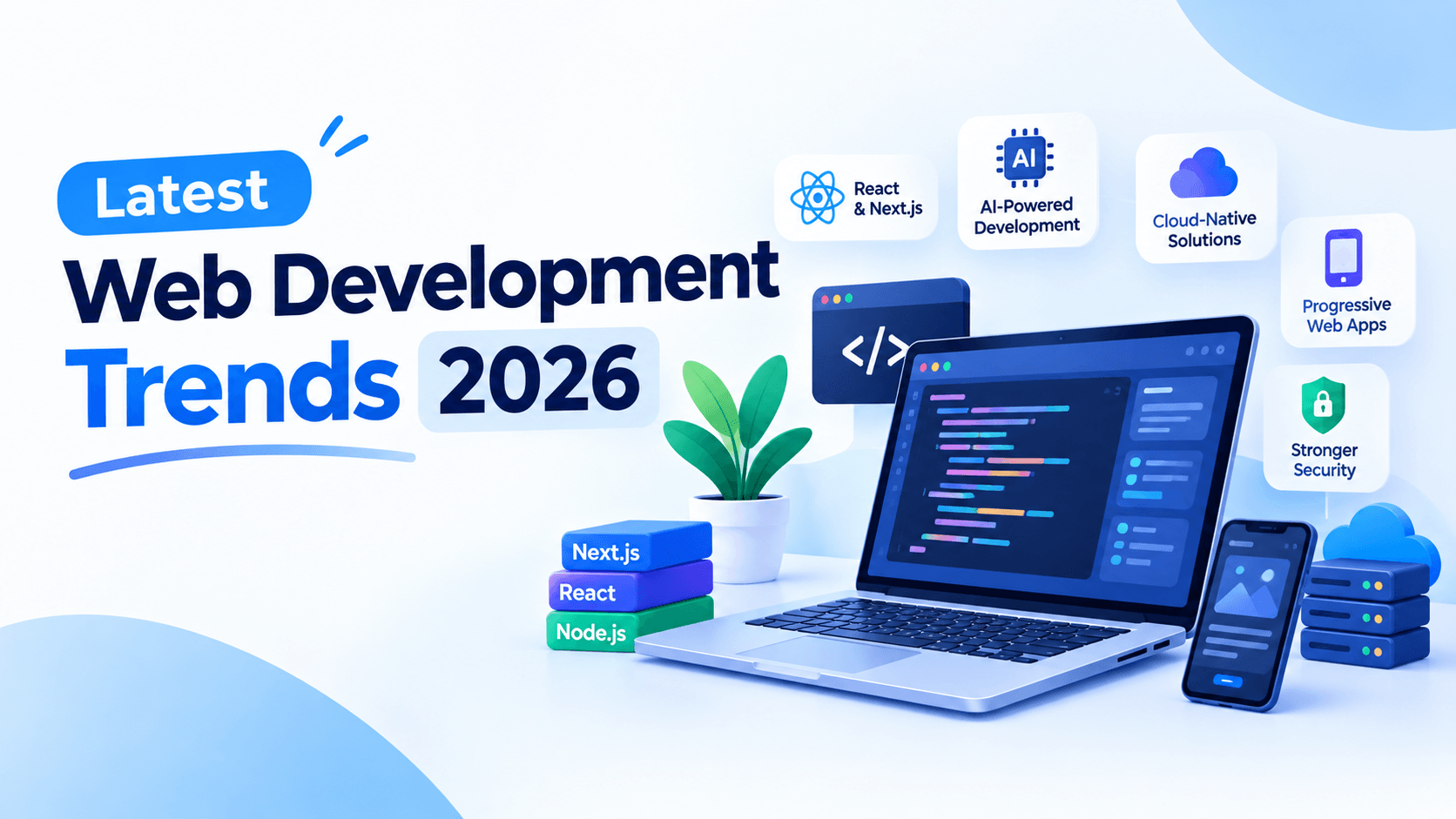
Web development is entering a new phase in 2026. AI drives it. Automation drives it. Better security, faster loading, and smarter user experiences drive it too.
The Trends in Web Development are changing how businesses build and manage websites. Modern websites need to be fast, responsive, accessible, secure, and easy to maintain.
Knowing the latest Trends in Web Development helps businesses pick the right tools. It helps developers too. It keeps both ready for what users will expect next.
AI-Powered Web Development
AI is now a key part of modern build flows. Developers use AI coding tools to write code. They use them to explain hard topics. They use them to spot bugs. And they use them to speed up dull, repeated tasks.
AI can help make site content too. It can suggest page layouts. It can build components. It can even guide design calls. AI test tools can find bugs and risks before a site goes live.
One more big use is smart site features. AI chat bots can answer common questions. They can guide visitors. They can suggest products. And they can give customer support.
But developers should not trust AI code without a check. Real people still must review security, speed, access, upkeep, and the overall code quality.
AI-First Websites and Personalization
AI is making websites more personal. It makes them more interactive too. Sites no longer show the same page to each visitor. They can track user behavior. Then they can suggest products, content, or services that fit.
AI search can grasp what users really want. Chat bots can give fast support at any hour. But firms must handle customer data with care. They must also follow privacy rules.
Progressive Web Apps (PWAs)
A Progressive Web App (PWA) is a site that acts like a mobile app. It runs in the browser. But you can install it on a device. It works offline. It can send alerts too. Think of it as a bridge between a normal site and a native app — no app store needed.
Why PWAs Remain Relevant in 2026
A few things keep PWAs at the heart of Trends in Web Development:
- Lower build cost – One code base runs on desktop, Android, and iOS.
- No app store wait – Updates go live right away, with no review hold-ups.
- Better reach – Users skip the step of downloading and installing.
- Improved browser support – Modern browsers now handle PWA features more smoothly than before.
- Strong speed on slow networks – Caching and background sync help in low-signal areas.
For firms, this means faster starts and wider crowds. For users, it means less space used and fewer updates to track.
PWAs can back offline use, push notes, quick loads, and smooth layouts. They suit firms that want a mobile-friendly feel without building separate native apps for each platform.
New tech keeps coming. Yet PWAs stay useful. They boost access and engagement. And they cut some build hassle.
Web Performance and Core Web Vitals
Site speed is still a top goal in web development. Visitors want pages to load fast. They want smooth replies too. This matters most on phones.
Core Web Vitals give key scores. They track load speed, response, and visual steadiness. Developers should watch these scores. They should track other speed signs as well.
Common optimization techniques include:
- Compressing and properly sizing images
- Optimizing videos
- Using lazy loading
- Removing unnecessary JavaScript
- Implementing code splitting
- Using browser caching
- Leveraging CDNs
- Reducing unnecessary third-party scripts
Performance should be considered during development rather than treated as a final-stage task.
Modern JavaScript Frameworks
JavaScript frameworks keep changing. Developers want more speed. They want room to grow. And they want to get more done in less time.
React is still a top pick for building interactive screens. Its tools keep growing too. Next.js adds server-side rendering, static pages, routing, and full-stack features.
Vue and Nuxt give you another well-liked path. Svelte and SvelteKit take a different route. They aim to cut the load on the browser side.
No single framework wins for every job. Developers should weigh the project’s needs. They should weigh the team’s skills too. They should think about speed, ecosystem health, upkeep, and long-term growth.
Server-Side Rendering and Edge Computing
Speed and delivery matter more than ever in 2026. Two technologies leading this shift are Server-Side Rendering (SSR) and edge computing. Both play a key role in modern Trends in Web Development.
SSR vs CSR
Server-Side Rendering (SSR) means the server builds the full HTML page and sends it to the browser. The user sees content almost immediately.
Client-Side Rendering (CSR) means the browser downloads JavaScript first, then builds the page. This can cause a blank screen while everything loads.
Quick comparison:
- SSR – Faster first paint, better SEO, more server load.
- CSR – Slower first load, weaker SEO, less server work after load.
- SSR wins for content sites, blogs, and e-commerce.
- CSR works for dashboards and apps behind a login.
Example: A news site using SSR shows the article instantly. A CSR version might show a loading spinner for a second or two.
Static Generation
Static generation builds pages at build time, not on every request. The result is a pre-made HTML file ready to serve.
Why it matters:
- Extremely fast — no server work per visit.
- Easy to cache on a CDN (Content Delivery Network).
- Great for pages that rarely change.
Best for: marketing pages, docs, portfolios, and blogs.
Not ideal for: live feeds, dashboards, or personalized content.
Many frameworks now blend static generation with SSR, so you get the best of both.
Edge Functions
Edge functions are small bits of code. They run on servers near the user — not in one central data center. This cuts the distance data must travel.
What they do well:
- Personalize content on the fly.
- Handle authentication and redirects.
- Run A/B tests at the network level.
- Add security checks before a request reaches the origin.
Example: A user in Tokyo gets a page served from a Tokyo edge node, not from a server in the US. The result is lower latency.
Faster Content Delivery
Edge computing cuts the physical distance between user and server. Less distance means less delay.
Key benefits:
- Lower latency (the time it takes data to travel).
- Faster page loads worldwide.
- Better performance on mobile networks.
- Reduced load on the main server.
This boosts Core Web Vitals — the scores Google uses to judge user experience. Better scores can help SEO.
When Businesses Should Consider Edge Computing
Edge computing isn’t right for every project. It makes sense when:
- You have a global audience – Users spread across regions benefit most.
- Speed is a priority – E-commerce, news, and SaaS apps gain the most.
- You need personalization – Edge functions can tailor content per user.
- Traffic spikes are common – Edge nodes absorb load better than one server.
- You want lower infrastructure costs – Offloading work to the edge reduces origin strain.
Skip it if your audience is small, local, or your app is simple. For those cases, standard hosting works fine.
Headless CMS and Composable Architecture
A headless CMS splits content management from site design. You can make content once. Then you can send it to sites, apps, and other platforms through APIs.
This differs from old CMS platforms. The frontend and backend work on their own. This gives developers more freedom. It also makes it easier to update or grow parts of a site.
Key benefits include:
- Reuse content across multiple platforms
- Better performance and flexibility
- Easier frontend changes
- Improved scalability
- Stronger separation between content and presentation
API-first development also makes it easier to link sites with tools like CRMs, analytics platforms, and payment systems.
Headless architecture suits firms with many digital channels. It also fits custom frontend needs. And it works well with large amounts of content.
Web Accessibility as a Standard
Accessibility is becoming an essential part of professional web development. Websites should be usable by people with different abilities and assistive technologies.
Developers should consider:
- Keyboard navigation
- Screen-reader compatibility
- Descriptive labels and headings
- Sufficient color contrast
- Readable typography
- Accessible forms
- Alternative text for meaningful images
- Logical page structure
Accessibility testing should happen throughout development instead of being added immediately before launch.
Accessible sites are easier for everyone to use. They also help groups meet the access rules that apply to them.
Cybersecurity in Web Development
Security is no longer a separate task handled after launch. In 2026, it’s built into every stage of development. This makes cybersecurity a defining part of modern Trends in Web Development.
Increasing Importance of Website Security
Websites now store more data, connect to more services, and serve more devices than ever. That makes them attractive targets.
Why security matters more now:
- Data is valuable – User credentials, payment details, and personal info are prime targets.
- Regulations are stricter – Laws like GDPR and CCPA require strong protection.
- Trust drives business – A single breach can damage reputation and revenue.
- Attackers are automated – Bots scan thousands of sites daily for weak spots.
Security isn’t just an IT concern. It affects SEO, user trust, and brand survival.
Secure Authentication
Authentication verifies who a user is. Weak authentication is one of the easiest ways for attackers to break in.
Best practices:
- Use multi-factor authentication (MFA) – Adds a second step beyond a password.
- Hash passwords properly – Use algorithms like bcrypt or Argon2, never plain text.
- Adopt passwordless options – Magic links or passkeys reduce password risks.
- Limit login attempts – Blocks brute-force attacks.
- Use OAuth or OpenID Connect – Lets users log in via trusted providers.
Example: A site with passkeys lets users sign in with a fingerprint. It is faster and safer than a password.
API Security
APIs power modern apps, connecting frontends to databases and services. They’re also a common attack target.
Key protections:
- Authenticate every request – Use tokens like JWT (JSON Web Tokens).
- Validate all input – Never trust data from the client.
- Apply rate limiting – Prevents abuse and denial-of-service attempts.
- Use HTTPS only – Encrypts data in transit.
- Follow least privilege – Give each service only the access it needs.
Example: An e-commerce API that limits requests per minute stops bots from scraping product data or testing stolen cards.
Protection Against Common Web Attacks
Most attacks follow known patterns. Defending against them is achievable with the right habits.
Common threats and fixes:
- SQL Injection – Use parameterized queries; never build queries from raw input.
- Cross-Site Scripting (XSS) – Sanitize and escape user input before rendering.
- Cross-Site Request Forgery (CSRF) – Use anti-CSRF tokens on forms.
- Clickjacking – Set headers like X-Frame-Options to block hidden iframes.
- Man-in-the-Middle – Enforce HTTPS and use HSTS headers.
Example: A comment section that escapes HTML stops attackers from injecting scripts through user posts.
Security Updates and Dependency Management
Modern sites rely on dozens of libraries and packages. Each one is a potential weak point if outdated.
Practical steps:
- Track dependencies – Tools like Dependabot or Snyk flag known issues.
- Patch quickly – Apply security updates as soon as they’re released.
- Remove unused packages – Less code means less risk.
- Audit regularly – Run npm audit or similar checks before deployments.
- Pin versions carefully – Balance stability with timely updates.
Example: A single outdated library once caused a major breach in a widely used logging tool. Regular audits would have caught it early.
Web3 and Decentralized Technologies
Web3 brings new ways to build sites and apps. It uses blockchain and decentralized networks. These tools can give users more control. They control their digital assets, identity, and transactions.
Blockchain is currently used for:
- Smart contracts
- Digital tokens and payments
- Wallet-based login
- Transparent transaction records
Decentralized applications (dApps) run partly on blockchain networks. They do not rely fully on traditional servers. They are used in finance, gaming, digital ownership, and online marketplaces.
Web3 also supports digital identity and ownership. Users can manage credentials and assets through wallets. But challenges remain. These include transaction costs, scalability, security, and user experience. They still slow wider adoption.
Practical Use Cases vs Hype
Not every Web3 idea has proven useful. Separating real value from noise matters.
Where it works well:
- Payments across borders – Faster, cheaper transfers in some regions.
- Provenance tracking – Supply chains, luxury goods, art authenticity.
- Community tokens – Member access and rewards for niche groups.
- Digital collectibles – Tickets, memberships, in-game items.
Where hype outpaces reality:
- Everyday social apps – Most users prefer speed over decentralization.
- Full on-chain websites – Too slow and costly for most needs.
- Speculative tokens – Often driven by hype, not utility.
A simple rule: Use blockchain when transparency, ownership, or trustless proof adds real value. Skip it when a normal database is faster and cheaper.
Low-Code and No-Code Development
Low-code and no-code platforms let users build sites and apps. They use visual interfaces and prebuilt parts. You do not need to write much code.
These tools cut build time for simple sites. They also help with internal apps, prototypes, and repeat business tasks.
But they have limits. Complex integrations are hard. Deep customization is tough. Speed tuning takes skill. Special features often need pros. In these cases, expert developers are still key.
A smart path is to mix both. Use low-code tools where they fit. Bring in developers for hard technical needs. This blend saves time and keeps quality high.
Motion, 3D, and Interactive Experiences
Modern sites use motion, interactive parts, 3D graphics, and rich visuals. These draw visitors in and hold their attention.
Tools like WebGL bring 3D to the browser. Small micro-interactions also help. They make buttons, menus, forms, and navigation feel quick and alive.
But too much motion can slow a site down. It can also make pages hard to use. So developers should trim visual assets. They should add motion only where it helps the user.
Good interactive design should aid communication. It should not pull visitors away from key details.
Sustainable Web Development
Sustainable web development aims to build sites and apps that use fewer resources. The goal is simple: do more with less.
Light sites move less data. They also need less processing power. Developers can help in clear ways. They can compress images. They can cut extra scripts. They can limit third-party services. They can pick green hosting.
Efficient hosting and caching also help. They reduce needless server requests. This saves energy over time.
Going green does not mean dropping useful features. Instead, it asks a fair question. Does each asset, script, animation, and service earn its cost? If not, it can go.
API-First and Real-Time Web Applications
API-first development creates a shared backend for web, mobile, and desktop apps. It improves scalability, testing, and data management.
Real-time tech like WebSockets sends updates right away. No page refresh is needed. This suits chat, dashboards, and team tools.
REST vs GraphQL
Two main styles dominate API design today.
REST (Representational State Transfer)
- Uses fixed endpoints like /users/42/posts.
- Returns predefined data structures.
- Simple, widely supported, easy to cache.
- Can over-fetch (too much data) or under-fetch (needs multiple calls).
GraphQL
- Uses a single endpoint with flexible queries.
- Client asks for exactly the fields it needs.
- Reduces extra requests and wasted data.
- Adds complexity on the server side.
Quick comparison:
- REST – Best for simple, stable, cache-friendly APIs.
- GraphQL – Best for complex UIs with varied data needs.
- Both – Can coexist in the same system.
Example: A mobile app on a slow network uses GraphQL. It grabs only a user’s name and avatar. It skips the full profile object.
WebSockets and Real-Time Features
WebSockets keep a two-way link between users and servers. This allows instant updates with no refresh.
How real-time options compare:
- HTTP polling – Client asks repeatedly. Simple but wasteful.
- Server-Sent Events (SSE) – Server pushes one-way updates. Good for feeds.
- WebSockets – Full two-way communication. Best for chat and collaboration.
They are useful for chat, live dashboards, trading platforms, and collaboration tools.
Real-Time Applications
Real-time technology enables:
- Live dashboard updates
- Instant messaging
- Typing indicators
- Online status
- Shared document editing
Example: Google Docs shows edits from multiple users instantly.
Cloud-Native Web Development
Cloud-native development lets apps run on flexible cloud systems. They do not rely only on old-school servers.
Serverless computing runs functions on demand. Containers give apps a portable home. Microservices split big apps into small parts. Each part can be built and scaled on its own.
Cloud databases and managed tools also cut daily ops work.
For growing teams, cloud-native design brings speed and room to grow. But first, weigh the trade-offs. Look at cost, complexity, security, and staff skills. A highly spread-out setup is not always the right call.
Voice and Multimodal Interfaces
Voice interaction is growing fast. AI-powered interfaces are getting smarter. Websites can now add voice search, voice commands, and chat helpers.
Multimodal interfaces go one step further. They mix text, images, audio, and video. Picture this: a shopper uses a photo plus a plain-language note to find a product.
AI assistants can also guide visitors. They help them move through a site. They compare products. They answer questions. They finish certain tasks.
These tools open new doors. They fit ecommerce, customer support, education, and other online services.
What These Trends Mean for Businesses
New web development trends can help your business. They can make your site faster, safer, and easier to use.
Better Performance
Modern tools speed up loading. They improve mobile use and real-time actions. This also helps your SEO.
Lower Costs
API-first builds save money. Shared code helps too. Automation and modular systems cut work. You spend less on building and fixing your site.
Improved Security
Strong login methods protect your site. Regular updates matter. API shields and security tests keep data safe. This protects your business and your customers.
Personalized Experiences
APIs help you show the right content. Edge tools and headless CMS platforms do the same. You can give users offers and experiences that fit them.
How to Decide Which Trends Are Worth Adopting
Not every trend fits every business. Choose based on your goals, not hype.
Questions to ask:
- What problem are we solving? – Adopt tech that fixes a real issue.
- Who is our audience? – Global users benefit from edge computing; local ones may not need it.
- What’s our team’s capacity? – Complex tools require skilled developers.
- What’s the cost of waiting? – Some trends (security, performance) are urgent.
- Can we start small? – Pilot one feature before a full rebuild.
Practical approach:
- Prioritize security and performance – These affect every business.
- Test before committing – Run a small project to validate fit.
- Avoid chasing trends – Web3, for example, only makes sense for specific use cases.
- Plan for maintenance – Every new tool adds long-term responsibility.
The trends in this guide aren’t rules — they’re options. The best choices align with your customers, your budget, and your team’s strengths.
Web Development Trends Beyond 2026
Future web development trends will aim for smarter sites. They will be faster too. And they will feel more interactive.
AI-Powered Development
AI agents will help developers write code. They will create tests and manage content. They will also boost site speed. Developers will spend more time checking AI work. They will guide it too.
Autonomous Development
AI may automate testing, deployments, bug detection, and routine maintenance. This can help teams identify problems earlier and reduce repetitive tasks.
Immersive Web Experiences
WebXR, AR, VR, and 3D interfaces will create more interactive experiences. Businesses could use them for virtual showrooms, product previews, education, and entertainment.
Advanced Browser Capabilities
Browsers will keep adding new features. These include on-device AI and better file access. They also include sensors and faster processing. These tools can make web apps feel like native apps.
Human-AI Interaction
Voice commands and chat interfaces will change how people use sites. So will image input and personal AI helpers. Users may not click through menus. Instead, they may just say what they want. Then AI does the task.
Conclusion
The web is heading toward a smarter future. It will be faster too. And it will feel more interactive. The latest trends in web development show what’s changing. AI, security, speed, access, and modern tools are shaping how sites get built.
Don’t chase every trend. Instead, pick solutions that help your users. Choose ones that meet your goals. And keep your site ready for what’s next.

Leave a Comment