
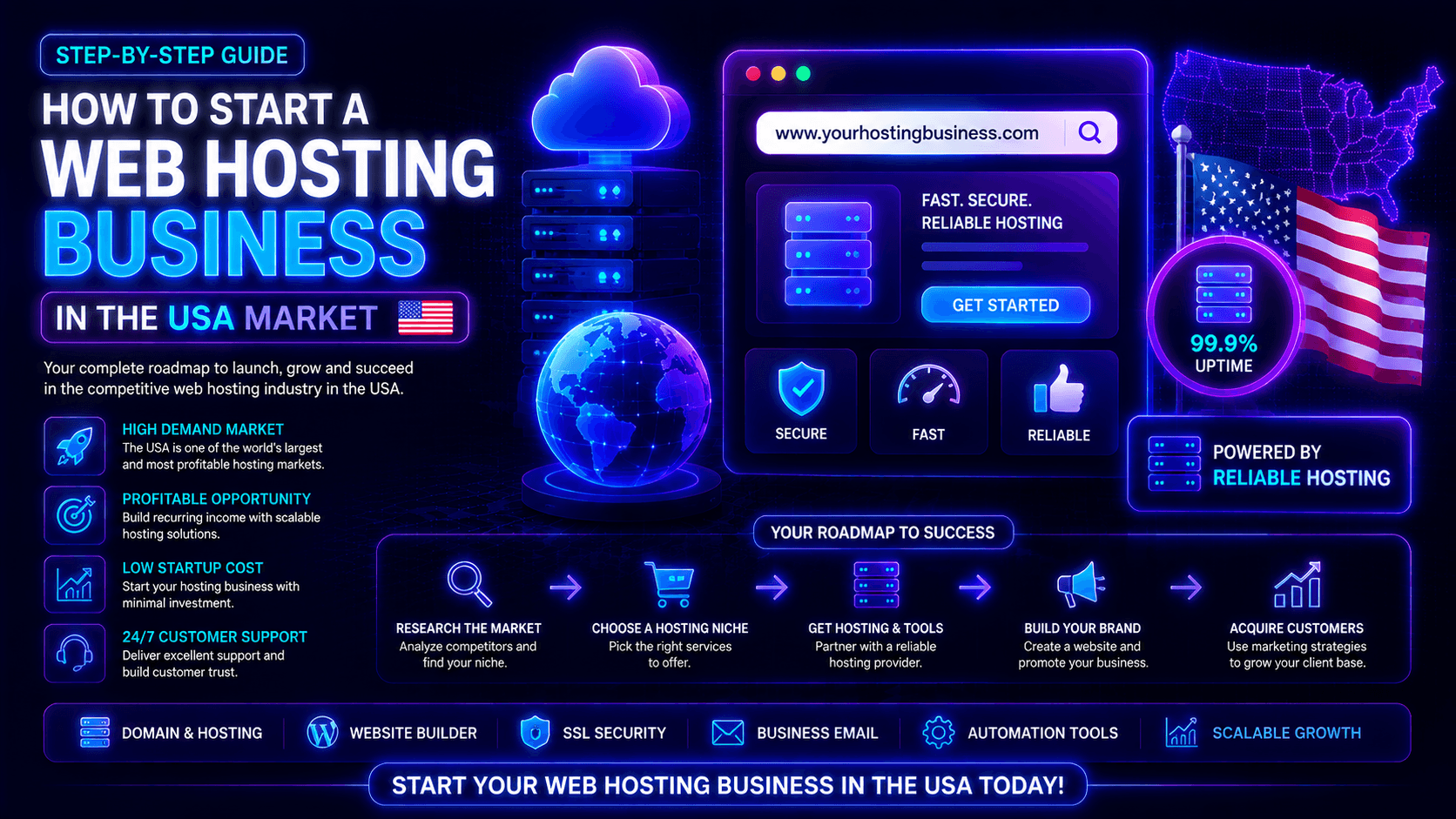
The US web hosting market stays strong in 2026. It is a resilient technology sector. More businesses need e-commerce, AI, and cloud services. Secure websites are also in high demand. This creates great opportunities for hosting providers. Customers want fast, reliable, and specialized solutions.
You have several hosting models to choose from. These include reseller, shared, managed WordPress, VPS, and cloud hosting. Reseller hosting works best for beginners. Managed and performance-focused services can bring higher profits.
Success does not come from low prices alone. You need specialization, strong security, and great customer support. Automation also plays a key role. This guide covers How to Start a Web Hosting Business in the USA Market.
Understanding the USA Hosting Market
The US hosting market is very competitive. Demand is growing for fast, secure, and scalable hosting. Cloud services, AI tools, eCommerce, and cybersecurity are key drivers. Providers with better performance and support will win more customers.
Key Market Trends
- Faster and more secure hosting: Customers want fast loading times. They also expect SSL, DDoS protection, and malware scanning. Automated backups are now a standard need.
- AI and eCommerce growth: AI-powered sites and online stores need strong infrastructure. Their hosting must handle databases and sudden traffic spikes. Resource-heavy workloads are common.
- Higher uptime expectations: A 99.9% uptime guarantee is now standard. Premium customers often demand 99.99% or more. Every minute of downtime can cost sales.
- 24/7 customer support: Quick help reduces customer loss. Support via tickets, live chat, or phone is essential. Fast responses keep clients happy and loyal.
- Cloud adoption: More businesses want flexible infrastructure. They need to scale up as traffic grows. Cloud hosting meets these changing resource needs.
Who Your Target Customers Can Be
Different customer groups have different hosting requirements:
- Small businesses: Need affordable, reliable hosting with easy management and support.
- Bloggers and creators: Often require WordPress hosting, staging, backups, and simple upgrades.
- eCommerce stores: Need strong security, fast performance, backups, and scalable resources.
- Agencies: Prefer reseller or white-label hosting for managing multiple client websites.
- SaaS startups: Require scalable cloud infrastructure, databases, APIs, and high availability.
- Local service businesses: They want simple and reliable websites. The main goal is generating leads and customer inquiries.
Picking a specific customer group gives you an edge. You can create better hosting packages for them. Your pricing, marketing, and support can be more focused. This works better than competing with large providers on price alone.
Choose Your Hosting Business Model
Pick a hosting model that fits your budget and skills. Also consider your target customers and growth plans. Reseller hosting is best for beginners. VPS, dedicated, and cloud hosting offer more control and room to grow.
Reseller Hosting
This is the best choice for beginners. You buy resources from a larger provider. Then you sell smaller packages under your own brand.
- Cost: Around $20–$50 per month. The provider handles servers and hardware. They also manage the network. You focus on sales, support, and billing. Many plans include cPanel/WHM and WHMCS.
- Best for: Freelancers, web designers, agencies, and new hosting entrepreneurs.
VPS Hosting
This gives you more control and flexibility. VPS hosting offers dedicated resources. You get greater control over server setup, security, and speed.
- Cost: Around $30–$100 per month. You need basic server skills. Managed VPS plans can reduce your technical work.
- Best for: Growing hosting businesses that need more resources and customization.
Dedicated Server Hosting
This offers maximum performance. You get an entire physical server. It works well for high-traffic sites, eCommerce stores, and enterprise apps.
- Cost: Around $100–$500+ per month. This model requires advanced server management skills or an IT team.
- Best for: Established hosting companies and enterprise customers.
Cloud Hosting
This is flexible and scalable. Cloud hosting uses connected servers. You can scale resources as traffic and demand change.
- Cost: Usually usage-based. You pay for what you consume. It is perfect for businesses with changing workloads.
- Best for: SaaS companies, developers, eCommerce businesses, and high-growth websites.
Pick the Right Hosting Infrastructure
Choose reliable infrastructure for your hosting business. Look for NVMe or SSD storage. Ensure scalable resources and strong security. Popular options include DigitalOcean, Linode, Vultr, and Amazon Web Services (AWS).
Important Things to Consider
- USA-based data centers: Pick server locations close to your customers. This reduces delay and speeds up websites. Providers with East Coast, West Coast, and Central US spots offer better choices.
- SSD/NVMe storage: NVMe storage is faster than old SATA drives. It works great for WordPress, databases, and eCommerce sites.
- Server uptime: Aim for at least 99.9% uptime, while premium hosting services should target 99.95%–99.99%. Your SLA should match your customers’ reliability needs.
- DDoS protection: Keep customer sites safe with DDoS mitigation. Use firewalls, network monitoring, and SSL certificates.
- Backup systems: Use automated daily backups. Snapshots and off-site storage protect customer data. They also make disaster recovery easier.
Recommended Infrastructure Providers
Cloud providers: DigitalOcean and Vultr are easy for beginners. They offer simple management and clear pricing. AWS, Azure, and Google Cloud give advanced scaling. But they need more technical know-how.
Enterprise infrastructure: For larger businesses, Equinix and Digital Realty offer top-tier data center and colocation solutions.
White-label reseller hosting: Beginners can start fast without managing servers. Choose a white-label reseller provider. Look for these features:
- WHMCS integration for automated billing and provisioning
- Custom nameservers (ns1.youragency.com, ns2.youragency.com)
- White-label client portals on your domain
- NVMe storage and server-level caching
- Built-in security (WAF, malware scans, DDoS protection)
Some reseller plans include a free WHMCS license. This saves you $192 to $335 each year. Make sure server locations include the United States. Check that uptime targets are 99.95% or higher.
Register Your Brand & Business
Register your business the right way. These steps build credibility in the competitive US hosting market.
Business Setup Checklist
- Choose a business name: Pick a name that is memorable and professional. It should be easy to say and related to hosting. Check domain availability and trademark databases before you decide.
- Register your domain: Secure a domain such as yourbusiness.com. If unavailable, consider alternatives like .net, .host, or .cloud. Register related domains when possible to protect your brand.
- Create a professional logo: Use a clean, modern logo. Put it on your website, invoices, social media, and emails. You can use Canva or hire a designer.
- Set up business email: Use professional addresses like support@yourbusiness.com. Also set up billing@yourbusiness.com. Google Workspace or Microsoft 365 offer reliable email services.
- Register your business: Pick a business structure like an LLC. Check your state’s registration rules. You may need an EIN from the IRS for taxes and banking. Talk to a lawyer or accountant for advice on your situation.
Build Trust with Customers
- Professional website: Create a fast, mobile-friendly site. Show your hosting plans, prices, and features. Include support info and contact details clearly.
- Terms and conditions: Explain your rules clearly. Cover acceptable use, payments, cancellations, and refunds. Include uptime promises and liability limits. Also state account termination rules. Have a lawyer check your policies.
- Privacy policy: Tell customers what data you collect. Explain how you use and protect it. Say if you share it with others. Follow US privacy laws. Also follow GDPR if you serve international clients.
- Transparent pricing: Show all prices clearly. Include promotional rates, renewal fees, and billing periods. List add-ons, setup fees, and cancellation terms. Also state your money-back guarantee. Clear pricing builds trust and stops billing disputes.
Create Your Hosting Packages
Create simple hosting plans with clear tiers. Use names like Starter, Business, and Premium. Give each plan clear resource limits and useful features.
Shared Hosting Plans
Starter Package: This plan is for personal blogs and portfolios. It also works for small websites. Includes 1 website, 5–10 GB NVMe storage, and 25–50 GB bandwidth. You get 1 database and 5 email accounts. Free SSL and weekly backups are included. Price: $3–$6/month promotional, $8–$12/month renewal.
Business Package: This plan suits growing businesses and active sites. Includes 5–10 websites and 25–50 GB NVMe storage. Bandwidth is 100–200 GB. You get unlimited databases and email accounts. Free SSL, daily backups, CDN, and staging are included. Price: $8–$12/month promotional, $15–$20/month renewal.
Premium Package: This plan targets eCommerce stores and agencies. It also works for high-traffic websites. Includes unlimited websites and 100–250 GB NVMe storage. Bandwidth is unmetered. You get unlimited databases and email. Free SSL, daily backups, CDN, and staging are included. Malware scanning and priority support come too. Price: $15–$25/month promotional, $25–$35/month renewal.
Important: Avoid promising unlimited storage or bandwidth. Use unmetered bandwidth with a reasonable fair-use policy. NVMe storage is also recommended for faster website and database performance.
Add-On Services
Add-ons can increase revenue while giving customers more flexibility.
- Domain registration: $12–$15/year for common extensions.
- Premium SSL: $30–$100/year for customers requiring advanced certificates.
- Website migration: $50–$150 per website, depending on complexity.
- Extended backups: $2–$5/month for 30–90 days of retention.
- Premium email hosting: Offer Google Workspace or Microsoft 365 as an optional upgrade.
- Other add-ons: Malware removal, CDN upgrades, dedicated IPs, SEO tools, and website security.
A clear pricing system helps customers pick the right plan. It also creates upgrade paths and add-on sales. This builds steady recurring revenue for your business.
Essential Tools You Need
The right tools make your business run smoothly. They help with billing and customer management. They also control servers and protect your infrastructure. Good tools save time and reduce errors.
Billing & Automation
- WHMCS: This is a popular billing and automation platform. It handles recurring invoices and payments. It manages domain registration and account setup. It also handles suspensions and support tickets. Pricing starts around $18.95 per month.
- Alternatives: HostBill and Blesta are other options. WHMCS is often the top choice. It works with many control panels and payment gateways. It also integrates with domain registrars.
- Automated invoicing: Automation saves time as you grow. Your system can send invoices automatically. It processes recurring payments without manual work. It reminds customers about overdue bills. It can also suspend accounts for non-payment.
Control Panels
- cPanel & WHM: cPanel helps customers manage their websites. They can handle email, databases, and files. WHM lets you create and manage customer accounts. You can also control server settings from one place.
- Plesk: This is a popular alternative to cPanel. It supports both Linux and Windows servers. It offers a modern interface and built-in security.
- DirectAdmin: This is a lightweight and affordable option. It costs less and uses fewer server resources. It is great for businesses watching their budget.
Security Tools
- Firewall: Use a firewall to block harmful traffic. It protects servers from brute-force attacks. Options include CSF, ModSecurity, and provider-level firewalls.
- Malware scanning: Tools like ImunifyAV and Imunify360 detect malware. ClamAV is another good choice. They find suspicious files and other threats.
- Backup monitoring: Use reliable backup solutions like JetBackup. Automate backups and store copies off-site. Test restores regularly to make sure backups work.
- Other security tools: Consider Fail2ban for extra protection. Use ModSecurity or a WAF. Add DDoS protection and server monitoring too.
A reliable toolset reduces manual work. It improves security for your customers. It helps you provide professional service as your business grows.
Build a Professional Hosting Website
Your website is your main sales and support tool. Make it fast and mobile-friendly. Show clear hosting plans, prices, and features. These elements help turn visitors into customers.
Must-Have Pages
- Home page: Clearly explain what you offer, who you serve, and why customers should choose you. Use a strong CTA such as “View Plans” or “Get Started.”
- Pricing page: Show Starter, Business, and Premium plans in an easy-to-compare table. Highlight your most popular plan and clearly display promotional and renewal prices.
- About Us: Introduce your team and share your story. Explain what makes your hosting different. Use real photos and information to build trust.
- Support page: List all support channels you offer. Include live chat, email, tickets, and phone. Share your support hours and response times.
- Knowledge Base: Create helpful guides for common topics. Cover domains, cPanel, email, and WordPress. Include security and backup guides too. A good knowledge base cuts down support tickets.
- Contact page: Add a contact form for easy communication. Include your business email and phone number. Share your address and social media profiles if you have them.
Features That Increase Sales
- Live chat: Start with business hours support. Expand to 24/7 as you grow. Live chat helps close sales faster.
- Speed test: Offer a free website speed test. It shows the value of faster hosting. It can also generate leads for your business.
- Customer reviews: Display reviews from real customers. Specific feedback works better than generic praise. Honest reviews build strong trust.
- Free migration: Offer free website migration for new customers. This removes a major barrier to switching. It can boost your conversion rates significantly.
- Other conversion elements: Add a 30-day money-back guarantee. Show your 99.9% uptime promise. Highlight SSL, DDoS protection, and daily backups. Place clear CTA buttons throughout your site.
A professional hosting website helps visitors understand your services. It makes plan comparison easy and builds trust. It guides customers toward making a purchase.
Pricing Strategy for the USA Market
Set mid-range prices instead of competing with low-cost hosts. Use tiered plans with clear pricing. Offer useful add-ons to boost revenue. This approach keeps customers loyal for the long term.
Competitive Pricing Tips
- Research competitors: Compare prices from Hostinger, Bluehost, SiteGround, and DreamHost. Check both promotional and renewal rates. Set your prices based on features, performance, and support quality.
- Offer monthly and yearly plans: Monthly plans give customers flexibility. Yearly plans improve your cash flow and retention. Offer 15–25% savings on annual billing. This encourages longer commitments.
- Use limited-time offers: Promotional discounts of 50–70% attract new customers. Always show the regular renewal price clearly. This avoids surprises and builds trust.
- Other pricing tips: Consider a 7–14-day trial where possible. Offer a 30-day money-back guarantee. Avoid hidden fees and display all costs in USD.
How to Increase Profit
- Upsell VPS and backups: Give customers an easy upgrade path. They can move from shared hosting to VPS as they grow. Sell extended backup retention as a profitable add-on.
- Offer managed services: Provide security monitoring and WordPress updates. Offer malware removal and performance optimization. Charge an extra $20–$50/month for server management.
- Bundle SEO or web design: Partner with web designers through white-label hosting. Offer SEO and website development as extra services. This increases customer lifetime value.
- Other profit strategies: Earn more from domain registration and premium SSL. Sell email hosting, migrations, and CDN upgrades. Website security services are another revenue stream.
Your goal is not to be the cheapest host. Compete on performance and reliability. Stand out with great support and security. Deliver overall value that keeps customers happy.
Marketing Strategies to Get USA Clients
Use SEO, paid ads, social media, and affiliate marketing to find USA customers. Focus on specific groups and high-intent keywords. This works better than competing directly with big hosting companies.
SEO Marketing
- Target long-tail keywords: Focus on specific terms. Try “managed WordPress hosting for agencies.” Use “affordable VPS hosting for startups.” Also target “reseller hosting for web designers.”
- Create helpful content: Publish guides on WordPress and hosting comparisons. Cover website migration, cPanel, and security. Also write about website speed optimization.
- Comparison pages: Create honest comparison pages. Use titles like “Hostinger vs Bluehost.” This attracts customers who are actively comparing options.
Paid Advertising
- Google Ads: Target high-intent keywords. Use phrases like “buy web hosting” and “VPS hosting.” Start with $20–$50 per day. Track signups and sales to measure results.
- Facebook Ads: Target small businesses and freelancers. Also target bloggers, developers, and agencies. Use retargeting to reach previous website visitors.
- Reddit Promotions: Join relevant communities and answer questions. Share helpful advice without spamming. Promote your brand only when it fits the conversation.
Social Media Marketing
- Twitter/X: Connect with developers, designers, and small business owners. Share hosting tips and security updates. Post industry news with relevant hashtags.
- LinkedIn: Use LinkedIn for B2B marketing. Connect with agency owners and IT professionals. Share case studies, hosting tips, and industry insights.
- YouTube: Create simple tutorials about cPanel and WordPress. Cover website setup and hosting basics. Helpful videos build trust and attract customers through search.
Affiliate Program
- Promote your hosting brand: Let affiliates bring you customers. Offer $50–$100 per sale or 15–30% recurring commissions. Provide banners, referral links, and ready-made content.
- Commission-based referrals: Partner with bloggers and YouTubers. Work with web designers and agencies. Web designers are valuable because their clients need hosting.
- Affiliate management: Use Impact, ShareASale, or Post Affiliate Pro. Beginners can use WHMCS affiliate tools. Simple coupon codes and manual payouts also work well.
Customer Support Strategy
Excellent customer support gives you a major advantage. Quick problem-solving builds strong trust. It also improves customer retention. Good support reduces churn and keeps clients happy.
Why Support Matters in Hosting
- Fast response builds trust: Website downtime and email issues stress customers. Aim for under 2 hours for support tickets. Target under 5 minutes for live chat during business hours.
- Technical support improves retention: Customers stay longer when problems are fixed fast. Quick resolutions for migrations and security issues matter. Fast help for performance concerns also keeps clients loyal.
- Support reduces churn: Responsive support gives customers a reason to stay. They are less likely to switch to cheaper competitors. Good service builds long-term relationships.
Support Channels
- Live chat: Provide quick help for sales and technical questions. Use tools like Tawk.to or Zendesk. WHMCS can also help manage chat support effectively.
- Ticket support: Use a ticket system for complex issues. Handle billing requests and technical problems through tickets. Set clear targets like 2–4 hours for standard tickets.
- WhatsApp support: Use WhatsApp Business for convenient messaging. Customers can send screenshots and documents. They can also share error messages easily.
- Email support: Offer a professional address like support@yourdomain.com. Connect it to a helpdesk system. This turns emails into support tickets automatically.
- Phone support: Phone support helps with urgent issues. It works well for premium customers. But it is optional. Start with chat and ticket support if you have limited staff.
The goal is fast, reliable, and consistent support. This makes customers feel confident hosting with you. Good support builds lasting relationships and grows your business.
Common Mistakes to Avoid
Avoiding common mistakes protects your reputation. It reduces customer churn and builds a reliable business. Learn from others’ errors to grow faster.
- Choosing Cheap, Unreliable Servers: Low-quality infrastructure causes slow websites. It leads to downtime and frustrated customers. Choose reliable SSD/NVMe servers. Pick USA-based data centers. Look for strong uptime guarantees.
- Ignoring Security: Weak security exposes customer websites to attacks. It can also put your entire server at risk. Use firewalls and malware scanning. Add DDoS protection and automatic updates. Always offer free SSL certificates.
- Poor Customer Support: Slow or unhelpful support drives customers away. Offer live chat, email, and ticket support. Set clear and realistic response times. Train your team to be helpful and quick.
- Overpricing Without Value: Do not charge premium prices without premium features. Research what competitors offer. Provide better performance, security, or support. Add managed services to justify higher prices.
- No Backup System: Data loss destroys customer trust quickly. Provide automated daily backups. Use off-site storage for safety. Test restores regularly to ensure backups work properly.
Estimated Startup Cost
Startup costs vary by model. Reseller hosting is low-cost and beginner-friendly, while VPS or dedicated setups require higher investment for servers, software, and automation tools. Expenses scale with infrastructure and service level.
Beginner Setup (Reseller Hosting)
| Item | Estimated Cost | Notes |
| Reseller hosting plan | $20-50 monthly | Includes server resources, cPanel/WHM, basic support |
| Domain registration | $12-15 yearly | Your brand domain (.com preferred) |
| Business email (Google Workspace) | $6 monthly per user | Professional email with your domain |
| Billing software (WHMCS) | $18.95 monthly | Up to 250 clients; annual license discounts available |
| Website hosting (your brand site) | $10-20 monthly | Separate from your reseller plan; keep customer hosting separate |
| Logo and branding | $50-300 one-time | Freelance designer or DIY tools (Canva, Looka) |
| Business registration (LLC) | $50-500 one-time | Varies by state; LegalZoom or ZenBusiness |
| Marketing (initial) | $100-500 monthly | Google Ads, social media, content creation |
| Monthly recurring total | $55-105 | Excluding one-time costs |
| First year total estimate | $1,000-2,500 | Includes one-time and recurring costs |
Beginner setup is ideal for testing the market, learning the business, and acquiring your first customers. Startup costs are low; you can launch with as little as $500-1,000.
Advanced Setup (VPS or Dedicated Servers)
| Item | Estimated Cost | Notes |
| VPS hosting (managed) | $50-200 monthly | More control, better performance, scalability |
| Dedicated server (optional) | $100-500+ monthly | For high-performance needs or enterprise clients |
| Data center colocation | $500-2,000+ monthly | If you buy your own hardware; not for beginners |
| Team hiring | $2,000-10,000+ monthly | Support staff, system administrators, marketing |
| Premium support systems | $50-200 monthly | Advanced helpdesk, phone support, monitoring |
| WHMCS (unlimited clients) | $49.95 monthly | For larger client bases |
| Security tools (Imunify360) | $15-30 monthly per server | Advanced malware scanning, WAF, DDoS protection |
| Backup system (JetBackup) | $10-20 monthly per server | Automated backups, off-site storage |
| Professional website design | $1,000-5,000 one-time | Custom design, not template |
| Legal & compliance | $1,000-3,000 one-time | Terms, privacy policy, business structure |
| Marketing (ongoing) | $500-2,000+ monthly | SEO, paid ads, content, affiliate program |
| Monthly recurring total | $2,600-8,000+ | Excluding one-time costs |
| First year total estimate | $30,000-100,000+ | For a full-scale hosting business |
Advanced setup is for established hosting businesses, entrepreneurs with significant capital, or those targeting enterprise clients. Startup costs are substantial; return on investment may take 12-24 months.
Cost-Saving Tips
- Start with reseller hosting; upgrade later.
- Use free or low-cost tools initially (Tawk.to for live chat, Canva for design, Mailchimp free tier for email).
- Handle support yourself until you reach 50-100 customers.
- Outsource logo, website design, and legal documents to freelancers, not agencies.
- Use open-source alternatives where possible (WordPress for your brand site, MariaDB instead of commercial databases).
How to Scale Your Hosting Business
Growth requires smart strategies. Expand your services to reach new customers. Build partnerships and offer white-label solutions. These steps help you scale effectively.
- Managed WordPress Hosting: Offer optimized WordPress servers with automatic updates. Include daily backups and strong security. Provide staging environments and expert support. Price these plans at $20–$50 per month.
- Expand to Cloud Hosting: Target developers, SaaS companies, and eCommerce businesses. Offer flexible and scalable cloud resources. Let customers scale as their needs grow. This attracts high-growth clients.
- Build Agency Partnerships: Partner with web design agencies to grow your base. Offer 20–30% recurring commissions for referrals. Provide priority support and developer-friendly tools. This creates long-term revenue streams.
- Launch White-Label Hosting: Allow agencies and IT consultants to sell hosting under their own brand. You manage the infrastructure and technical support. They focus on sales and client relationships. This expands your reach without extra marketing costs.
Final Thoughts
Learning How to Start a Web Hosting Business in the USA is more than picking servers. It is about building a brand people trust. Focus on strong infrastructure and security. Offer competitive pricing and fast support.
Profit comes from keeping customers and recurring revenue. Start small and provide excellent service. Grow into VPS, cloud, or managed hosting as your base expands.
Start with reseller or shared hosting. Build customer trust first. Then expand into VPS, cloud, or managed hosting. Let your business grow step by step.
Ready to turn your idea into a hosting business? Start building your brand today. Pick the right infrastructure. Create your first hosting plans. Take the first step toward a profitable hosting business in the USA.

One thing that really stands out in theBlog Comment Creation Guide US hosting market right now is how much customer expectations have shifted from just low pricing to performance, security, and niche-focused solutions. I also think recurring revenue is what makes this business model attractive, but long-term success probably depends on support quality and reliability more than marketing alone. It’ll be interesting to see how smaller hosting businesses compete as AI-driven applications continue increasing infrastructure demands.