

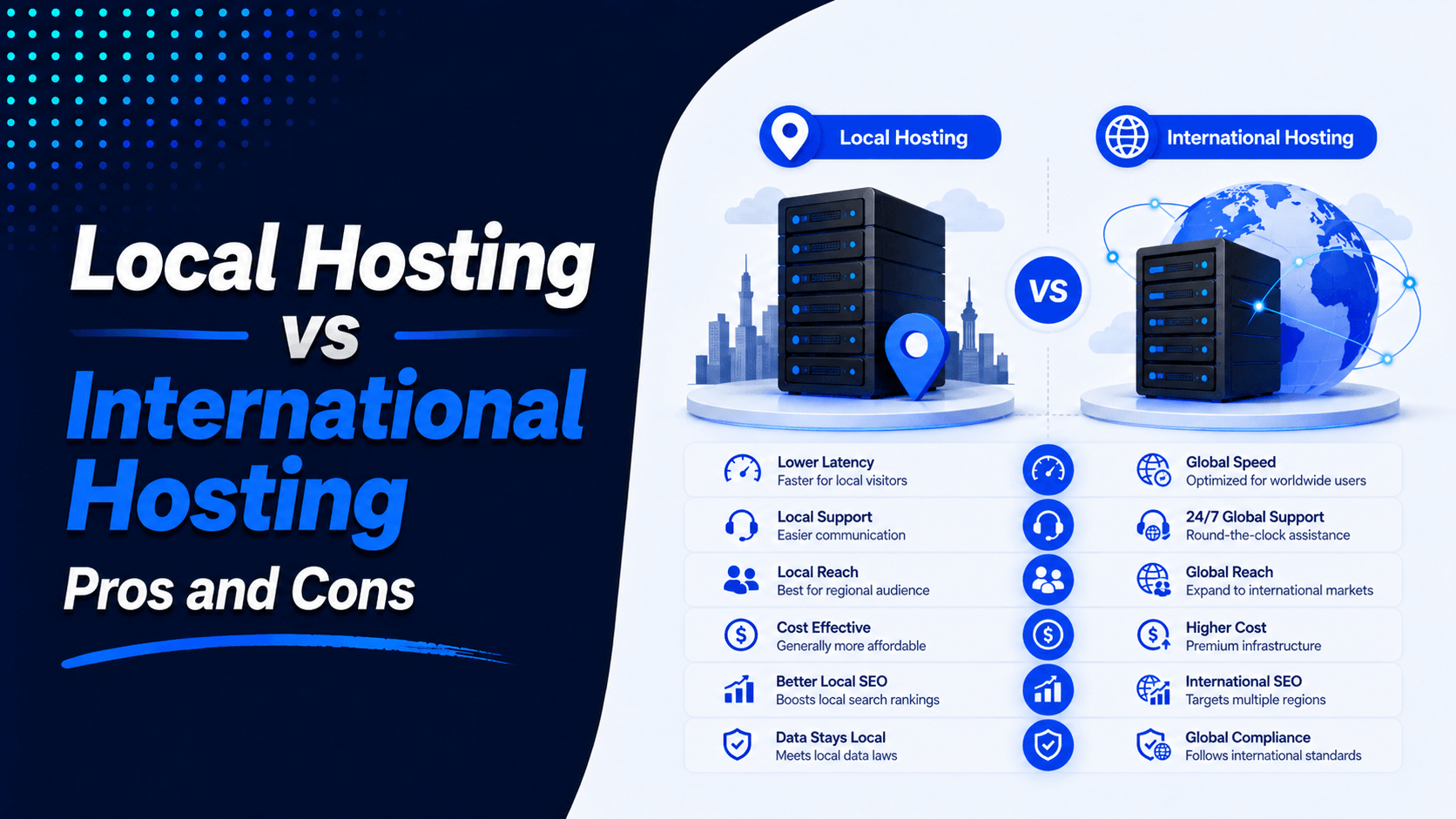
Choosing the right web hosting shapes your website’s speed, security, and reliability. It also affects your long-term growth. One big decision is local hosting versus international hosting. Both options offer dependable service. But they differ in performance, pricing, infrastructure, support, scalability, and SEO benefits.
The best choice depends on your target audience. It also depends on where your visitors live. Your website traffic, budget, and growth plans matter too. This guide compares Local hosting vs international hosting. It helps businesses, bloggers, developers, agencies, and eCommerce owners find the right solution for their needs.
What Is Local Hosting?
Local hosting means using a company that keeps servers inside your own country. Your website’s files stay close to home. With international hosting, those files sit on servers in other countries. Local hosting keeps your data and setup near your target audience.
Examples of local hosting providers:
- Bangladesh-based hosting: BDCOM Online, Wolast Technologies, and Hostever are popular choices. They run local data centres. They also offer support in Bengali.
- Canada-based hosting: Webnames.ca, WHC (Web Hosting Canada), and Miles Ahead Hosting serve Canadian customers. They have data centres in Canada. Support comes in both English and French.
- Australia-based hosting: Crazy Domains, Digital Pacific, and HostPapa Australia operate local data centres. They focus on serving the Australian market.
Who Should Consider Local Hosting?
Local hosting is a good choice for:
- Small local businesses
- Government organizations
- Local service providers
- Community websites
- Educational institutions
- Businesses serving customers within one country
What Is International Hosting?
International hosting stores your website files on servers outside your country. These servers often sit in global data centres across North America, Europe, or Asia. Large multinational companies run these services. They operate server networks around the world. You can choose where your website physically lives.
Popular International Hosting Companies
Some well-known international hosting providers include:
- Hostinger
- SiteGround
- Cloudways
- DigitalOcean
- AWS
- Google Cloud
- Microsoft Azure
Who Benefits Most?
International hosting works well for:
- Global businesses
- International eCommerce stores
- SaaS companies
- Agencies
- Large blogs
- High-traffic websites
- Enterprise applications
Local Hosting vs International Hosting: Quick Comparison
If your website mainly serves one region, local hosting can be practical and cost-effective. But if you expect international traffic or rapid growth, international hosting offers more flexibility and long-term value.
| Feature | Local Hosting | International Hosting |
| Speed (Local Visitors) | Excellent due to nearby servers and lower latency. | Good to excellent when using a nearby data center or CDN. |
| Global Performance | Best for domestic audiences but may be slower for overseas visitors. | Optimized for worldwide users with multiple server locations. |
| Pricing | Often lower with local currency billing and regional promotions. | Competitive introductory prices, but renewal costs may vary. |
| Customer Support | Local language support during regional business hours or extended hours. | 24/7 multilingual support through chat, email, and tickets. |
| Data Center Choices | Usually one or a few local server locations. | Dozens of data centers across multiple continents. |
| Scalability | Suitable for small to medium websites with moderate growth. | Easily scales from shared hosting to cloud or dedicated infrastructure. |
| Security Features | Standard security tools such as SSL and basic firewalls. | Advanced security including WAF, DDoS protection, malware scanning, and monitoring. |
| Uptime | Depends on the provider’s infrastructure and network reliability. | Typically offers higher uptime with redundant systems and global networks. |
| CDN Availability | May require third-party CDN integration. | Often includes built-in or seamless CDN integration. |
| Best For | Local businesses, community websites, and regional organizations. | Global businesses, eCommerce stores, SaaS platforms, agencies, and high-traffic websites. |
This comparison gives a quick snapshot. But the right choice depends on your visitors’ location, your growth expectations, and the performance and security your business needs.
Pros of Local Hosting
Choosing a local hosting provider offers clear advantages. These benefits matter most when your audience lives in the same region.
Faster Access for Local Users: A nearby server can reduce latency. This improves page loading times. Local visitors get a smoother experience.
Local Currency Billing: Local providers often accept payments in your currency. This makes costs easier to track. You avoid unexpected exchange rate changes.
Easier Communication: Local support teams work during your business hours. They communicate in your preferred language. This makes technical issues easier to resolve.
Local Payment Methods: Many local hosts support common payment options. These include bank transfers and digital wallets. Paying for hosting becomes more convenient.
Better Local Support: Local providers understand regional businesses and networks. They know common hosting needs. They can offer more relevant guidance.
Regional Compliance: Local hosting helps meet certain data location requirements. This depends on local laws and where the provider stores your data.
Cons of Local Hosting
Local hosting can cost more. It may offer fewer advanced features. Scalability options are often limited.
Limited Server Locations: Many local providers use just a few data centres. This creates problems for websites serving visitors across different countries. Users far from the server experience higher latency. They also face slower loading times.
Smaller Infrastructure: Local providers have fewer servers. They also have less network capacity. Backup systems are often limited compared to large international companies. Performance can suffer during traffic spikes.
Fewer Advanced Features: Some local hosts offer fewer tools. Built-in CDNs may not be available. Automatic scaling and advanced integrations are often missing. Complex websites may find these limits frustrating.
Limited Scalability: Growing websites need more CPU, RAM, storage, or bandwidth. Some local providers have fewer upgrade options. Scaling quickly becomes harder.
Support Quality May Vary: Support quality depends on the provider. Smaller teams may have limited hours. They may have fewer technical specialists. Always check response times before choosing. Also review available support channels.
Pros of International Hosting
Global Data Centers: International hosts have servers in many regions. You can pick locations closer to your audience. This means faster loading and lower latency.
Better Uptime: Reliable infrastructure and backup systems keep websites online. Redundant networks provide 99.9% or higher uptime. Your site stays available consistently.
Enterprise-Level Security: Advanced features protect against cyber threats. These include WAF, DDoS protection, and malware scanning. Two-factor authentication and continuous monitoring add extra safety.
Advanced Performance: Technologies like NVMe SSDs and caching boost speed. HTTP/3 and Redis improve performance further. Optimized servers handle high traffic efficiently.
Easy Scalability: You can upgrade resources as your website grows. Moving to VPS, cloud, or dedicated hosting is simple. Major interruptions are rare during upgrades.
Worldwide CDN Integration: CDNs deliver content from servers near visitors. This improves page speed globally. It also reduces load on your main server.
24/7 Expert Support: Round-the-clock help is available through live chat, email, or tickets. Technical issues get resolved quickly. Security problems and migrations are handled fast. Server concerns are addressed without delay.
Cons of International Hosting
Higher Renewal Costs: Introductory prices look attractive at first. But they can jump significantly after the first term. Long-term costs often end up higher than expected.
Foreign Currency Payments: Many providers charge in USD. Exchange rates change often. International transaction fees add to your costs. This increases your overall expenses.
Time Zone Differences: Some providers offer limited support during your business hours. Getting help with urgent issues may take longer. This can delay problem resolution.
Extra Feature Costs: Essential services may cost extra. Backups often require additional fees. Malware protection and SSL certificates add to the bill. CDN features may also come at an extra cost. These extras increase your total hosting expenses.
Which Is Faster?
Website speed depends mainly on server location, network quality, and CDN usage.
- Local Visitors: Local servers are usually faster for nearby users. Data travels a shorter distance. For Canadian businesses, servers in Toronto or Vancouver work best. They provide better speeds for Canadian visitors.
- International Visitors: Distant users may face higher latency. But a reliable international host can reduce this delay. Optimized infrastructure helps bridge the distance.
- CDN Benefits: A CDN stores content on servers worldwide. It delivers pages quickly to all visitors. The main server location becomes less important.
- Choose the Nearest Server: Pick a data centre close to your main audience. This gives you the best performance. Use a CDN if you serve visitors globally. It keeps your site fast for everyone.
Which Is Better for SEO?
Local hosting can boost regional SEO. The best choice depends on your target users and server setup.
- Server Location: A nearby server reduces latency. It improves loading times for local visitors. This creates a better user experience.
- Website Speed: Faster websites offer a better SEO experience. A server closer to your audience improves response times. It also helps Core Web Vitals.
- Uptime: Reliable uptime keeps your site accessible. Search engines can crawl your pages consistently. Both local and international providers can offer strong uptime.
- Core Web Vitals: Metrics like LCP, INP, and CLS affect user experience and SEO. Good hosting helps maintain healthy Core Web Vitals. Performance matters for rankings.
- CDN Impact: A CDN reduces the performance gap between hosting types. It delivers cached content from servers near visitors. For global websites, combine reliable hosting with a CDN. This approach works best for most sites.
Which Is Better for Different Types of Websites?
Choosing between Local hosting vs international hosting depends on your website type, target audience, performance needs, and growth plans.
Small Business Website: Local hosting is often ideal for businesses serving nearby customers. It provides faster loading, easier support, and better local performance.
E-commerce Store: International hosting helps stores serving customers in multiple countries. Global data centers, scalability, and CDN support maintain consistent performance worldwide.
Portfolio Website: A simple portfolio works well with affordable local or static hosting. Pick a server close to your main audience. This ensures faster loading times.
Blog: Use local hosting when most readers come from one region. For a global audience, choose international hosting with a CDN. This delivers better worldwide performance.
Agency Website: Agencies benefit from international hosting with scalable resources. Choose a data center close to your main clients. This balances performance and flexibility.
SaaS Platform: SaaS websites need strong uptime, scalability, and performance. International hosting is often a good fit. It works especially well when serving users across multiple countries.
Enterprise Website: Large businesses may prefer a hybrid or global setup. Combine international infrastructure with local hosting. This handles sensitive data and compliance requirements effectively.
Cost Comparison
When comparing local hosting vs international hosting, look at both the starting price and long-term costs.
- Initial Pricing: International hosting often starts around $2–$5 per month. Local hosting may cost $4–$8 per month. The price depends on features included.
- Renewal Pricing: International plans may renew at $8–$15 per month. Local hosting often ranges from $5–$12 per month. Local pricing tends to be more predictable.
- Domain Costs: A standard .com domain costs around $10–$20 per year initially. Renewal typically runs $15–$25 per year.
- SSL Certificates: Many hosting plans include free SSL. Paid SSL may cost $20–$100 per year. The price depends on the certificate type.
- Email Hosting: Professional email costs around $3–$15 per user per month. This applies when email is not included with your hosting plan.
- Backups: Basic backups are often included. Premium daily backups can cost an extra $2–$10 per month.
- CDN Services: Basic CDN services are usually free. Advanced CDN plans may cost $5–$20 per month.
- Premium Support: Priority support may cost $5–$30 more per month. This depends on the provider you choose.
Overall, international hosting offers a lower starting price. Local hosting provides more predictable long-term costs. It also offers locally focused support.
Security Comparison
Security matters when choosing between local hosting vs international hosting. This is especially true for websites handling customer or business data.
- Firewall Protection: Both local and international hosts should provide firewalls. Firewalls block suspicious traffic. They also stop unauthorized access attempts.
- Malware Scanning: Regular malware scanning detects harmful files. It helps remove them quickly. Check how often scans run. Also verify if removal is included in your plan.
- DDoS Protection: DDoS protection prevents attackers from overwhelming your site. They flood it with malicious traffic. International providers often have larger global networks. But many local hosts also offer strong protection.
- Automatic Backups: Regular automatic backups let you restore your website. This helps after data loss or hacking. It also fixes technical problems quickly. Daily backups are preferable for most sites.
- SSL Certificates: SSL/TLS encryption protects data between visitors and your site. Most reputable hosts now include free SSL certificates. These come standard with hosting plans.
When Should You Choose Local Hosting?
Choose local hosting if you have any of these:
- Local Service Businesses: Restaurants, clinics, and law firms benefit from local hosting. Contractors and repair shops do too. Any business serving nearby customers fits this category.
- Local News or Community Websites: These sites serve readers from one city, province, or country. Local hosting keeps content close to your audience.
- Small Businesses: Companies with mostly domestic customers don’t need worldwide server infrastructure. Local hosting meets their needs well.
- Local Payment Needs: Some businesses prefer local bank transfers. Others like mobile wallets or regional payment methods. Local hosts often support these options.
- Country-Specific Compliance: Some organizations must store data within a particular country. Local hosting helps meet these requirements.
- Startups and Personal Websites: New websites often look for affordable hosting. Local providers offer reliable performance. You can always upgrade later as you grow.
When Should You Choose International Hosting?
Choose international hosting if you have any of these:
- Global Businesses: Companies serving customers in multiple countries need reliable worldwide performance. International hosting delivers this consistently.
- E-commerce Stores: Online stores selling internationally require fast loading and secure transactions. High uptime is essential for sales. International hosting meets these needs.
- High-Traffic Websites: Websites receiving large amounts of traffic need powerful infrastructure. International hosting offers scalable solutions for heavy demand.
- Digital Agencies: Agencies managing multiple websites need flexible resources. Easy upgrades help them grow. International hosting provides both.
- SaaS Platforms: Software platforms require high availability and security. Scalability and global accessibility matter too. International hosting covers all these requirements.
- Global Blogs and Content Sites: Websites with readers from different regions benefit from global data centers. CDN support improves delivery worldwide.
- International Expansion: Businesses planning to enter new markets need hosting that scales. International hosting grows with your audience.
Common Myths About Hosting Location
“Local hosting is always faster.”
Not necessarily. A nearby server can reduce latency. But hosting quality also depends on hardware, bandwidth, and network infrastructure. Server performance matters too. A reliable international host with a CDN can sometimes outperform a poor local provider.
“International hosting is too expensive.”
International hosting is not always expensive. Many providers offer plans starting around $2–$5 per month. Renewal prices may be higher though. Compare the total cost, features, and support before choosing a plan.
“SEO depends only on server location.”
Server location is only one part of website performance. Google also considers content relevance and user experience. Page speed and mobile usability matter too. Other SEO signals play important roles. A website can rank well even when hosted in another country.
“Only large businesses need international hosting.”
Small businesses can also benefit from international hosting. Your website may serve customers worldwide. You might need scalable resources. Global data centers and advanced hosting features can be valuable for businesses of any size.
Tips for Choosing the Right Hosting
Choosing the right hosting provider involves more than comparing prices. Consider your current requirements, target audience, and future growth.
- Know Your Audience: Pick a data center close to your main visitors. This gives faster loading and lower latency.
- Plan for Traffic Growth: Select hosting that allows resource upgrades. Your website will grow over time.
- Compare Renewal Prices: Check both introductory and renewal rates. This helps you understand the true long-term cost.
- Check Uptime: Look for providers offering at least 99.9% uptime. This ensures reliable website availability.
- Evaluate Support: Choose responsive 24/7 customer support. Options include live chat, email, or tickets.
- Review Security: Look for free SSL and automatic backups. Malware scanning, firewalls, and DDoS protection are essential too.
- Check Scalability: Make sure you can upgrade easily. Moving from shared hosting to VPS, cloud, or dedicated hosting should be simple.
- Review Performance: Look for NVMe or SSD storage. Caching and CDN integration help speed up your site. Updated PHP versions matter too.
- Read Reviews: Check customer feedback carefully. Compare real-world performance, uptime, support, and reliability.
Frequently Asked Questions (FAQ)
Is local hosting better for SEO?
Not necessarily. Faster website performance matters more. Reliable uptime and overall user experience have a greater impact than server location alone.
Does server location affect website speed?
Yes. Hosting closer to your visitors generally reduces latency. A CDN can minimize the difference though.
Can I host my website in another country?
Yes. Many websites successfully host their servers in other countries. They experience no issues at all.
Is international hosting more secure?
Many international providers offer advanced security features. But security also depends on the specific hosting company and plan you choose.
Which option is better for WooCommerce?
International hosting is usually better for WooCommerce stores. It provides stronger scalability, security, and performance.
Can I switch hosting providers later?
Yes. Most providers offer migration tools or free migration services. Switching is easier than you might think.
Do I need a CDN with local hosting?
If your audience is only local, a CDN may not be essential. But it can still improve speed and reliability. It also offers protection against traffic spikes.
Which hosting is better for beginners?
Beginners can succeed with either option. Choose a provider with an easy control panel. Look for reliable support and straightforward pricing.
How do I choose the right data center location?
Select the data center closest to most of your visitors. This reduces latency and improves page load times.
Does hosting location affect Google rankings?
Hosting location has only a minor influence on rankings. Website speed and quality content matter more. Core Web Vitals, backlinks, and user experience are much more important.
Conclusion
Choosing between local hosting vs international hosting depends on your audience. Your budget and business goals matter too. So do your growth plans. Local hosting suits businesses that serve customers in one country. International hosting works better for global audiences. It also fits sites that need more scalability.
Before you choose, compare pricing with care. Check renewal costs too. Look at uptime, security, and support. Think about server location and CDN features. Weigh scalability for future growth.
Pick reliable hosting that fits your needs today. Make sure it supports your site’s growth tomorrow. Contact our team today for expert hosting guidance.

Leave a Comment