#I found Verpex easy to manage. A beginner could handle the platform without much trouble. The entire process felt simple. From signup and payment to managing the controls, everything worked well.
Registration
I picked a private Linux VPS server from the Verpex home page. Then I chose the best plan. This led me to the plan management page.
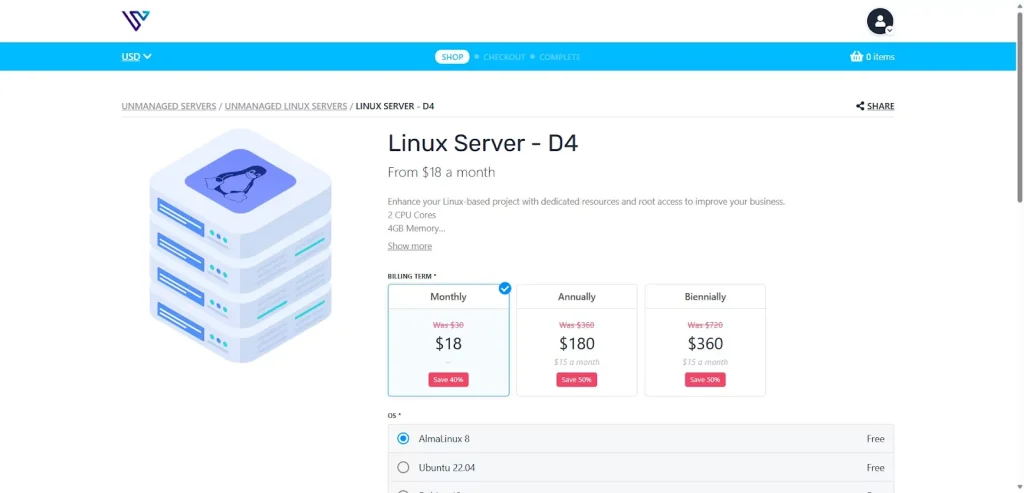
I selected my billing terms and operating system. I used the 40% discount. More options appeared. These included licenses and extra resources. Things like disk space, CPU cores, and RAM were also listed.
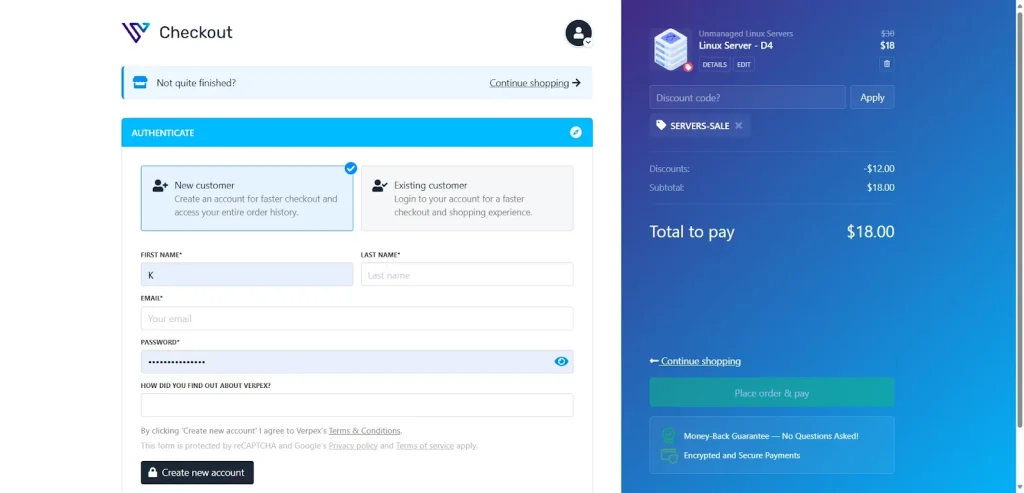
The checkout process was smooth. From there, I could continue shopping or create an account.
User Interface – Client Area & Dashboard
After I paid and created my account, a confirmation email arrived right away. I then logged into the user dashboard.
The Verpex dashboard is simple to use. It has clear sections for services, billing, and support. I quickly found the Linux server I bought under my active products tab.
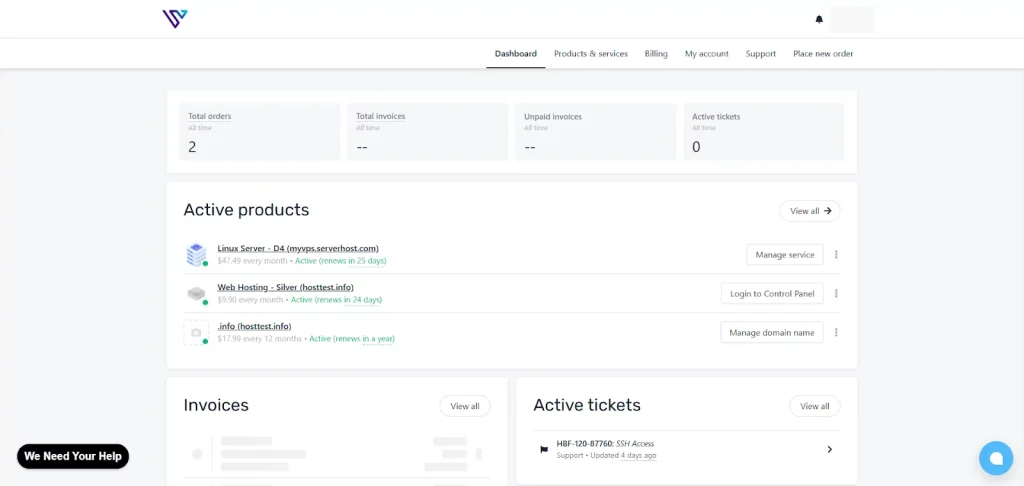
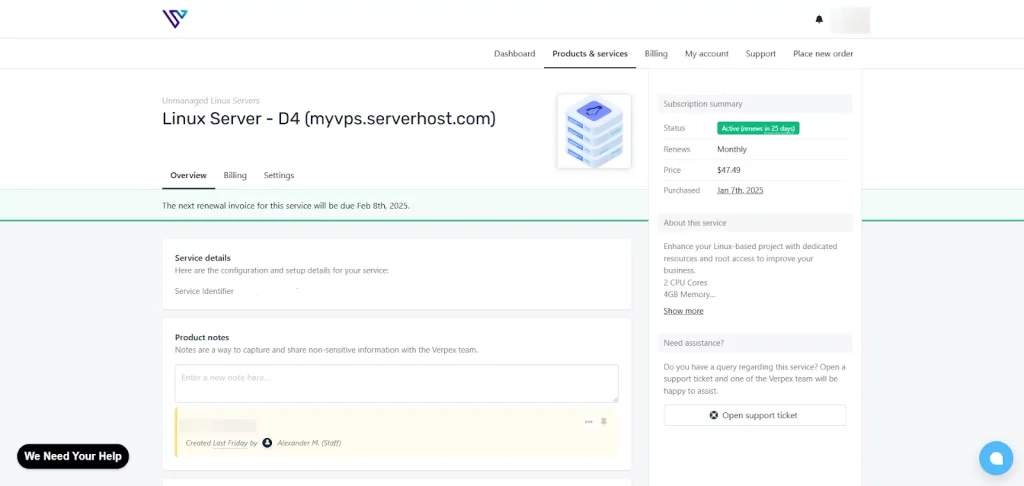
The dashboard shows key details. It lists storage specs. Clicking my Linux server let me see and change service information. This includes its status, configurations, and payment methods.
Control Panel
The dashboard shows important information. It lists storage specifics. I clicked my Linux server. This showed service details. I saw its status, configurations, and payment methods. I could change them.
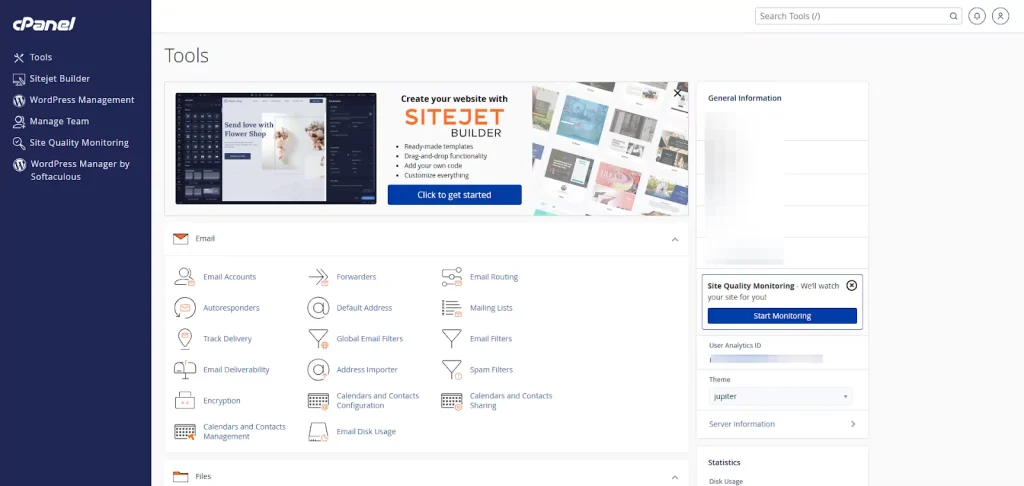
I clicked “Login to Control Panel” from the dashboard. This took me to the cPanel interface. All hosting tools were easy to find there. The process was simple. Management options were clear and good for new users.
WordPress Installation
To analyze Verpex, I installed WordPress. It is a popular website building tool that runs on my web hosting server.
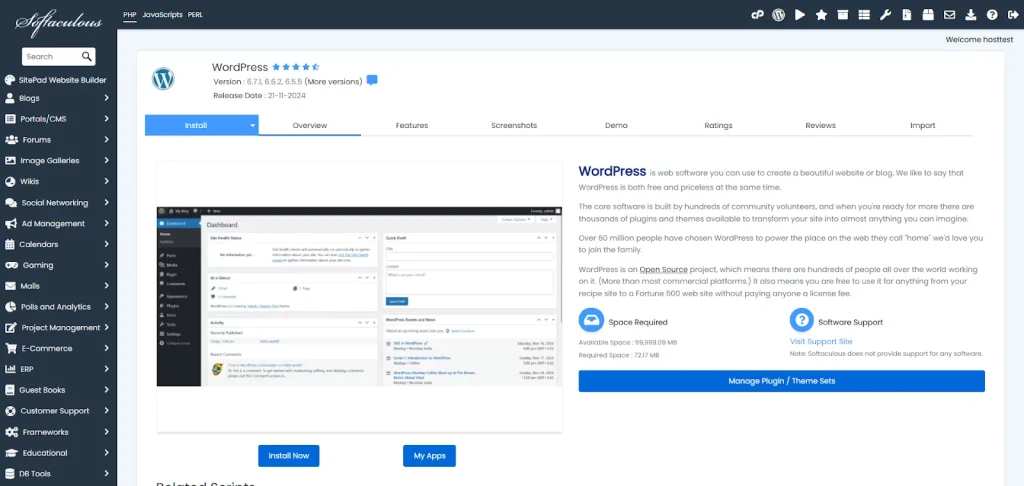
The installation process is simple. Some competitors offer a one-click option, making it faster. The software takes a few minutes, but it clearly explains what to expect before installation.
This helps users understand the features and functionality of the app. Most beginners might find it challenging, but most people can set it up easily.
Impression
Overall, Verpex Web Hosting offers a complete package for website management. It supplies the necessary resources to launch a website quickly. For anyone needing a single service to handle their website, Verpex is a strong choice.
Performance
I have a Linux Server D4 and a Web Hosting Silver plan with Verpex. I tested each one to compare their performance. I used GTMetrix and CheckHost for this. Let’s look at the web hosting results first.
To check the Verpex Silver web hosting plan’s performance, I created a test WordPress site. I added realistic content like high-quality photos, YouTube videos, and custom fonts.
Verpex Shared Hosting Test Results
Verpex web hosting performed well in GTMetrix tests, but the results were mixed. Some speed metrics were satisfactory, while others indicated slower performance. This suggests the plan might not be suitable for high-traffic websites.
Results:
- Grade: B
- Performance: 86%
- Structure: 91%
- Largent Content Paint: 886ms
- Total Blocking Time: 189ms
- Time to First Byte: 317ms
- Fully Loaded Time: 7.5s
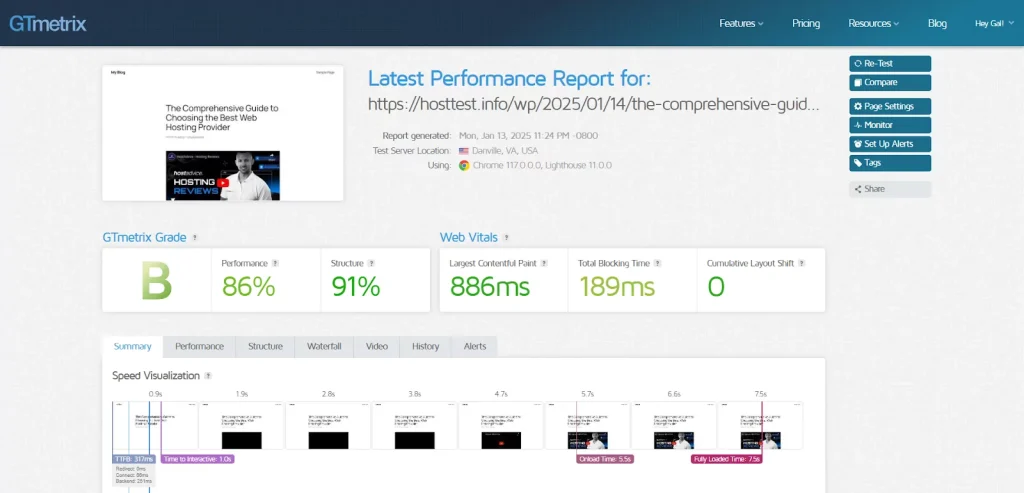
Verpex Shared Hosting Test Results
The low Time to First Byte (TTFB) and Largest Contentful Paint (LCP) scores are impressive. The Verpex web hosting server responds quickly and handles requests well. This results in fast content display.
However, the full load time could be better for users worldwide. Further optimization of caching would also help JavaScript and images load faster.
Verpex Week-Long GTMetrix Test Results
To really dig into Verpex’s hosting performance, I ran a week-long GTMetrix test on my server.
The week-long GTMetrix test revealed generally stable performance, despite some random fluctuations.
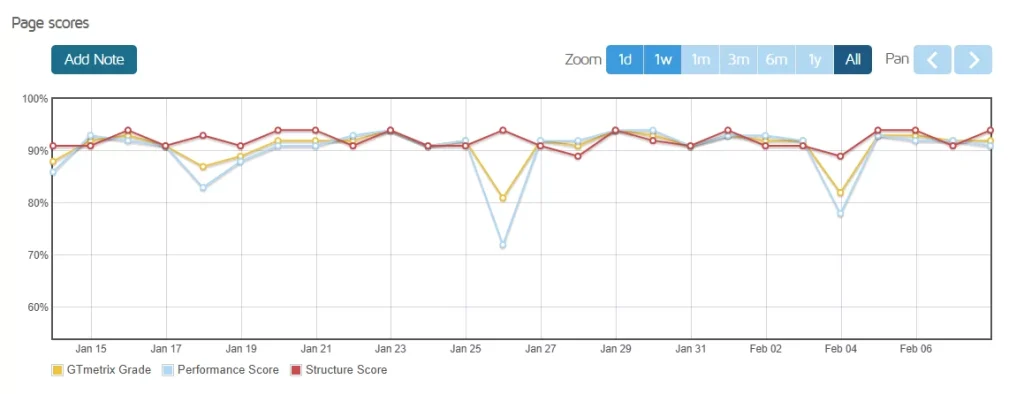
The score had two big drops. These were likely from server overload or caching problems.
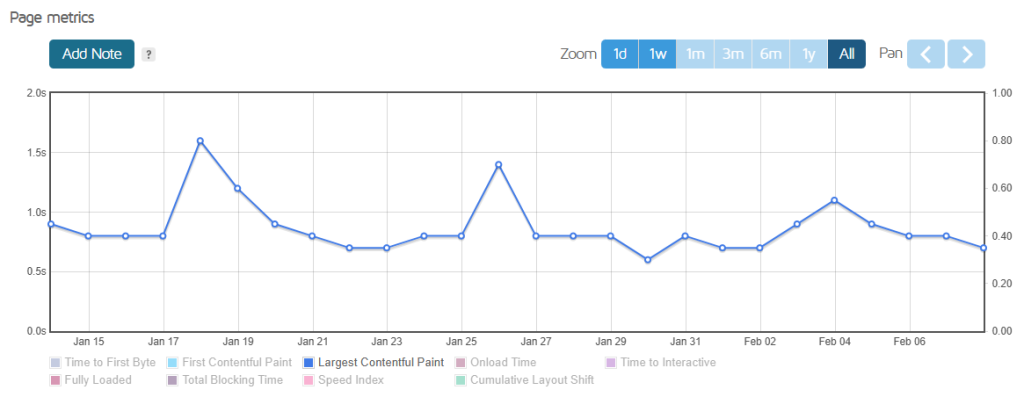
The average LCP remained consistently high, despite a few minor drops. On a real business website, even small delays can hurt how users see loading speed.
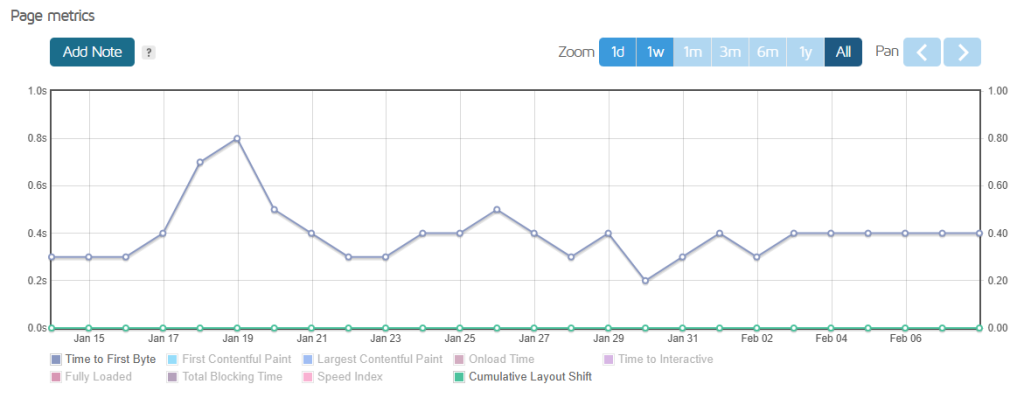
The server response time (TTFB) on Verpex hosting was usually fast. However, there were moments of noticeable slowdowns, which could raise concerns about stability.
For personal websites or smaller projects, this may not be a big issue. But for high-traffic or eCommerce sites, every second matters. Fast and steady TTFB is key for a good user experience. This is important, especially when managing many visitors or online transactions.
A good Content Delivery Network (CDN) can boost response times. It does this by spreading traffic more efficiently. Also, optimizing server settings can cut down on these fluctuations. This helps improve stability for busy websites.
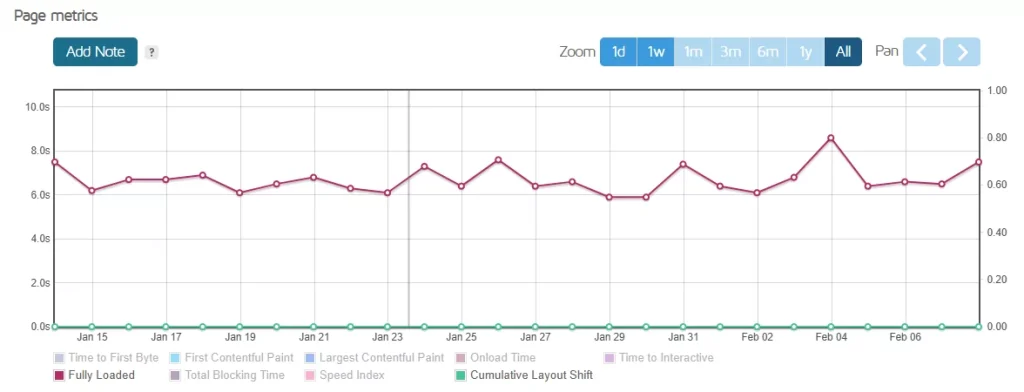
The website’s load time was average. However, users with a global audience should optimize their content for better speed.
Verpex web hosting delivers dependable results. Its performance stays above 90% in most tests. There were occasional dips in performance, possibly due to server slowdowns or high traffic.
Verpex web Hosting offers great performance for small business websites, blogs, or personal projects. Plus, it’s affordable. It’s a smart choice for budget-conscious users who want dependable hosting.
Verpex CheckHost Test Results
A Check Host tool checks server access and speed. It tests from many global spots. The Verpex web hosting server worked well everywhere. It had no errors or long waits.
Results:
- Best: 7.68s (USA)
- Worst: 10.01s (India)
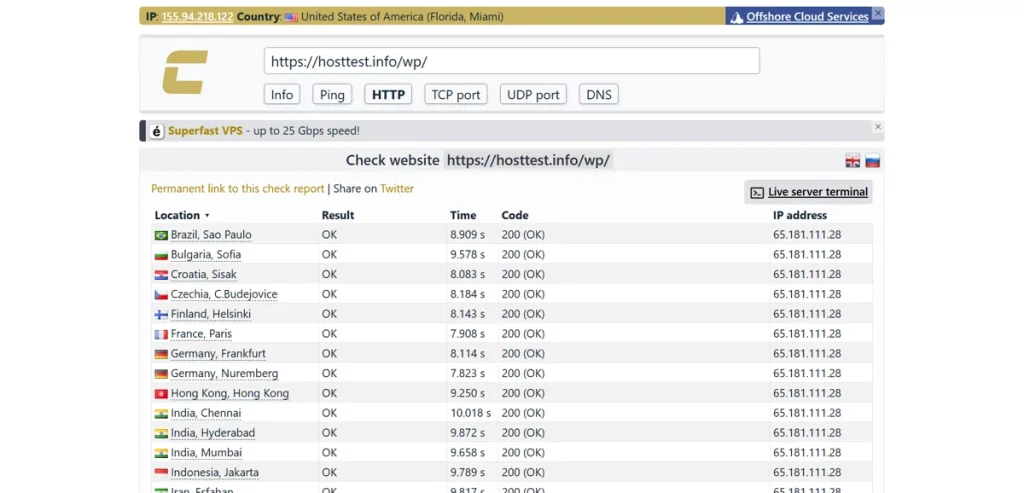
GTmetrix showed our hosting is well-optimized for speed. However, the Check-Host test found latency issues in some locations.
Response times in Dubai were higher than anticipated. This suggests Verpex might not be ideal for an Asian audience. However, users in the US or Europe can expect solid performance.
Verpex Month-Long Uptime Test Results
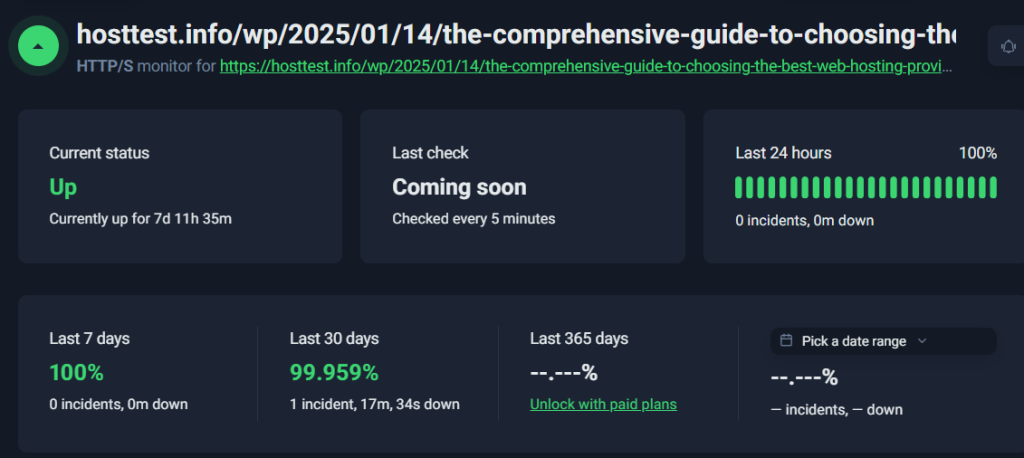
I wanted to test Verpex reliability. I ran a 30-day check using Uptime Robot. This tool looks at the website every 5 minutes. It recorded any downtime. It also showed how often the site was live. Server speed was part of this test.
Results:
- Last 24 Hours: 100% uptime
- Last 7 Days: 100% uptime
- Last 30 Days: 99.959% uptime (1 incident, 17 minutes)
The monthly server response times were 457ms. This is typical for many shared hosting options. However, the response times varied, which could be an issue for websites with high traffic.
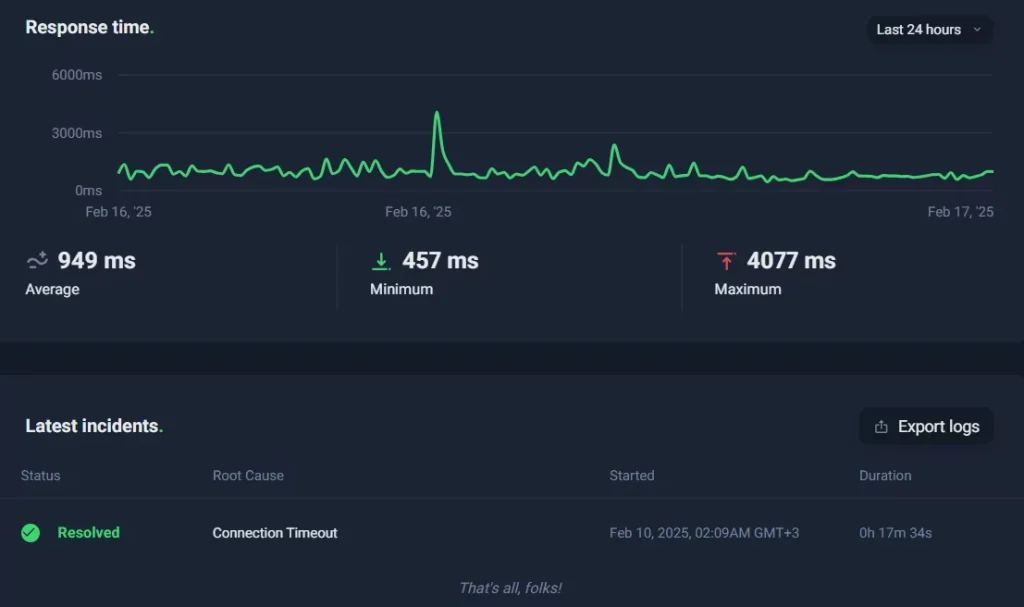
If stability is your main focus, Verpex does well in minimizing downtime. For fast speeds and reliable performance, choose a VPS or dedicated hosting plan. These options provide dedicated resources, ensuring optimal performance without slowdowns.
Level Of Support
Verpex offers several support channels. These help users with their hosting. I explored and tested each channel. I wanted to see how they perform.
Live Chat Support
Verpex live chat offers fast help. It answers account and server questions. I chose a department. I entered my support pin. A real person connected quickly. They gave me correct advice and steps.
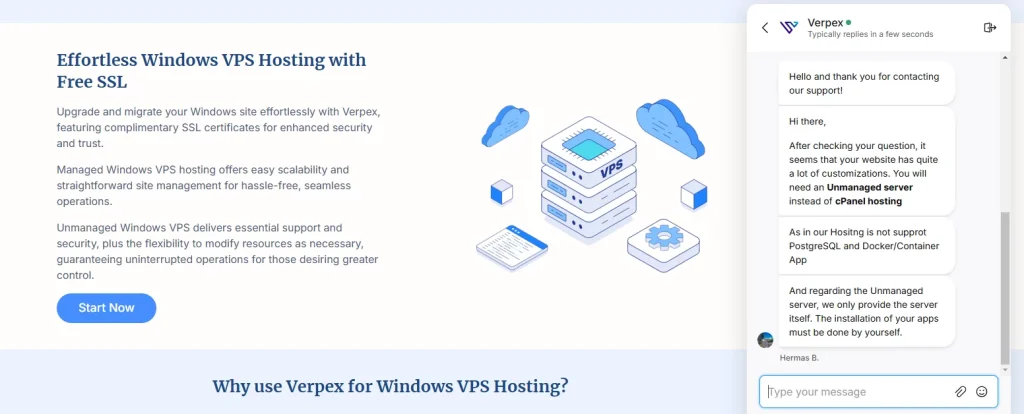
After chatting with the bot, I was soon connected to a real person. This made the process easy and quick. The support agent was knowledgeable, provided clear guidance, and addressed my concerns accurately.
Ticket Support
Verpex allows users to submit support tickets directly from their user dashboard. I submitted a ticket and received a response in 2 hours. This response time is slower than what many competitors offer.
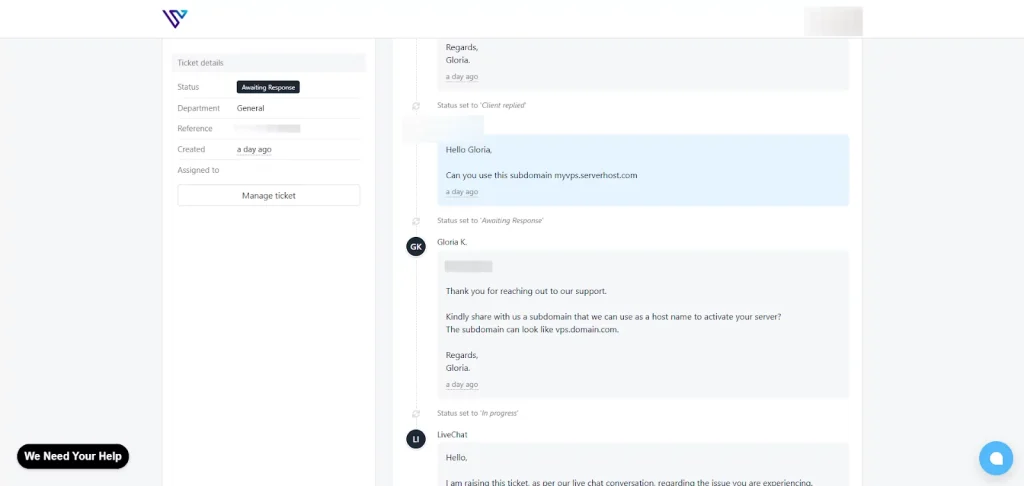
The support agent guided me through the process with clear, detailed instructions. Once I was connected with them, my issue was resolved quickly.
Contact Form
Verpex provides a contact form for general inquiries. After submitting the form, a message confirms that a team member will follow up soon. This option is ideal for non-urgent questions or basic support needs.
Response times are slower compared to live chat or ticket support, making it more suitable for general or less pressing matters.
Knowledge Base
The Verpex Knowledge Base is organized for easy information access. It has clear sections for cPanel Web Hosting, WordPress, and Email, which simplifies finding help.
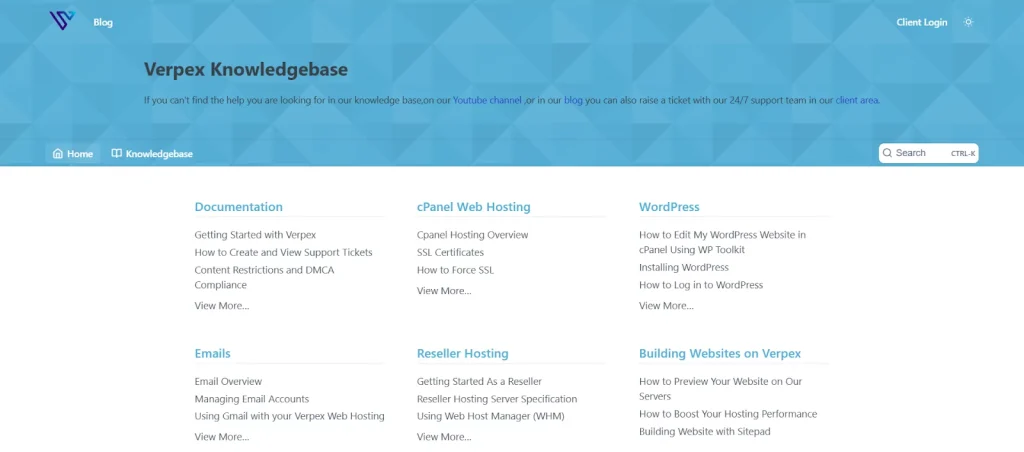
The knowledge base is excellent for self-help. It works well for new users or those with simple questions. It’s easy to use and provides clear guides.
Verpex support is good overall, even with different response times. The support team is quick, friendly, and smart. If you need correct and useful help, Verpex delivers. This is especially true for normal hosting needs.
Verpex Review: Bottom Line
Verpex Hosting is a solid choice. It works for beginners and advanced users. The price is good, and it performs well.
Their Web Hosting has unlimited bandwidth. It uses fast SSD storage. This is great for personal sites and small businesses. It also suits anyone on a budget. The Linux VPS gives you flexibility. It is good for projects needing more power. You get root access and custom settings.
Verpex hosting performs very well for users in local regions. However, global users might notice some lag in loading times. A Content Delivery Network (CDN) can fix this problem. It also boosts speed for users around the world.
Verpex stands out for its affordability, reliable service, and easy setup. It’s a great option for beginners starting a blog or businesses building their website. Their hosting plans include tools that help you grow online without breaking the budget.