
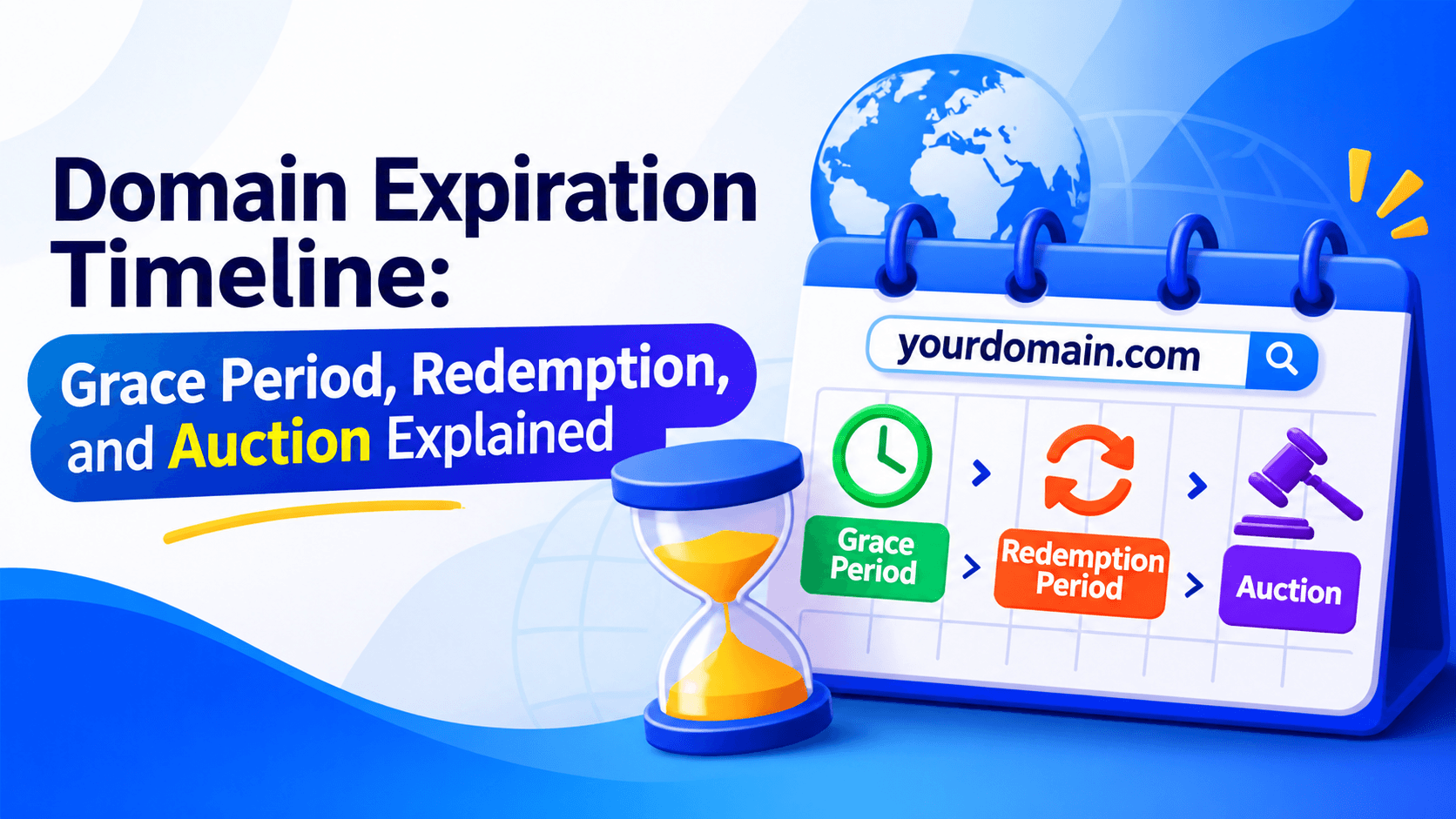
Forgetting to renew a domain can break your website and email. You may still get it back by paying a renewal or redemption fee. The Domain Expiration Timeline shows each stage after expiration. This helps you understand your renewal options. It also helps you avoid losing a valuable domain name.
Quick Overview: Expiration → Grace Period → Redemption → Pending Delete → Auction/Drop
When a domain expires, it may enter a grace period. This lasts 0–45 days. You can renew at the normal price during this time. Next comes a redemption period. It lasts about 30 days. Fees are much higher here. After that is a 5-day pending delete phase. Then the domain may go to auction. Or it may be released for public registration.
What Happens When a Domain Expires?
Quick Answer: When a domain expires, your registrar may stop auto-renewing it. Your website or email could go offline. You can often renew it during a first renewal window. But your options depend on the registrar and the domain ending.
When a domain expires, two things can happen. Your website may go dark. Your email may stop too. This occurs if the registrar suspends the domain.
If auto-renew is on, the domain may renew on its own. This works only if the payment goes through. Many registrars give you a grace period. This lets you renew an expired domain.
But wait too long, and you may pay extra fees. You could also lose the domain for good. Renewing fast helps keep your site and email safe.
Domain Expiration Timeline at a Glance
When a domain expires, it doesn’t vanish right away. It moves through several stages, giving the owner chances to renew. Here’s the full timeline for standard .com domains.
| Stage | Typical Period | What Happens? | Renewal Cost |
| Domain Expiration | Day 0 | The domain reaches its expiration date | Standard renewal fee |
| Grace Period | Usually 0–45 days | Owner may renew at normal price | Standard fee |
| Redemption Period | Usually 30 days | Higher renewal fee may apply | 80–100+ redemption fee |
| Pending Delete | Usually 5 days | Domain cannot normally be renewed | Not available |
| Drop | After Pending Delete | Domain becomes available to the public | N/A |
Important: These periods are not universal. Some registrars offer a renewal grace period, while others may auction expired domains or apply different procedures. Domain extensions such as .com, .org, country-code TLDs, and other extensions can follow different rules.
What Is the Domain Grace Period?
Quick Answer: A domain grace period is the first window after your domain expires. The original owner can often still renew it. The price is usually the normal renewal rate.
This window gives owners time to fix a missed payment. It also helps if auto-renewal failed. The length depends on your registrar and domain extension. It may last a few days. It can stretch to 30–45 days.
During this period, your website or email may stop working. Check your registrar account and renew the domain as soon as possible.
Does Every Domain Have the Same Grace Period?
No. The grace period varies by registrar, registry, and domain extension. Some country-code domains follow different expiration and renewal rules.
Can a Domain Be Auctioned During the Grace Period?
Yes. Some registrars auction expired domains before the renewal period ends. Read your registrar’s auction policy. Know your renewal rights. This helps you avoid losing your domain.
What Is the Domain Redemption Period?
Quick Answer: The domain redemption period is a recovery window. It may open after the registrar deletes your domain. It closes before the registry wipes it out for good. For eligible domains, the original owner can often get the domain back. This means paying a redemption fee.
The domain redemption period starts after the first renewal period ends. For many generic TLDs, it runs about 30 days. The exact time depends on the registrar and domain extension.
During this window, you may recover your domain. You pay a restoration fee. This often comes on top of the regular renewal cost. Always confirm the full fee with your registrar.
How to Recover a Domain During Redemption
Follow these steps:
- Log in to your domain registrar account.
- Locate the expired domain in your domain management dashboard.
- Check whether a restoration or redemption option is available.
- Contact customer support if the option is not visible.
- Pay the applicable restoration and renewal fees.
- Confirm that the domain has been restored and that its DNS settings are correct.
What Happens If You Do Nothing?
If you do not restore the domain before redemption ends, it may move to pending delete. It may then be released for registration. Another person or business could then register it. This depends on the registry’s rules and any applicable auction process.
What Is the Pending Delete Period?
Quick Answer: Pending delete is often the last stage. It comes before an eligible domain is dropped from the registry and released. For many generic top-level domains, this stage lasts about five days. Normal renewal or restoration is no longer an option.
The pending delete period is the final stage. After it, the domain is removed from the registry. Then it can be registered again.
During this stage, standard renewal and restoration are usually not available. The original owner often cannot recover the domain through normal registrar procedures.
Once released, anyone may try to register it. This includes other buyers and automated services. Renew your domain before it reaches pending delete. That is the best way to avoid losing it.
When Does an Expired Domain Go to Auction?
Some registrars hold auctions before a domain is fully deleted. You can bid on these names. But the old owner may still have rights to renew. That depends on the registrar’s rules and the stage of expiration.
People bid on expired domains for many reasons. A name may be valuable. It may carry a known brand. It may also have strong backlinks. Still, not every expired domain reaches auction. Some get renewed. Some get restored. Others are simply deleted.
A domain backorder lets you ask for a domain once it drops. Drop-catching services use bots to grab names the moment they are released. Even then, you may lose. Popular names often go to the fastest bidder.
AEO Answer: Can You Buy a Domain After It Expires?
Yes, sometimes you can. It all comes down to status. You might buy it at a registrar auction before deletion. Or you might register it after it drops and opens to the public. But if the owner renews or restores it first, you may walk away with nothing.
Domain Auction vs. Domain Drop
When a domain expires and isn’t renewed, it can end up in one of two places: an auction or a drop. Both give you a chance to grab the name, but the process and timing are very different.
| Feature | Domain Auction | Domain Drop |
| What happens | Domain is sold through an auction | Domain becomes available for registration |
| Who participates | Bidders compete | Anyone can attempt registration |
| When it happens | May occur before deletion | Happens after deletion |
| Typical timing | 26–43 days after expiration (GoDaddy) | ~75 days after expiration |
| Pricing | Set by highest bid | Standard registration fee |
| Access | Requires auction account | Open to the public |
If you want a particular expired domain, check whether it is listed for auction or approaching its expected release date.
How Long After Expiration Does a Domain Become Available?
A domain does not always open to the public on its expiration date. The wait can vary. It depends on the registrar, the registry, and the domain extension. It also depends on what happens next. Will the owner renew it? Will they restore it? Will it go to auction?
In a common case, a generic domain may go through a few stages. First, a renewal period. Then a redemption period of about 30 days. Then a pending-delete period of about five days. After that, it may be released.
Still, these stages are not always the same. They do not always follow the same schedule.
Factors That Affect Availability
- Domain extension: Different TLDs follow different registry rules.
- Registrar policies: Some registrars offer longer renewal windows or auction expired domains.
- Renewal or restoration: The original owner may recover the domain before deletion.
- Auction activity: A registrar may offer the domain for sale before public release.
- Registry processing: Deletion and release timing depend on the applicable registry procedures.
So the Domain Expiration Timeline can be short. It can also stretch for weeks or more. If you want to buy an expired domain, watch its status. Check the registrar. Use a WHOIS or RDAP lookup. Do not trust the expiration date alone.
Can You Renew a Domain After It Expires?
Quick Answer: Yes, many domains can be renewed after they expire. But this only works if the domain has not reached a stage where renewal is blocked. The cost and the steps depend on the registrar and the TLD.
Use this simple guide to see your typical options.
| Domain Stage | Can You Renew or Recover It? |
| Before expiration | Yes, normally. |
| Grace or renewal period | Usually yes, if the registrar allows it. |
| Redemption period | Often yes, through restoration and an extra fee. |
| Pending delete | Generally no through normal renewal or restoration. |
| After public drop | You can try to register it again if it is open. |
This is a general guide, not a promise. Some registrars set different deadlines or auction rules. Certain TLDs do not follow the usual redemption and pending-delete steps.
If your domain has expired, call your registrar right away. Waiting until the last stages can raise the cost. It can also cut your odds of getting the domain back.
What Happens If You Don’t Renew Your Domain?
If you don’t renew your domain, your site and email may stop working. The registrar may charge extra fees to get the domain back. That depends on their rules.
Miss the renewal and redemption windows, and the domain may go to auction. Or it may be released for anyone to register. Losing your domain can hurt customer trust. It can also disrupt business communication and search visibility. Renewing on time protects your online presence. It also helps you avoid needless costs.
How to Recover an Expired Domain
If your domain has expired, act fast. The sooner you reach your registrar, the better your chance of a simple fix.
Follow these steps to recover your domain.
Step 1: Check Your Registrar Account
Log in to the account where you bought the domain. Find it in your domain dashboard. Check its current expiration date and renewal options.
Step 2: Check the Domain Status
Determine whether the domain is expired, suspended, in redemption, or pending delete. Its status can help you understand which recovery options may still be available.
Step 3: Attempt Normal Renewal
If your registrar shows a renewal option, complete it. Make sure the payment goes through. Update your payment details if an earlier auto-payment failed.
Step 4: Contact Registrar Support
If you can’t renew the domain in your account, reach out to support. Ask if the domain can still be renewed or restored. Ask if an auction or transfer has begun.
Step 5: Pay the Redemption Fee if Required
If the domain is in redemption and restoration is allowed, ask for the full restoration cost. Pay the fees. Then ask for proof that the domain is back.
Step 6: Confirm DNS and Website Settings
After recovery, check the nameservers, DNS records, website link, SSL certificate, and email setup. Some settings may need fixing if services were paused or changed.
Also test the website and email to confirm they work.
Knowing the Domain Expiration Timeline helps you pick the right recovery step before the domain is gone for good.
How to Check a Domain’s Expiration and Status
You can check your domain’s expiration date and status in two ways. Use your registrar dashboard. Or use a WHOIS/RDAP lookup tool.
Your registrar account shows renewal payments, auto-renewal, and recovery options. Public lookup tools show registration details. But they may not explain grace periods or auction rules. Always confirm your domain’s status with your registrar before you act.
AEO Answer: How Do I Know If an Expired Domain Is Still Recoverable?
Check the domain’s status in your registrar account. Or contact the registrar directly. A redemptionPeriod status often means restoration is still possible. A pendingDelete status usually means normal recovery is closed. If the domain has been released, you can try to register it again if it is open.
Common Domain Status Codes You Should Know
Domain status codes show limits or issues tied to a domain. Some codes come from the registrar. Others are set at the registry level.
| Status Code | Beginner-Friendly Explanation |
| clientRenewProhibited | A registrar-level limit blocks renewal through the normal registry process. The registrar can explain why. |
| serverRenewProhibited | A registry-level limit blocks renewal. The registrar may need to look into it or fix the issue. |
| redemptionPeriod | The domain has entered redemption after the registrar deleted it. Restoration may be possible for an extra fee. |
| pendingDelete | The domain is waiting for deletion from the registry. Normal renewal or restoration is usually not available. |
| clientHold | The registrar has put the domain on hold. This often stops it from resolving in DNS. The registrar can explain why. |
| serverHold | The registry has put the domain on hold. This generally stops it from resolving in DNS. Fixing it means solving the registry-level issue. |
These statuses are not the same. In particular, clientRenewProhibited and serverRenewProhibited are renewal limits. They are not automatic proof that a domain has expired.
Domain Expiration Timeline Example
Picture a domain that expires on January 1. Below is a sample timeline. It shows how an expired domain can move through renewal, redemption, and deletion.
January 1: Domain Expires
This is the official expiration date. On this day, the domain stops working if it hasn’t been renewed. Your website may go offline, and emails connected to the domain may stop functioning.
However, the domain isn’t lost immediately. Most registrars give you a short window to fix the issue.
January 1–30: Grace/Renewal Period
The grace period (also called the renewal period) is a buffer after expiration. During this time:
- You can still renew the domain, usually at the normal renewal price.
- The domain may be parked or show an “expired” message.
- Your website and email may remain inactive.
Typical length: 0–45 days, depending on the registrar and TLD (top-level domain, like .com or .org).
January 31: Redemption Begins
If you miss the grace period, the domain enters the redemption period. This stage starts right after the grace period ends.
At this point, renewing becomes more expensive. Registrars often charge a redemption fee, which can be $50 to $200 or more, in addition to the renewal cost.
February: Redemption Period
The redemption period is a second chance. It’s also called the “redemption grace period” or RGP. But you pay a higher price.
Key points:
- The domain is deactivated and won’t resolve to your website.
- You must contact your registrar to redeem it.
- The fee is significantly higher than a standard renewal.
- Length: usually 30 days, but it can vary.
March: Pending Delete
After redemption ends, the domain enters “Pending Delete” status. This is a short phase—typically 5 days—where the domain is queued for deletion.
What happens here:
- You can no longer renew or redeem the domain.
- The domain is about to be released back to the public.
- Some registrars or backorder services may place a hold on it.
Domain Drops: Available for Registration
Once the pending delete period ends, the domain is dropped and returns to the pool of available names.
- Anyone can register it on a first-come, first-served basis.
- Drop-catching services and domain investors often compete for valuable names at this moment.
- If nobody registers it, it stays available.
Important: These dates are examples. They are not a universal schedule. Exact timing depends on the registrar, registry, domain extension, and any auction process. Some domains may be auctioned before deletion. Others follow different renewal or deletion rules.
Frequently Asked Questions
How long after a domain expires can I renew it?
You can often renew a domain for days or weeks after it expires. It depends on your registrar and TLD. Some domains can be restored during redemption for an extra fee. But renewal is usually not available during pending deletion.
What is the domain grace period?
The domain grace period is a short window after expiration. The original registrant may still renew the domain. Its length and availability depend on the registrar and domain extension.
What is domain redemption?
Domain redemption is a recovery period. It may start after a registrar deletes an eligible domain registration. The original owner can often restore the domain by paying a redemption fee.
How long does redemption last?
For many generic top-level domains, redemption lasts about 30 days. But the duration and recovery rules vary by TLD and registry policy.
Can I recover a domain in Pending Delete?
Generally, no. Once a domain reaches pending delete, standard renewal and restoration are usually unavailable. You may have to wait for the domain to be released and try to register it again.
When does an expired domain go to auction?
A registrar may auction an expired domain before it is deleted. The timing depends on the registrar’s policies, auction arrangements, and the domain’s eligibility.
Can someone buy my domain after it expires?
Yes. Someone may get your domain through an expired-domain auction. Or they may register it after it is released. Renewing your domain promptly helps reduce this risk.
What happens to my website after domain expiration?
Your website may keep working for a while. Or it may become inaccessible if the domain is suspended or its DNS resolution stops. The timing depends on the registrar, DNS configuration, and domain extension.
What happens to email when a domain expires?
Email services may stop working if the domain becomes inactive. They may also stop if its DNS records are no longer available. Incoming messages may bounce. Or sending mail servers may handle them differently.
Can I get an expired domain back?
Often, yes, if the domain is still within a renewal or redemption window. Contact your registrar right away to check whether renewal or restoration is available. Once the domain is deleted and registered by someone else, recovering it can become much harder.
Is an expired domain immediately available to the public?
No. Expiration does not automatically make a domain available to everyone. It may remain renewable. It may enter redemption. It may be auctioned. Or it may go through deletion before public registration becomes possible.
What is the difference between domain expiration and deletion?
Expiration means the current registration term has ended. Deletion means the domain registration has been removed from the registry. A domain may pass through several stages between expiration and deletion. It is not necessarily available to the public right after expiration.
How to Avoid Losing Your Domain
Preventing domain expiration is easier and cheaper than recovering a lost domain. Follow these best practices to keep your domain secure and active
- Enable auto-renewal: Turn on automatic renewal through your registrar. Then check that the setting is active.
- Keep payment information updated: Replace expired credit cards. Check that your payment method can cover renewal charges.
- Use registrar notifications: Turn on expiration reminders. Then you get warnings before the deadline.
- Keep your account email accessible: Make sure your registrar can reach you. This matters if a renewal payment fails or an account issue occurs.
- Monitor expiration dates: Keep a list of your domains and their renewal dates. This helps most if you manage several websites.
- Renew important domains early: Renew business-critical domains before their expiration dates. Don’t wait until the final day.
- Consider multi-year registration: Registering for multiple years can reduce how often you renew. But you should still watch the final expiration date.
- Review registrar policies: Learn the renewal grace period, redemption fees, and expired-domain auction rules that apply to your domains.
For businesses, assign domain management to a responsible team member. Keep account access secure.
These steps help you avoid website downtime, email problems, and the permanent loss of valuable domain names.
Final Takeaway
The Domain Expiration Timeline shows what happens after a domain expires. It also shows what recovery options may still be open.
The process generally follows: Expiration → Grace Period → Redemption → Pending Delete → Release or Auction.
The exact timeline hinges on three things. These are the domain extension, registrar policies, and registry rules. To protect your domain, turn on auto-renewal. Keep payment details up to date. Renew early. If your domain has already expired, call your registrar right away. Ask whether recovery is still possible.

Leave a Comment