
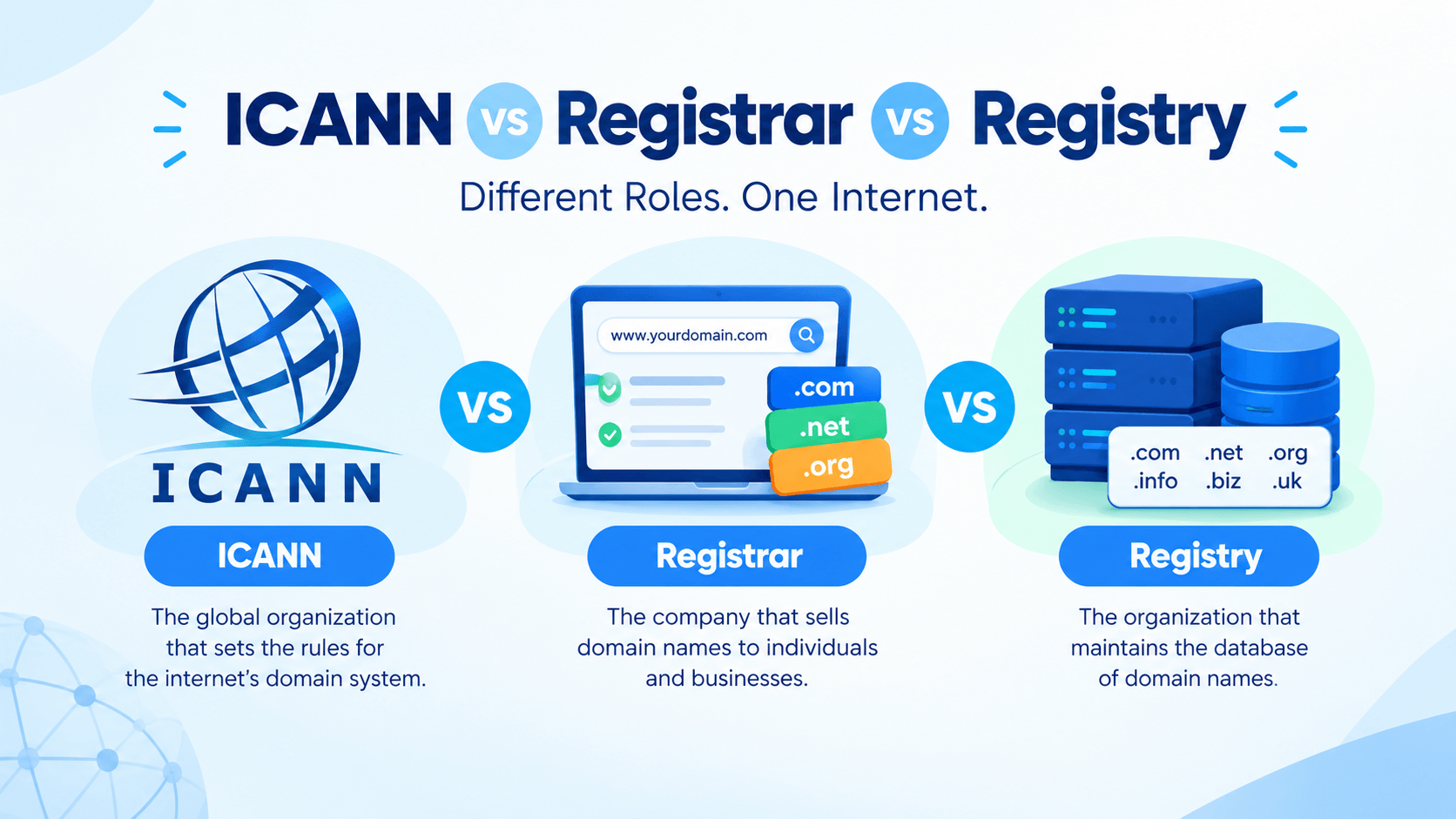
A domain name looks simple. But it takes several groups to make it work. ICANN, registries, and registrars each play a role. They handle different parts of the registration process.
Learning ICANN vs Registrar vs Registry helps you understand domains. You will see how they are created, managed, and kept running. This guide breaks it down from start to finish.
What Is ICANN?
To grasp the ICANN vs Registrar vs Registry link, start with ICANN. You need to know what it is. You also need to know why it exists.
What ICANN Stands For
ICANN stands for the Internet Corporation for Assigned Names and Numbers.
- Founded: 1998
- Type: Non-profit organization
- Headquarters: Los Angeles, California, USA
- Key role: Coordinating the internet’s unique identifiers worldwide
In plain terms, ICANN runs the Domain Name System (DNS). This system turns names like example.com into IP addresses. Computers use those addresses to find each other.
Its Role in Coordinating the Global DNS
ICANN does not own or sell domains. Instead, it coordinates the system that makes domain names work worldwide.
Key responsibilities include:
- Managing the root zone: ICANN watches over the root DNS database. This lists every top-level domain (TLD) like .com, .org, and .net.
- Accrediting registrars: Firms that sell domains must get ICANN’s approval to operate.
- Coordinating unique identifiers: This covers domain names and IP addresses. It ensures no two sites share the same address.
- Keeping the internet interoperable: ICANN helps a domain registered anywhere resolve correctly everywhere.
Example: You type google.com into your browser. ICANN’s coordination helps that request reach Google’s servers — not someone else’s.
How ICANN Develops and Coordinates Domain-Name Policies
ICANN does not make policies alone. It uses a multistakeholder model. Governments, businesses, technical experts, and everyday users all get a voice.
Policies are developed through:
- Supporting Organizations (SOs): Groups focused on areas like domain names or IP addresses.
- Advisory Committees (ACs): Groups that provide advice on security, privacy, and public interest.
- Public comment periods: Anyone can share feedback on proposed policy changes.
These policies cover things like:
- How new TLDs (like .app or .blog) are introduced
- Rules for resolving domain disputes
- Requirements registrars must follow
This process is why ICANN vs Registrar vs Registry matters. ICANN sets the rules. Registries and registrars carry them out.
What ICANN Does Not Do
ICANN’s role is often misunderstood. It does not:
- Sell domain names directly: You buy domains from registrars, not ICANN.
- Control website content: ICANN does not police what people publish online.
- Own the internet: No single organization owns the internet.
- Set prices for domains: Registrars and registries set their own pricing.
- Handle individual customer support: That is the registrar’s job.
What Is a Domain Registry?
A domain registry manages a database. This database holds all domain names under one top-level domain (TLD).
A TLD is the part that comes after the dot—like .com, .org, or .uk The registry:
- Keeps the master zone file (the authoritative list of all registered domains in that TLD)
- Stores technical data like nameservers for each domain
- Publishes that data so the global DNS can find websites
- Operates the technical infrastructure behind the TLD
Example: Verisign is the registry for .com and .net. Every .com domain in the world lives in Verisign’s database. But you never buy a domain directly from them.
What a Registry Manages
A registry handles the behind-the-scenes technical and administrative work for its TLD:
- Zone file management: The authoritative record of every registered domain and its nameservers.
- DNS infrastructure: Running the servers that answer DNS queries for the TLD.
- Domain availability data: Providing the “is this domain taken?” information registrars rely on.
- Registry–registrar connections: Keeping the shared systems (like EPP — Extensible Provisioning Protocol) that let registrars create, renew, and transfer domains.
- Abuse and compliance support: Enforcing technical standards and responding to certain abuse reports.
Key point: Registries are wholesale. They don’t deal with the public directly. They work with registrars, who then serve customers like you.
How Registries Operate Specific TLDs
Each TLD has one registry operator, but registries come in different forms:
- Commercial operators: Companies that run TLDs as a business (e.g., Verisign for .com and .net).
- Non-profit operators: Groups that run TLDs for a community (like Public Interest Registry for .org).
- Government or national operators: Entities that run country-code TLDs (ccTLDs) for a country.
Registries don’t usually interact with end users directly. Instead, they:
- Sign an agreement with ICANN (for gTLDs) or follow national policies (for ccTLDs).
- Accredit or work with registrars to sell domains.
- Receive registration data from registrars and update their databases.
- Publish zone files so the DNS can function.
Example: Verisign runs the .com registry. But it does not sell .com domains to you. You buy through a registrar like GoDaddy. That registrar passes your registration to Verisign’s system.
Examples: .com, .org, and Country-Code Domains
Different TLDs have different registry structures. Here are common examples:
- .com and .net : Operated by Verisign, one of the largest registry operators. These are unrestricted gTLDs open to anyone.
- .org: Operated by the Public Interest Registry (PIR). Originally for non-profits, now open to all.
- .gov: Limited to U.S. government entities. Managed by the General Services Administration (GSA).
- .uk: A country-code TLD managed by Nominet, which sets its own rules for UK-based registrants.
- .jp: Japan’s ccTLD, operated by JPRS, with local presence requirements for some registrations.
- .io: A ccTLD for the British Indian Ocean Territory, now popular with tech startups.
Key difference: Generic TLDs (gTLDs) like .com follow ICANN policies. Country-code TLDs (ccTLDs) follow national rules. Those rules vary widely.
ICANN is the coordinator — not the seller, not the host, and not the content regulator.
What Is a Domain Registrar?
A domain registrar is a company approved to sell domain registrations to the public.
- Also called: Domain registrar or registrar
- Accreditation: Must be approved by ICANN (for gTLDs) or by a country’s authority (for ccTLDs)
- Role: Acts as the middleman between you and the registry
- Examples: GoDaddy, Namecheap, Google Domains, Cloudflare Registrar
Think of a registrar as a retailer. It doesn’t own the domain stock—the registry does. But it sells registrations for the registry and handles the customer relationship.
How Registrars Sell Domain Registrations
Registrars make money by selling domain registrations, usually on an annual basis. Here’s how the process works:
- You search for a domain on the registrar’s website.
- The registrar checks the registry’s database to see if it’s available.
- You pay the registrar’s fee (which includes a wholesale cost paid to the registry).
- The registrar submits your registration to the registry.
- The registry adds your domain to its zone file.
- You now control the domain for the registration period.
Key points:
- Registrars compete on price, features, and customer service.
- Prices vary widely—some registrars charge low first-year fees but higher renewal rates.
- ICANN-accredited registrars must follow industry rules. These include showing accurate pricing and providing Whois data.
Example: You buy mynewsite.com from Namecheap for $10.99/year. Namecheap pays a wholesale fee to Verisign (the .com registry). It keeps the rest. Then it registers the domain in your name.
Domain Registration, Renewal, Transfer, and Management
A registrar handles the full lifecycle of your domain, not just the initial purchase.
- Registration: Reserving an available domain for a set period (typically 1–10 years).
- Renewal: Extending your registration before it expires. Miss it, and the domain may enter a grace period, then get released.
- Transfer: Moving a domain from one registrar to another. ICANN rules require a 60-day wait after registration or a previous transfer.
- Management: Updating nameservers, contact details, and DNS records through the registrar’s control panel.
- Locking: Enabling registrar lock to prevent unauthorized transfers.
Practical tip: Always keep your contact email updated. Registrars send renewal reminders there, and a missed notice can cost you your domain.
Registrar vs Hosting Provider
People often confuse registrars with hosting providers, but they serve different roles.
| Feature | Registrar | Hosting Provider |
| Purpose | Registers and manages domain names | Stores website files and serves them online |
| What you get | Ownership rights to a domain | Server space, bandwidth, email hosting |
| Examples | GoDaddy, Namecheap | Bluehost, SiteGround, AWS |
| Required? | Yes, to own a domain | Yes, to run a website (unless self-hosting) |
ICANN vs Registry vs Registrar
The domain name system involves three distinct players, and confusing them is one of the most common misunderstandings about how the internet works. Here’s how ICANN, registries, and registrars divide responsibilities.
| ICANN | Registry | Registrar | |
| Main role | Coordinates the global DNS ecosystem | Operates a TLD database | Provides domain registration services |
| Works with | Registries, registrars, technical community, governments | Registrars and ICANN | Customers (individuals and businesses) |
| Manages individual domains? | No | Maintains registration records for all domains under its TLD | Manages customer registrations and accounts |
| Sell domains directly? | No | Usually no (some registries sell wholesale or directly) | Yes |
| Example role | DNS policy and coordination | The .com registry (Verisign) | The company where you buy a domain (e.g., GoDaddy, Namecheap) |
How They Work Together
Knowing each role helps. But the full picture comes from seeing how they link.
The Basic Flow:
Every domain registration follows the same path. Here’s the sequence:
- You choose a domain name and decide to register it.
- The registrar processes your registration and collects payment.
- The registry records your domain in its authoritative database.
- The DNS publishes that record so the domain resolves worldwide.
- ICANN provides the policies and contracts that keep the whole system consistent.
Each step depends on the one before it. Break the chain, and your domain won’t work.
Step 1: Customer Chooses a Domain
Everything starts with you. You decide on a name—say, mynewbusiness.com—and check whether it’s available.
- Availability check: The registrar queries the registry’s database.
- Decision point: If it’s taken, you pick another name or make an offer to the current owner.
- If available: You proceed to purchase.
This step is entirely user-driven. Neither ICANN nor the registry is involved yet—you’re just browsing.
Step 2: Registrar Processes the Registration
Once you’ve chosen a domain and paid, the registrar goes to work.
- Verifies availability one more time to avoid conflicts.
- Collects your contact details for the Whois record (the public list of domain owners).
- Submits the registration to the appropriate registry.
- Charges you the retail price, part of which covers the registry’s wholesale fee.
Example: You pay Namecheap $12 for mynewbusiness.com. Namecheap keeps a cut, sends a wholesale fee to Verisign, and passes your data to Verisign’s system.
Step 3: Registry Maintains the Authoritative Record
The registry is the source of truth. Once your order arrives:
- Your domain goes into the registry’s zone file.
- Nameserver details are stored. These tell the DNS where your site lives.
- The record becomes authoritative. It’s the official source for that domain.
Key point: Only the registry can create, change, or delete this record. Registrars ask for changes. The registry makes them.
Step 4: DNS Allows the Domain to Resolve
The registry’s zone file feeds the global DNS. This system turns names into IP addresses.
- DNS resolvers (run by ISPs, Google, Cloudflare, etc.) query the registry’s nameservers.
- The registry responds with the nameserver information for your domain.
- Your hosting provider’s nameservers then return the IP address of your website.
- The browser loads your site.
Example: Someone types mynewbusiness.com. Their resolver asks the .com registry where to find it. The registry points to your hosting provider’s nameservers. Those return your site’s IP, and the page loads—usually in milliseconds.
Step 5: ICANN Provides Coordination and Policy
ICANN doesn’t sit in the middle of individual transactions, but it makes them possible.
- Accredits registrars so they can legally sell domains.
- Contracts with registries to operate TLDs under consistent rules.
- Sets dispute policies like the UDRP for trademark conflicts.
- Coordinates the root zone, ensuring all TLDs are reachable.
Without ICANN’s framework, each registry and registrar could set its own rules. That would cause chaos. ICANN gives the shared standards that keep the global DNS working as one.
Example: Registering example.com
Roles can feel abstract. A real example makes them clear. Let’s follow what happens when you register example.com —from your first search to a live site.
The Scenario
You run a small consulting business and want a simple, memorable domain. You’ve decided on example.com and you’re ready to buy it. Here’s what happens behind the scenes.
Step 1: You Want example.com
You open a registrar’s website and type example.com into the search bar.
- The registrar queries the .com registry’s database.
- Result: The domain is available.
- You add it to your cart and proceed to checkout.
At this moment, nothing has been registered yet. You’ve simply confirmed the name isn’t taken.
Step 2: You Purchase It Through a Registrar
You pay the registrar—say, $12 for one year—and provide your contact details.
- The registrar collects your name, email, address, and phone number for the Whois record.
- You create an account to manage the domain going forward.
- The registrar charges you retail. That price covers its own cut plus the registry’s wholesale fee.
Key point: You never deal with the registry directly. The registrar handles that relationship for you.
Step 3: The Registrar Communicates With the .com Registry
Once payment clears, the registrar sends your order to Verisign. Verisign runs the .com registry.
- The registrar submits your domain name, contact data, and chosen nameservers.
- Verisign validates the request and checks for conflicts.
- The registration is confirmed and your domain is officially reserved.
Example: Think of the registrar as a car dealer and the registry as the manufacturer. You buy from the dealer, but the manufacturer records the sale in its official system.
Step 4: The Registry Maintains the Registration
Verisign now holds the authoritative record for example.com.
- Your domain is added to the .com zone file.
- The record includes your nameserver details and registration dates.
- Only Verisign can modify this record—your registrar requests changes on your behalf.
What this means for you:
- Your domain is now globally unique and cannot be registered by anyone else.
- The registration is valid for the period you paid for (typically one year, renewable).
- If you let it expire, Verisign will eventually release it back into the available pool.
Step 5: DNS Records Connect the Domain to Your Website
Registering the domain doesn’t create a website—it just gives you the address. To make it work, you need DNS records.
- You set nameservers in your registrar’s panel. These point to your host (e.g., ns1.yourhost.com).
- The registry publishes those nameservers in its zone file.
- DNS resolvers worldwide query the registry, find your nameservers, and ask them for your site’s IP address.
- Visitors reach your site when their browser resolves example.com to that IP.
Example: You host your consulting site with SiteGround. You point example.com to SiteGround’s nameservers. Within hours—sometimes minutes—anyone typing example.com lands on your homepage.
Step 6: ICANN’s Policies Provide the Framework
ICANN never touched your individual transaction, but its rules made it possible.
- Verisign operates .com under a contract with ICANN.
- Your registrar is ICANN-accredited. That means it follows set rules for pricing, transfers, and disputes.
- The UDRP protects you if someone later claims your domain infringes their trademark.
- The root zone that makes .com resolvable is coordinated by ICANN.
Example: If your registrar suddenly closes, ICANN’s rules let you move example.com to another accredited registrar. You won’t lose it.
ICANN vs Registrar: Key Difference
ICANN and registrars are the two players people confuse most often. Both are involved in domain registration, but they operate at completely different levels. Here’s the clearest way to separate them.
ICANN Is a Coordinating Organization
ICANN is a non-profit coordinator, not a business that serves customers.
- Its job: Set policies, accredit registrars, and coordinate the global DNS.
- Its scope: The entire internet’s naming system—not any single domain.
- Its “customers”: Registries, registrars, governments, and the broader internet community.
- Its output: Rules, contracts, and standards.
ICANN doesn’t sell anything. It doesn’t own domains. It doesn’t answer support tickets from domain owners. It works behind the scenes to keep the system fair and steady.
A Registrar Is a Customer-Facing Service
A registrar is a business that sells domain registrations directly to the public.
- Its job: Sell, renew, transfer, and manage domains on your behalf.
- Its scope: Only the domains in its own customer accounts.
- Its “customers”: You—the individual or business registering a domain.
- Its output: Registered domains and related services.
Registrars compete with each other on price, features, and support. They’re the ones with websites, shopping carts, and control panels.
You Interact With the Registrar, Not ICANN
This is the practical difference that matters most day to day.
| Action | Who You Deal With |
| Search for a domain | Registrar |
| Pay for a registration | Registrar |
| Renew a domain | Registrar |
| Update nameservers | Registrar |
| Transfer to another company | Registrar (both old and new) |
| File a complaint about a registrar | ICANN |
| Check if a registrar is accredited | ICANN |
Key point: ICANN only enters the picture when something goes wrong at the policy level—not during normal registration.
Registry vs Registrar: Key Difference
Registry and registrar sound almost identical, which is exactly why they get mixed up. Here’s how that plays out in practice.
Registry = Operates the TLD’s Central Registration System
A registry is the backend operator for a specific top-level domain.
- Its job: Maintain the authoritative database of every domain under its TLD.
- Its scope: One TLD (or a small set of TLDs).
- Its “customers”: Registrars, not end users.
- Its output: A working, accurate zone file that the DNS can rely on.
The registry doesn’t market to the public or handle customer support. It focuses on uptime, security, and data accuracy.
Registrar = Provides Registration Services to Customers
A registrar is the front-facing service where people actually buy and manage domains.
- Its job: Sell registrations, handle renewals, process transfers, and manage DNS settings.
- Its scope: Whatever TLDs it chooses to offer.
- Its “customers”: Individuals, businesses, and organizations.
- Its output: Registered domains in your name, plus ongoing account management.
Registrars handle the human side: pricing pages, checkout flows, support tickets, and control panels.
One Registrar Can Offer Domains From Multiple Registries
This is where the difference becomes obvious. A single registrar typically connects to many registries at once.
- Verisign runs .com and .net
- Public Interest Registry runs .org
- Nominet runs .uk
- Identity Digital runs hundreds of newer gTLDs like .shop and .live
A registrar like Namecheap works with all of them. You can register yoursite.com, yoursite.org, and yoursite.shop in the same cart. Each one is handled by a different registry behind the scenes.
Key point: The registrar is your single point of contact. The registries are invisible plumbing.
Who Actually Owns Your Domain?
The honest answer: you don’t own your domain the way you own a car or a phone. You hold a registration right to use it for a set period. Understanding that distinction protects you from a lot of surprises.
Domain Registration vs Ownership
When you “buy” a domain, you’re not buying property. You’re buying an exclusive, time-limited right to use that name.
- What you get: The exclusive right to use the domain while your registration is active.
- What you don’t get: Permanent ownership of the name itself.
- Who controls the database: The registry, under ICANN’s policy framework.
- What happens if you stop paying: The registration ends. The domain then returns to the available pool.
Example: Registering yourbrand.com is like leasing an apartment, not buying a house. You control it fully while the lease is active. But stop paying, and it goes back to the landlord.
What a Registrant Is
The registrant is the person or organization that holds the registration right. That’s you.
- Registrant: The domain holder (you)
- Registrar: The company you registered through
- Registry: The operator of the TLD’s database
- ICANN: The policy coordinator above them all
The registrant’s details sit in the Whois record. This is the public (or partly redacted) database listing who holds a domain.
Key point: Being listed as the registrant is what makes the domain yours. If someone else’s name is on that record, they hold the rights—not you.
How Domain Registration Periods Work
Registrations run on fixed terms, usually measured in years.
- Typical term: 1 year, though most registrars allow 1–10 years upfront.
- Renewal: You must renew before expiry to keep the domain.
- Grace period: After expiry, registrars often give a short window to renew. This is often around 30 days.
- Redemption period: A longer recovery window. It is typically around 30 days. You can still reclaim it—but usually at a higher fee.
- Release: If you miss all windows, the domain returns to the registry. Then anyone can grab it.
Practical tip: Enable auto-renew and keep a valid payment method on file. Expired domains are snapped up quickly by resellers and competitors.
Why Keeping Your Registrar Account Secure Matters
Your registrar account is the real control panel for your domain. Whoever controls it controls the domain.
Protect it by:
- Using a strong, unique password—not one reused elsewhere.
- Enabling two-factor authentication (2FA) wherever offered.
- Keeping your contact email current so you receive renewal and transfer notices.
- Enabling registrar lock to block unauthorized transfers.
- Watching for phishing emails that impersonate your registrar.
Why it matters: A hijacked registrar account lets someone change your nameservers. They can redirect your traffic. They can transfer your domain away. Recovery can be slow. Sometimes it is impossible.
What About Domain Resellers?
A domain reseller is a company or person that sells domain registrations. They are not accredited by ICANN themselves.
- How it works: The reseller partners with an accredited registrar. They sell under that registrar’s credentials.
- What you see: The reseller’s brand, website, and pricing.
- What’s behind the scenes: The accredited registrar handles the actual registry submissions.
- Common examples: Web hosting companies, website builders, and small domain shops. They offer domains as an add-on service.
Analogy: A reseller is like an authorized phone dealer. You buy from the dealer, but the manufacturer’s warranty and systems sit behind the sale.
How Resellers Differ From Accredited Registrars
The difference comes down to accreditation. This is formal approval from ICANN to operate as a registrar.
| Feature | Accredited Registrar | Reseller |
| ICANN accreditation | Yes | No |
| Direct registry access | Yes | No (works through a registrar) |
| Who owns the record | The registrar of record | The sponsoring registrar |
| ICANN compliance | Directly accountable | Covered by the sponsoring registrar |
| Support | First-party | Often through the reseller, then the registrar |
| Examples | GoDaddy, Namecheap, Cloudflare | Hosting add-ons, small domain shops |
Key point: When you buy through a reseller, the registrar of record holds your domain. This is the accredited company behind the scenes. They hold it in the registry’s database.
Why Your Domain May Be Registered Through a Reseller
There are several legitimate reasons this happens.
- Bundled services: Hosting providers offer domains alongside hosting. So you manage everything in one place.
- Convenience: Website builders include a free domain with annual plans. It is sold through their reseller arrangement.
- Price promotions: Some resellers offer lower first-year rates than buying separately.
- Niche markets: Regional or industry-specific providers bundle domains with their core service.
- White-label solutions: Larger companies resell domains under their own brand without becoming registrars.
Common Questions About ICANN, Registrars, and Registries
Does ICANN Register Domains?
No. ICANN does not act as a normal domain registrar for everyday customers. It does not sell domain names to the public.
You normally register a domain through a registrar or reseller.
Does ICANN Own .com?
ICANN is not the .com registry operator. The .com TLD has a separate registry operator responsible for its registry services.
ICANN’s role is different. It coordinates and develops policies and contracts. It does this within the areas of the domain-name system under its care.
Is GoDaddy a Registry or Registrar?
GoDaddy is widely known as a domain registrar and web-services company. It provides customers with domain registration and management services.
Being a registrar does not mean a company operates every TLD it sells.
Can I Buy a Domain Directly From a Registry?
Usually, no. Domain registrations are obtained through registrars or their resellers. They are not bought directly from the registry.
The exact arrangements can vary depending on the TLD.
What Happens If My Registrar Closes?
If a registrar stops operating, domain registrations are not always lost. This is true even when that registrar no longer provides services.
Domain registration systems have established processes for handling registrar transitions and domain transfers.
If your registrar is no longer available, follow the transfer or transition steps. Keep control of your domain credentials and registration information.
Can I Transfer My Domain to Another Registrar?
In many cases, yes.
Domain transfers are subject to the applicable TLD rules. They also depend on registrar requirements and transfer policies. You usually start the transfer through the new registrar. You may need an authorization code or other verification.
Is a Hosting Company Automatically a Registrar?
No.
A hosting company can provide web hosting without being a registrar. It may also offer domain registration through its own registrar services. Or it may do so through a reseller arrangement.
So buying hosting from a company does not mean that company is the registrar for your domain.
Conclusion
The easiest way to remember ICANN vs Registrar vs Registry is:
- ICANN = coordination and policy
- Registry = operates a TLD’s registration infrastructure
- Registrar = provides domain registration services to customers
- Registrant = the person or organization associated with a domain registration
When you buy a domain, you deal with a registrar. That is the normal path. The registrar talks to the right registry. At the same time, DNS infrastructure helps link your domain to websites, email, and other internet services.
Knowing ICANN vs Registrar vs Registry gives you a clear view. You can see what happens behind a domain registration. You also know who to contact when you need to manage, renew, or transfer your domain.

Leave a Comment