
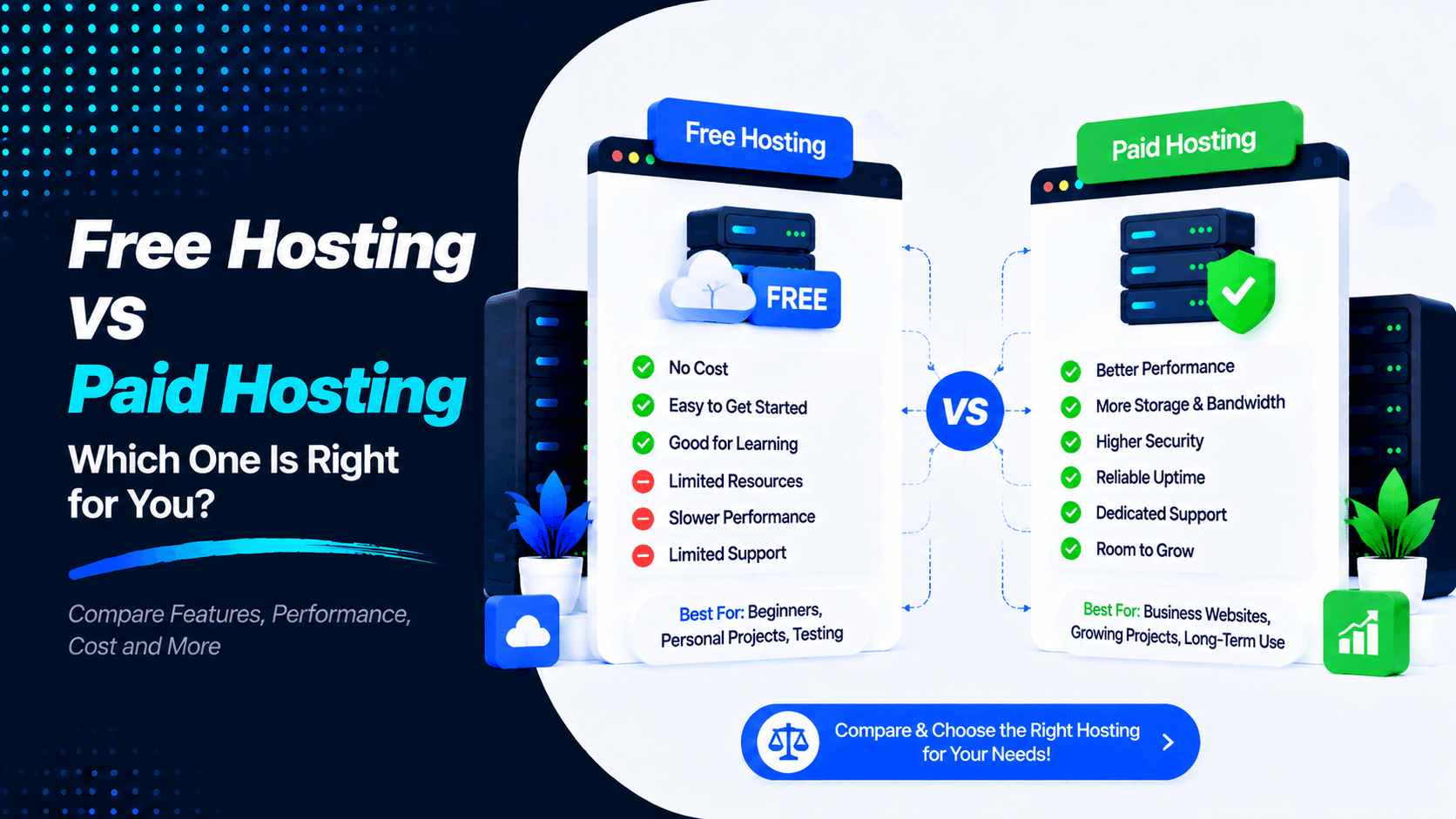
Launching a website starts with one essential decision: choosing the right web hosting. You need to pick a provider that fits your goals. Whether you’re creating a personal blog, an online store, a business website, or a portfolio, your hosting provider matters. It affects your site’s speed, security, reliability, and overall performance.
Many beginners choose free hosting at first. It costs nothing upfront. That’s very tempting. Paid hosting costs money. But it brings better speed and advanced tools. You also get expert support when you need help.
Which option fits you best?
We’ll compare Free Hosting vs Paid Hosting in this guide. We’ll look at their pros and cons. We’ll break down their features. We’ll talk about SEO effects. By the end, you’ll know which hosting type suits your needs.
What is Free Hosting?
Free hosting lets you run a website without paying any monthly fees. Providers put free websites on shared servers. These servers have limited CPU power, storage space, memory, and bandwidth.
Who Offers Free Hosting?
Free hosting generally comes in two forms:
- Traditional Free Hosting: Some providers offer PHP and MySQL support. They give you basic hosting features. But they enforce strict resource limits.
- Modern Free Platforms: Other services focus on static hosting. They offer free plans for portfolios, landing pages, and frontend projects. These are simpler but more reliable.
Common Features:
Most free hosting plans include:
- Limited disk storage
- Limited bandwidth
- Basic website builder
- Shared server
- Free subdomain
- Limited databases
- Basic SSL (sometimes)
- No guaranteed uptime
What is Paid Hosting?
Paid hosting is a service where you pay a monthly or yearly fee. This fee gives you server space and resources. Compared to free hosting, paid plans deliver better performance. They also offer stronger security, reliable support, and room to grow.
Types of Paid Hosting
- Shared Hosting: This costs around $3–$15 per month. It works well for blogs, portfolios, and small business websites.
- VPS Hosting: This usually costs $20–$100 per month. It provides better performance and more control. It suits growing websites that need more power.
- Cloud Hosting: This often costs $10–$150 or more per month. It can scale resources based on your traffic. You pay for what you use.
- Dedicated Server: This generally costs $100–$500 or more per month. You get an entire server just for your website. It handles high-traffic sites with ease.
- Managed WordPress Hosting: This usually costs $15–$100 or more per month. It includes WordPress-focused tools and expert support. Everything is optimized for WordPress sites.
Common Features:
Paid hosting usually includes:
- Large SSD/NVMe storage
- Unlimited bandwidth
- Free SSL certificates
- Free email accounts
- Automatic backups
- Malware scanning
- DDoS protection
- 24/7 customer support
- High uptime guarantees
- Custom domains
- One-click application installers
Free Hosting vs Paid Hosting: Quick Comparison
Choosing the right hosting depends on your goals. Compare key differences below to quickly identify the best option for your website and budget.
| Feature | Free Hosting | Paid Hosting |
| Price | Completely free with no hosting fees. | Requires a monthly or annual subscription. |
| Storage | Limited disk space, often enough only for small websites. | Large or unlimited SSD/NVMe storage suitable for growing websites. |
| Bandwidth | Restricted monthly bandwidth, which can limit visitor traffic. | High or unmetered bandwidth to support larger audiences. |
| Custom Domain | Usually limited to a free subdomain (e.g., yoursite.provider.com). | Supports your own custom domain (e.g., yoursite.com). |
| Performance | Slower due to shared resources and limited server capacity. | Faster loading speeds with optimized servers and better hardware. |
| Uptime | Lower uptime with occasional interruptions or downtime. | Typically offers a 99.9% or higher uptime guarantee. |
| Security | Basic security with limited protection against cyber threats. | Advanced security features, including firewalls, malware scanning, and DDoS protection. |
| SSL Certificate | May not include SSL or offer only limited SSL support. | Free SSL certificates are usually included for secure HTTPS connections. |
| Customer Support | Limited documentation or community support; live support is rare. | 24/7 customer support via live chat, email, or phone. |
| Advertisements | Providers may display forced ads on your website. | No forced advertisements, giving you complete control over your site’s appearance. |
| Backup | Manual backups or no backup service at all. | Automatic daily or scheduled backups are commonly included. |
| Email Hosting | Business email accounts are generally unavailable. | Custom email addresses (e.g., info@yourdomain.com) are often included. |
| Scalability | Difficult to expand as traffic and content grow. | Easily upgrade to higher plans with more storage, bandwidth, and server resources. |
Advantages of Free Hosting
Free hosting can be helpful in certain situations. It works well for learning, testing, and small personal projects. Here are the main benefits you can expect.
- No Upfront Cost: You can launch a basic website without spending any money on hosting. This removes the financial barrier to entry.
- Good for Learning: It offers a simple environment for practicing web development. You can learn server management without any risk.
- Useful for Testing: You can test websites and projects before moving to a paid host. This helps you catch issues early.
- Easy to Start: Many providers offer simple setup tools. They also give you free subdomains to get going quickly.
- Suitable for Students: Students can practice HTML, CSS, WordPress, and other web technologies. There’s no need to spend money while learning.
- Good for Personal Projects: Free hosting can work well for basic portfolios. It also suits experiments and temporary websites that don’t need high performance.
Disadvantages of Free Hosting
Free hosting can be useful for testing. But it has several limitations. These issues make it unsuitable for serious websites.
- Slow Website Speed: Crowded servers can make websites load slowly.
- Limited Storage and Bandwidth: Storage and traffic limits can restrict website growth.
- Forced Advertisements: Some providers display ads that you cannot control.
- Limited Support: Free plans often provide little or no customer support.
- Weak Security: Advanced security features may not be included.
- Frequent Downtime: Free hosting may have lower reliability and no strong uptime guarantee.
- Limited Customization: Some plans restrict plugins, themes, databases, or other features.
- Unprofessional Subdomain: Free subdomains can make a business website look less professional.
- Limited Scalability: Upgrading resources may be difficult as your website grows.
For professional businesses and organizations, paid hosting is a more reliable choice. It gives you the tools and support you need to succeed long-term.
Advantages of Paid Hosting
Here are the key benefits you can expect.
- Faster Loading Speeds: Paid plans use SSD and NVMe storage. They also run on optimized servers. This combination makes your website load much faster.
- Better Uptime: Many providers guarantee 99.9% uptime or higher. This keeps your website accessible around the clock. Visitors can reach you whenever they need to.
- 24/7 Customer Support: You get technical help whenever you need it. Support is available through live chat, email, or phone. Experts are ready to solve your problems quickly.
- Enhanced Security: Plans include SSL certificates and firewalls. They also offer malware scanning and DDoS protection. Your website stays safe from online threats.
- Automatic Backups: Regular backups happen automatically. You can restore your website after data loss or technical issues. This gives you peace of mind.
- Custom Domain & Email: Use a professional domain name for your site. You can also create email addresses like info@yourdomain.com. This builds trust with your customers.
- Better SEO Support: Faster performance helps your search rankings. Reliable uptime keeps your site available to search engines. HTTPS encryption is also a positive ranking factor.
- Easy Scalability: You can upgrade your hosting resources easily. As your traffic grows, you get more power. Your website can expand without any limitations.
Disadvantages of Paid Hosting
Paid hosting offers many benefits. But there are some costs and considerations to keep in mind. Here are the main drawbacks you should know about.
- Monthly or Yearly Cost: Shared hosting costs around $3–$15 per month. VPS and managed hosting can cost $20–$100 or more each month. This adds up over time.
- Choosing the Right Plan: Many hosting options are available. Selecting the right plan can be confusing. A plan that is too small causes performance issues. An oversized plan wastes your money.
- Renewal Prices: Introductory prices are often lower than regular rates. The price goes up when you renew. Check the long-term cost before you make a purchase.
- Extra Features May Cost More: Backups may require additional fees. CDN services cost extra. Malware protection and other premium features also add to your bill.
- Requires Some Management: Depending on your hosting type, you may need to handle updates yourself. You might also manage security and backups. Some plans require server settings to be configured manually.
Free Hosting vs Paid Hosting for Different Users
The best hosting option depends on your goals. Consider your website’s purpose, budget, traffic, and future growth. Here is a breakdown for different types of users.
Students & Beginners
Best option: Free hosting for learning, then paid hosting for real projects.
- Practice HTML, CSS, PHP, and WordPress.
- Learn basic server management without spending money.
- Upgrade when you need a professional domain and better reliability.
Bloggers
Best option: Paid hosting.
- Faster loading speeds
- More storage for images and content
- Custom domain for building a brand
- Better support as traffic grows
Small Businesses
Best option: Paid hosting.
- Professional domain and email
- SSL and stronger security
- Better uptime and performance
- Customer support when technical issues occur
eCommerce Websites
Best option: Paid hosting is strongly recommended.
- Better security for customer information
- SSL and reliable uptime
- More resources for products and visitors
- Easy upgrades as the store grows
Portfolio Websites
Best option: Free hosting for basic projects, paid hosting for professional portfolios.
Free hosting can work for testing and simple portfolios. A paid plan with a custom domain looks more professional. It also provides better reliability for showcasing your work.
Developers
Best option: Free hosting for testing and paid VPS or cloud hosting for production.
Developers can use free platforms to experiment with code. Paid hosting provides more control and resources. It offers scalability and advanced server features for production environments.
Performance Comparison
This helps you understand how free and paid hosting impact your site.
- Website speed: Free hosting overcrowds servers with hundreds of websites, slowing load times. Paid hosting uses modern hardware and optimized configurations for fast loading.
- Server resources: Free plans severely restrict CPU and memory usage. Exceeding limits gets your site suspended. Paid plans provide guaranteed resources and room to grow.
- Traffic handling: A free host may handle 50‑100 daily visitors. Paid hosting can handle thousands or millions with proper scaling.
- Response Time: Time to First Byte measures server responsiveness. Free hosting often exceeds 500 milliseconds. Good paid hosting stays under 200 milliseconds. Faster response means happier visitors.
- Caching: Free hosts rarely offer caching features. Your site generates pages from scratch for every visitor. This wastes resources and slows everything down. Paid hosts include server-level caching like LiteSpeed, Redis, or Varnish. This dramatically speeds up content delivery to your users.
Security Comparison
Security is a major difference between free and paid hosting. Paid hosting usually provides stronger tools.
- Malware Protection: Free hosting may offer limited malware protection. Paid hosting often includes malware scanning and detection. It also provides removal tools to keep your website safe.
- Firewalls: Paid hosting commonly includes firewalls. These block suspicious traffic before it reaches your website. Free hosting may provide only basic protection that leaves gaps.
- DDoS Protection: Paid hosting providers use systems to detect DDoS attacks. They filter out malicious traffic automatically. Free hosting has limited capacity to handle large attacks. Your site may go offline during such events.
- SSL Certificates: Many paid hosting plans include free SSL certificates. Some free hosts may not provide SSL at all. Others offer limited options. SSL encrypts data and builds trust with your visitors. It also helps your SEO rankings.
- Automatic Backups: Paid hosting often includes automatic backups. This makes it easier to restore your website after errors or attacks. Free hosting may not include regular backups. You could lose your data permanently.
- Security Monitoring: Paid hosting includes ongoing security monitoring. It also covers vulnerability checks and software updates. Free hosting offers fewer security management tools. Website owners are left responsible for most security tasks on their own.
SEO Impact
Your hosting choice affects your search rankings. Free hosting has limited resources. Paid hosting provides better infrastructure. This leads to faster and more reliable websites.
- Page Speed: Free hosting places many websites on the same server. This limits CPU and RAM resources. Server response times increase and pages load slowly. Paid hosting includes SSD or NVMe storage. It also offers caching and optimized servers for better performance.
- Uptime: Frequent downtime hurts your SEO. Search engines cannot access your website during outages. New content may not get discovered quickly. Paid hosting offers stronger uptime reliability. You also get monitoring to catch issues early.
- User Experience: Slow websites frustrate visitors. They leave quickly and never return. This leads to higher bounce rates. Faster hosting helps pages load smoothly. Visitors stay longer and engage more with your content.
- Core Web Vitals: Hosting performance directly impacts Core Web Vitals. These include Largest Contentful Paint (LCP) and Interaction to Next Paint (INP). Cumulative Layout Shift (CLS) also matters. Paid hosting offers server-side caching and CDNs. It also provides updated PHP versions. All of these features help improve your Core Web Vitals scores.
Cost Breakdown
The biggest difference between free and paid hosting is the price. But free hosting comes with limitations. These affect your website’s performance, branding, and growth potential.
- Typical Free Hosting Limitations: Free hosting offers limited storage and bandwidth. Features are often restricted. You receive a subdomain instead of a custom domain. Some providers display ads on your site. Technical support is minimal or non-existent. This makes your website look less professional.
- Shared Hosting Pricing: Entry-level paid hosting costs around $3 to $10 per month. Plans include a custom domain and SSL certificate. You also get professional email and backups. Technical support is available when you need help.
- VPS and Cloud Pricing: Growing websites need more resources. VPS hosting costs around $10 to $80 per month. Cloud hosting ranges from $5 to $100 or more each month. The price depends on resources and usage.
- Long-Term Value Comparison: Free hosting works for testing and learning. It suits small personal projects too. For business websites, paid hosting offers better reliability. You get stronger performance, security, and support. The small monthly cost provides greater value as your website grows.
When Should You Use Free Hosting?
Free hosting is suitable for:
- Learning Web Development: Practice HTML, CSS, and JavaScript. Publish simple websites to test your skills. Free hosting gives you a real environment to experiment with.
- Practicing WordPress: Test WordPress themes and plugins. Experiment with layouts and customization. Free hosting lets you learn before moving to a paid plan.
- School or College Projects: Host assignments and portfolios online. Share research projects or presentations with classmates. Free hosting avoids adding extra costs to your education.
- Personal Experiments: Test new website ideas or applications. Work on development projects in a low-cost environment. Free hosting removes financial risk from experimentation.
- Temporary Websites: Use free hosting for short-term projects. It works well for event pages and demonstrations. Simple campaigns can also run on free plans.
Keep in mind: Free hosting works well for learning and personal projects. For a business website, online store, or growing blog, paid hosting is better. It provides superior speed, security, support, and reliability. You also get room to grow without limitations.
When Should You Choose Paid Hosting?
Paid hosting is the better choice for:
- Business Websites: Create a professional online presence with a custom domain. Get business email addresses that match your brand. Enjoy reliable performance and better security.
- Company Websites: Maintain strong uptime for your company site. Provide customers with a fast browsing experience. Ensure they feel safe and secure when visiting.
- Online Stores: eCommerce websites need secure connections and SSL certificates. Fast loading speeds keep shoppers happy. Dependable uptime ensures you never miss a sale. Server resources must handle orders and traffic smoothly.
- Membership Sites: Paid hosting provides the resources you need. User accounts and databases run without issues. Member content loads quickly. Regular traffic is handled with ease.
- High-Traffic Blogs: As your audience grows, resources must grow too. Paid hosting handles increased visitors without slowing down. Your website maintains speed and responsiveness.
- Client Projects: Web designers and developers choose paid hosting for clients. It provides professional, secure, and dependable websites. Your clients trust you to deliver quality results.
Common Myths About Free Hosting
There are several misconceptions about Free Hosting vs Paid Hosting. Understanding these myths can help you choose the right option. Let’s clear up some common misunderstandings.
Myth 1: “Free Hosting Is Enough for Every Website”
Free hosting can be useful for learning and testing. It works for small personal projects too. However, business websites need more speed and security. Online stores require better reliability. High-traffic blogs need more server resources. Free hosting cannot meet these demands.
Myth 2: “Paid Hosting Is Always Expensive”
Paid hosting does not have to be costly. Affordable shared hosting plans are available. You can find plans for just a few dollars per month. Many include SSL certificates and email accounts. Backups and technical support are often part of the package.
Myth 3: “All Hosting Companies Are the Same”
Hosting providers offer different levels of performance. Uptime varies between companies. Security features differ significantly. Support quality is not the same everywhere. Comparing hosting plans helps you choose wisely. Find a provider that matches your website’s needs and budget.
Tips for Choosing the Right Hosting
Choosing the right hosting can feel overwhelming. Follow these tips to make a smart decision.
- Know Your Needs: Start by understanding your website type. Consider your expected traffic levels. Think about future growth too. These factors determine which plan works best.
- Check Uptime: Look for providers offering 99.9% uptime or higher. This ensures your website stays available. Reliable uptime keeps visitors happy and search engines satisfied.
- Compare Support: Choose a provider with responsive customer support. Look for 24/7 availability through multiple channels. Quick help saves time when issues arise.
- Review Security: Check for SSL certificates and malware protection. Look for firewalls and DDoS protection. Automatic backups are essential for data safety.
- Consider Scalability: Make sure you can upgrade your plan easily. Your website will grow over time. Choose a host that grows with you.
- Read Reviews: Check customer reviews before committing. Learn about real performance and reliability. Understand the support quality from actual users.
- Check Pricing: Compare both the initial price and renewal cost. Introductory rates often increase later. Know the full cost before you purchase.
Frequently Asked Questions (FAQ)
Is free hosting safe?
Free hosting is generally safe for learning and testing. But it often lacks advanced security features. These are needed for business or sensitive websites.
Can I use a custom domain with free hosting?
Some free hosting providers allow custom domains. But many require you to use a branded subdomain. Others restrict this feature entirely.
Is free hosting good for WordPress?
It can be suitable for learning WordPress. But limited resources may affect performance. Paid hosting is recommended for live WordPress websites.
Does paid hosting improve SEO?
Yes. Faster loading speeds help your rankings. Higher uptime keeps your site accessible. Better Core Web Vitals and stronger security also positively influence search engine rankings.
Can I upgrade from free hosting later?
Yes. Many hosting providers let you migrate from a free plan. You can move to a paid plan as your website grows.
Which hosting is best for beginners?
Shared hosting is usually the best choice for beginners. It offers an affordable balance of performance and ease of use. Support is also available when you need help.
Is paid hosting worth the money?
For business websites, yes. For blogs and online stores, definitely. For any site intended for long-term growth, paid hosting is a worthwhile investment. You get reliability, security, and scalability that free hosting cannot match.
Conclusion
Choosing between free hosting vs paid hosting depends on your website’s goals and needs.
Free hosting is suitable for beginners, students, hobbyists, and small projects. However, it often has limits on speed, storage, security, uptime, and support.
Paid hosting provides better performance and stronger security. You get reliable uptime and customer support. Custom domains and backups are included. There is room for your website to grow over time. It is a better choice for businesses, blogs, online stores, and professional websites.
If you are learning or testing a project, free hosting can be a good starting point. For a professional website, paid hosting offers better long-term value. It provides a more reliable experience for your visitors.
Ready to build a site you can trust? Pick a solid paid hosting plan today. Get the speed, security, and support your site needs to grow.

Leave a Comment