
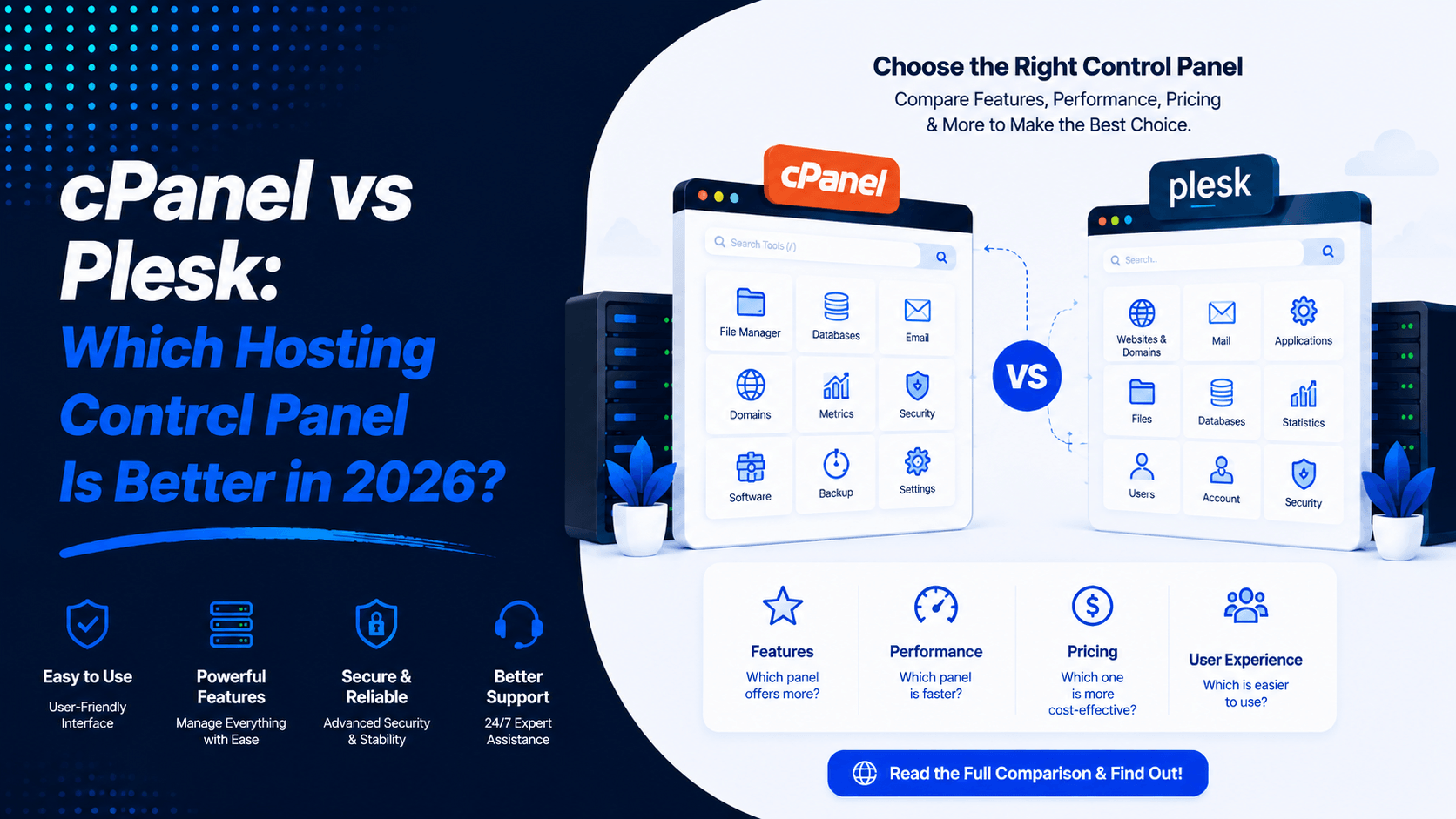
A good hosting control panel makes website management simple. It helps you handle tasks without stress. Whether you’re starting a personal blog, running an online store, or looking after many client sites, the right panel saves time. You don’t need to be a tech expert to use it.
In 2026, two names lead the market: cPanel and Plesk. They are both powerful and trusted. But they are not the same. They differ in operating system support, how they look, what they offer developers, and what they cost.
This guide will break down cPanel vs Plesk side by side. We’ll explore their features, speed, security, pricing, and WordPress tools. By the end, you will know which one fits your needs best.
What is cPanel?
cPanel is a popular hosting control panel. It works through your web browser. It gives you a simple way to manage your website. You can handle email accounts, databases, and many other services. The interface is visual and easy to understand. You don’t need deep technical skills to get started.
Key Features
- Beginner-friendly interface
- File Manager
- Email account management
- MySQL database management
- One-click application installer (Softaculous)
- SSL certificate management
- Backup and restore tools
- DNS management
- FTP account management
- Multiple PHP version support
Operating System Support
cPanel works on Unix-based systems. It runs mainly on Linux distributions. These include AlmaLinux, CloudLinux, and Red Hat Enterprise Linux (RHEL). You need a dedicated server or a VPS environment to use it.
Who Commonly Uses cPanel?
- Shared hosting customers
- Bloggers
- Small business owners
- WordPress users
- Resellers
- Linux hosting providers
What is Plesk?
Plesk is a web hosting control panel. It offers a clean and modern graphical interface. You can manage websites, servers, and applications from one place. It turns complex jobs into simple clicks. Tasks like domain setup, email configuration, and database work become easy. Security settings are also handled through its clear dashboard.
Key Features
- Modern dashboard
- WordPress Toolkit
- Docker support
- Git integration
- Node.js management
- Email hosting
- Backup management
- Security Advisor
- Extension marketplace
- Multi-server management
Operating System Support
This is a major difference. Plesk runs on both Linux and Windows Server. On Linux, it works with AlmaLinux, Rocky Linux, Ubuntu, and Debian. On Windows, it supports .NET and MSSQL. Many competitors like cPanel only work on Linux.
Who Commonly Uses Plesk?
- Developers
- Agencies
- Windows hosting providers
- VPS users
- Dedicated server owners
- Businesses running Microsoft applications
cPanel vs Plesk: Quick Comparison
Choosing between cPanel and Plesk comes down to your specific needs—operating system, budget, and workflow preferences. Here is a side-by-side comparison of the two leading hosting control panels in 2026.
Quick Comparison Table
| Feature | cPanel | Plesk |
| Supported OS | Linux only (AlmaLinux, Rocky, CloudLinux) | Linux & Windows |
| User Interface | Two-panel system (WHM + cPanel); traditional icon-based | Single-pane view with modern, web-app-like design |
| Web Server Support | Apache, LiteSpeed | Apache, Nginx, IIS |
| WordPress Tools | Basic toolkit via plugins | WordPress Toolkit Pro (staging, cloning, security scanning) |
| Windows Hosting | No | Yes—the only practical choice for Windows servers |
| Security Features | Strong (cPHulk, ModSecurity, CSF) | Strong (Fail2Ban, ModSecurity, KernelCare) |
| Backup Tools | Built-in (JetBackup integration) | Built-in with granular restore options |
| Extensions | Plugin-based (Softaculous, etc.) | Native Extension Catalog—larger & built-in |
| Resource Usage | Moderate to higher | Lighter, more efficient |
| Pricing | Higher (per-account billing) | Lower (per-domain tiers) |
| Best For | Linux shared hosting, resellers, familiar workflows | Mixed OS environments, developers, Windows hosting |
How cPanel Works
Plesk offers a clean and modern dashboard. Everything is laid out clearly. You can manage your hosting tasks without confusion.
- Dashboard Overview: Logging in shows a sleek interface. All tools are visible and easy to reach. They are sorted into logical groups like Websites & Domains, Mail, and Security. You can find what you need in seconds.
- File Manager: You can upload and edit files straight from your browser. No FTP software is required. It works quickly and smoothly.
- Email Management: Creating email accounts is straightforward. You can set up mailboxes, forwarders, and auto-responders with ease. Everything is in one place.
- Database Management: Plesk includes tools for database work. You can create and manage databases easily. It supports both MySQL and PostgreSQL.
- Domain Management: All domain settings are centralized. You can add domains, subdomains, and aliases. DNS records are also simple to adjust.
- WordPress Toolkit: This is a standout feature. You can install WordPress with one click. It also offers staging, cloning, and security scans. Managing multiple WordPress sites becomes effortless.
- Security Advisor: Plesk has a built-in Security Advisor. It scans your server and flags potential risks. You get clear steps to fix any issues.
- SSL Management: Adding SSL certificates is easy. You can secure your site and encrypt data. Plesk also supports Let’s Encrypt for free certificates.
How Plesk Works
Plesk uses a clean and modern interface. It focuses on making website management simple. It also offers advanced tools for developers.
- Dashboard Overview: The dashboard shows key system metrics right away. You can see server health, resource usage, and active sites from one spot. The layout is clean and avoids clutter. Both beginners and experts find it easy to use.
- Website Management: Creating websites is straightforward. Plesk handles web server configuration behind the scenes. It works with Apache or IIS. DNS and domain management are also automated. Support for multiple domains and applications comes built in.
- WordPress Toolkit: This tool goes beyond simple installation. It offers automated security scanning. You get staging environments for testing. Smart updates keep sites current. You can manage all WordPress sites from a single dashboard.
- Docker Integration: Plesk has native Docker support. You can deploy containerized applications directly from the panel. This simplifies complex stack management.
- Git Integration: Built-in Git support enables automatic deployment. You can deploy straight from your repositories. This streamlines developer workflows.
- Email Management: Plesk supports unlimited email accounts. It includes spam filtering with SpamAssassin. Antivirus protection is also built in.
- Security Management: Security tools are centralized. Plesk offers automated Let’s Encrypt SSL integration. It includes fail2ban protection and ModSecurity WAF. Two-factor authentication adds extra safety. Proactive malware scanning keeps your sites clean.
Advantages of cPanel
cPanel is a well-known hosting control panel. It offers a simple interface and strong management features. It suits beginners, bloggers, businesses, developers, and hosting providers equally well.
Key Advantages of cPanel
- Simple to Learn: The dashboard is neat and logical. You can manage files, emails, databases, and domains with ease. You do not need deep technical knowledge to get started.
- Broad Compatibility: Many Linux hosts support cPanel. Finding a compatible hosting plan is easy. You will also find plenty of tutorials and help online.
- Rich Documentation: There are detailed guides and active forums. They help you solve common problems quickly. Support is always within reach.
- Ideal for Shared Hosting: cPanel works smoothly with shared hosting. It supports major applications like WordPress, Joomla, Drupal, and Magento. Installation and management are straightforward.
- Fast and Lightweight: The interface is quick and responsive. You can access key features without delays. There is no unnecessary bloat to slow you down.
- All-in-One Management: Everything is available from one dashboard. You can handle files, databases, and domains in one place. DNS, SSL, email, backups, and apps are also centralized.
Advantages of Plesk
Plesk is a modern hosting control panel. It works well for both beginners and experts. It combines easy website management with powerful developer tools. It also supports a wide range of hosting environments.
Key Advantages of Plesk
- Supports Linux and Windows: This is a key strength. Plesk runs on both Linux and Windows servers. It is a flexible option for different hosting needs. It also supports Microsoft-based applications.
- Modern and User-Friendly Dashboard: The interface is clean and inviting. You can manage websites, domains, and email accounts from one place. Databases and server settings are also easy to reach.
- Built-in WordPress Toolkit: This tool is very useful. You can install, update, and clone WordPress sites. Staging and security features are also included. You can manage multiple WordPress websites with ease.
- Developer-Friendly Features: Plesk supports Docker and Git. It also works with Node.js and multiple PHP versions. This makes it suitable for modern web development and app deployment.
- Flexible Extension Ecosystem: The Extension Catalog offers many add-ons. You can find tools for security, backups, and monitoring. SEO, cloud services, and other needs are also covered.
- Strong Security and Management: Plesk includes SSL management and firewall integration. Malware protection and automatic updates are built in. Backup tools help simplify server management and improve safety.
Disadvantages of cPanel
cPanel is popular and easy to use. However, it has some drawbacks. These limitations may affect developers, businesses, and users with specific needs.
Key Disadvantages of cPanel
- Linux-Only Support: cPanel works only on Linux servers. It does not support Windows hosting. If you need ASP.NET or Microsoft SQL Server, you will need another option like Plesk.
- Licensing Costs: cPanel requires a paid license. This increases hosting costs. The expense is higher for VPS, dedicated servers, and reseller hosting.
- Limited Developer Tools: Compared to Plesk, cPanel has fewer built-in developer features. Docker and advanced Git workflows need extra setup. You may need third-party tools to fill the gaps.
- Fewer Native Integrations: Many advanced features depend on plugins. These are often provided by hosting companies. This can make server management more complex.
- Less Modern Interface: cPanel is user-friendly and functional. However, some users find it looks dated. Newer panels like Plesk have a more modern feel.
- Limited Windows Compatibility: Businesses using both Linux and Windows may struggle. cPanel’s Linux-only design makes it less suitable for mixed environments.
Disadvantages of Plesk
Plesk is a powerful and flexible hosting control panel. However, it has some drawbacks. Its extensive features can add complexity and increase costs for some users.
Key Disadvantages of Plesk
- Slightly Steeper Learning Curve: Plesk offers many advanced features. This may take beginners more time to learn. Simpler panels are easier to pick up quickly.
- Higher Resource Usage: Built-in tools and services use more server resources. This can be an issue on low-spec VPS or dedicated servers. Performance may suffer with limited hardware.
- Some Features Require Extensions: Advanced security and backup tools may need extra extensions. Monitoring and management features often require paid add-ons. This adds to the overall cost.
- Licensing Costs: Plesk pricing depends on the edition and features. It also varies by the number of websites. Costs can rise quickly for agencies and businesses with many sites.
- More Features Than Needed: Basic website owners may find Plesk overwhelming. The extensive tools are often unnecessary. A simpler panel might suit them better.
- Limited Hosting Availability: While Plesk is widely supported, it is not as common as cPanel. Some hosting providers offer fewer Plesk-based plans. This can limit your choices when selecting a host.
Feature Comparison
Both cPanel and Plesk offer essential hosting management features. However, they differ in interface, tools, and ease of use. Here is how they compare.
- File Management: cPanel offers a familiar File Manager. Plesk provides a modern interface with drag-and-drop features.
- Email Hosting: Both support email accounts, forwarding, autoresponders, and spam protection. Plesk also offers advanced mailbox management tools.
- Domain Management: Both make domain and subdomain management easy. Plesk has a more modern layout. DNS settings are simple to adjust in both panels.
- Database Management: cPanel mainly uses phpMyAdmin. Plesk supports phpMyAdmin along with other database tools. Both handle database tasks well.
- SSL Management: Both support Let’s Encrypt. Installing and renewing SSL certificates is easy in both panels.
- Backup & Restore: Both offer scheduled backups and restoration tools. Plesk provides a simple and clean backup management interface.
- Security: Plesk includes firewall, ModSecurity, malware scanning, and security tools. cPanel also offers strong security features. cPanel may need extra configuration for some options.
- DNS Management: Both allow DNS record and zone management. Plesk offers a more beginner-friendly interface.
- One-Click Apps: Both support popular applications like WordPress, Joomla, and Drupal. Available installers make setup quick and easy.
- FTP Management: Both allow FTP account creation and permission settings. cPanel is especially straightforward for beginners.
Performance Comparison
Performance depends largely on server hardware and hosting configuration. However, the control panel also affects resource usage. Here is how cPanel and Plesk compare.
- Dashboard Speed: cPanel’s lightweight interface loads slightly faster. Plesk offers a modern dashboard with smooth navigation. It handles additional built-in features well.
- Resource Consumption: cPanel uses fewer server resources. This makes it ideal for shared hosting and smaller VPS plans. Plesk may need more RAM because of advanced tools like Docker, Git, and the WordPress Toolkit.
- Server Efficiency: Both panels manage websites, domains, databases, and emails efficiently. cPanel is optimized for Linux hosting. Plesk performs well on both Linux and Windows servers.
- Large Hosting Environment Performance: cPanel is a top choice for high-volume shared hosting. Its low resource usage is a major advantage. Plesk suits agencies, developers, and businesses managing multiple websites with advanced features.
Security Comparison
Both cPanel and Plesk provide strong security features. They protect websites, servers, and user accounts from common threats. Here is how they compare.
- Two-Factor Authentication (2FA): Both support 2FA for safer logins. You need a verification code along with your password. This adds an extra layer of protection.
- Firewall Integration: Both can work with server firewalls to control network traffic. Plesk also provides built-in firewall management on supported systems.
- Malware Scanning: Both platforms support malware detection. They use built-in tools or security extensions. This helps identify harmful files quickly.
- SSL Certificate Management: Both support Let’s Encrypt and commercial SSL certificates. They offer automatic installation and renewal options. Securing your site is simple.
- Automatic Updates: Both offer update management features. This helps keep the control panel protected. It guards against newly discovered vulnerabilities.
- Login Protection: Both include features like brute-force protection and IP blocking. Password policies and secure login options help prevent unauthorized access.
WordPress Management
Both cPanel and Plesk offer useful tools for managing WordPress websites. They make installation, updates, backups, and security easier. Here is how they handle WordPress management.
- WordPress Installation: Both panels allow quick WordPress installation. You need minimal technical setup. This makes them suitable for beginners.
- Staging: Plesk includes built-in staging tools. cPanel typically provides staging through Softaculous or hosting provider features. This lets users test changes before making them live.
- Updates: Both support WordPress core, theme, and plugin updates. Automatic update options are available on many hosting plans.
- Backups: Users can create, schedule, and restore WordPress backups through both platforms. This helps protect against data loss.
- Security: Both support SSL certificates, malware protection, and security updates. Plesk also offers additional WordPress security recommendations through its WordPress Toolkit.
- Plugin Management: Both make it easy to install, update, activate, and remove WordPress plugins. This helps keep websites secure and running smoothly.
Developer Features
Developers often prefer Plesk for its broader development ecosystem. It offers more built-in tools for modern workflows. Here is how the two panels compare.
- Git Integration: Plesk includes native Git integration. It supports GitHub and Bitbucket for automatic deployments. cPanel requires extra extensions for full Git functionality.
- Docker Support: Plesk comes with native Docker support. You can deploy containerized applications directly from the panel. cPanel offers Docker only through third-party add-ons.
- Node.js Support: Plesk provides native Node.js support. It includes built-in runtime management. cPanel has limited Node.js support and needs more manual setup.
- PHP Version Management: Both panels support multiple PHP versions. Plesk offers slightly broader support. It supports up to PHP 8.5.0, while cPanel supports PHP 8.4. Both use simple dropdown selectors for switching versions.
- Python Support: Both cPanel and Plesk support Python across multiple versions. cPanel offers Python Selector with versions from 2.7.18 to 3.11.0.
- Multiple PHP Versions: Both panels allow per-domain PHP version selection. Plesk’s implementation is often considered more intuitive.
Pricing Comparison
cPanel and Plesk use different pricing models. This affects how much you pay as you grow. Here is how they compare.
- cPanel Pricing Model: cPanel licenses are based on the number of accounts. Entry-level pricing starts at $29.99/month for the Solo tier (1 account). The Premier tier (100 accounts) costs $69.99/month. Beyond 100 accounts, you pay an extra $0.49 per account monthly. This model can become expensive for hosting providers at scale.
- Plesk Pricing Model: Plesk licenses are based on domains or websites, not user accounts. Entry-level pricing starts around $15.57/month for the Web Admin edition. This is significantly cheaper than cPanel’s entry point. For unlimited domains, the Web Host edition costs about $62–$70/month. Plesk does not penalize you for growth like cPanel does.
- Hosting Provider Pricing: These differences affect hosting costs. Since cPanel licenses are more expensive, hosting companies often pass costs to customers. This makes their plans pricier. Plesk’s lower and more flexible licensing allows providers to offer more competitive pricing.
- Value for Money: Value depends on your use case. For small operations or VPS users, cPanel’s entry price ($29.99) is higher than Plesk’s ($15.57). For larger providers, cPanel’s account-based model becomes burdensome. The cost of licensing can even exceed the server cost. Plesk’s domain-based model scales more predictably. It offers better long-term value for growing businesses.
Which One Is Better for Different Users?
The best control panel depends on your experience, hosting environment, and website needs. Both cPanel and Plesk are reliable. However, each suits different types of users better.
Beginners
Best Choice: cPanel
cPanel is ideal for beginners. It has a simple interface and easy navigation. Extensive online tutorials are available. Basic tasks like managing files, emails, and domains are straightforward.
Bloggers
Best Choice: cPanel
Bloggers using WordPress or other CMS platforms will find cPanel easy. Most shared hosting providers include cPanel. Website management is simple and affordable.
Small Businesses
Best Choice: cPanel or Plesk
cPanel or Plesk. Both panels suit small businesses. cPanel is great for standard Linux hosting. Plesk offers flexibility and built-in tools for advanced needs.
Web Developers
Best Choice: Plesk
Plesk is built with developers in mind. It supports Git, Docker, Node.js, and multiple PHP versions. Advanced WordPress management makes development efficient.
Hosting Providers
Best Choice: Both
Many Linux providers prefer cPanel for its popularity. Providers offering Windows or mixed environments choose Plesk for broader OS support.
Agencies
Best Choice: Plesk
Agencies managing multiple client sites benefit from Plesk. Its centralized dashboard and WordPress Toolkit simplify maintenance. Developer features are a bonus.
Windows Server Users
Best Choice: Plesk
Plesk is the clear choice for Windows hosting. It fully supports Windows Server, IIS, ASP.NET, and Microsoft SQL Server. cPanel does not offer these features.
Common Myths
Many misconceptions exist about cPanel and Plesk. Understanding the facts can help you choose wisely. Here are some common myths and the reality behind them.
Myth 1: cPanel Is Always Easier
Reality: cPanel is known for its beginner-friendly interface. However, Plesk also offers a clean and intuitive dashboard. Many users find cPanel more familiar. Yet beginners can quickly learn Plesk with a little practice.
Myth 2: Plesk Is Only for Windows
Reality: Plesk is popular for Windows hosting. But it also fully supports Linux servers. Many developers and agencies choose Plesk for Linux. They value its advanced tools and flexible management features.
Myth 3: One Control Panel Is Always Faster
Reality: Website performance depends on server hardware and hosting quality. Caching and optimization also play a big role. The control panel itself is not the main factor. Both cPanel and Plesk perform well on properly configured servers.
Myth 4: You Can’t Migrate Between Them
Reality: Migration is possible between cPanel and Plesk. Built-in migration tools can help. Many hosting providers offer professional migration services. With proper planning, websites can be transferred with minimal downtime.
Myth 5: More Features Mean Better Performance
Reality: Plesk includes more built-in features. But this does not make it better for everyone. If you only need basic website management, cPanel may be simpler. The best choice depends on your hosting requirements and technical needs.
Tips for Choosing Between cPanel and Plesk
Choosing between cPanel vs Plesk depends on your hosting environment, technical skills, and website needs. Here are some key factors to consider.
- Choose Based on Your Operating System: Select cPanel for Linux hosting. Choose Plesk if you need support for both Linux and Windows servers.
- Consider Your Technical Experience: Beginners often prefer cPanel for its simple interface. Developers may benefit from Plesk’s advanced tools.
- Check Application Compatibility: Ensure the control panel supports the applications you plan to use. This includes WordPress, Docker, Git, or ASP.NET.
- Compare Hosting Provider Support: Verify that your hosting provider offers your preferred control panel. Check for reliable support and migration options.
- Think About Future Scalability: If you expect your website or business to grow, choose a panel that can handle additional websites and advanced features.
- Evaluate Developer Requirements: For built-in Git, Docker, and advanced WordPress management, Plesk is a strong choice. For straightforward website management, cPanel is an excellent option.
Frequently Asked Questions (FAQ)
Conclusion
Choosing between cPanel vs Plesk comes down to your hosting setup. Your tech needs, budget, and future plans matter too. Both panels give you tools to manage sites, domains, databases, and hosting settings.
cPanel is a top pick for Linux hosting. It’s easy for beginners to learn. Plesk runs on both Linux and Windows. It packs features that help developers and agencies. Before you pick, compare your provider’s features and pricing. Check support and compatibility as well.
Need help choosing the right hosting control panel? Contact our team today for expert hosting guidance and setup support.

Leave a Comment