
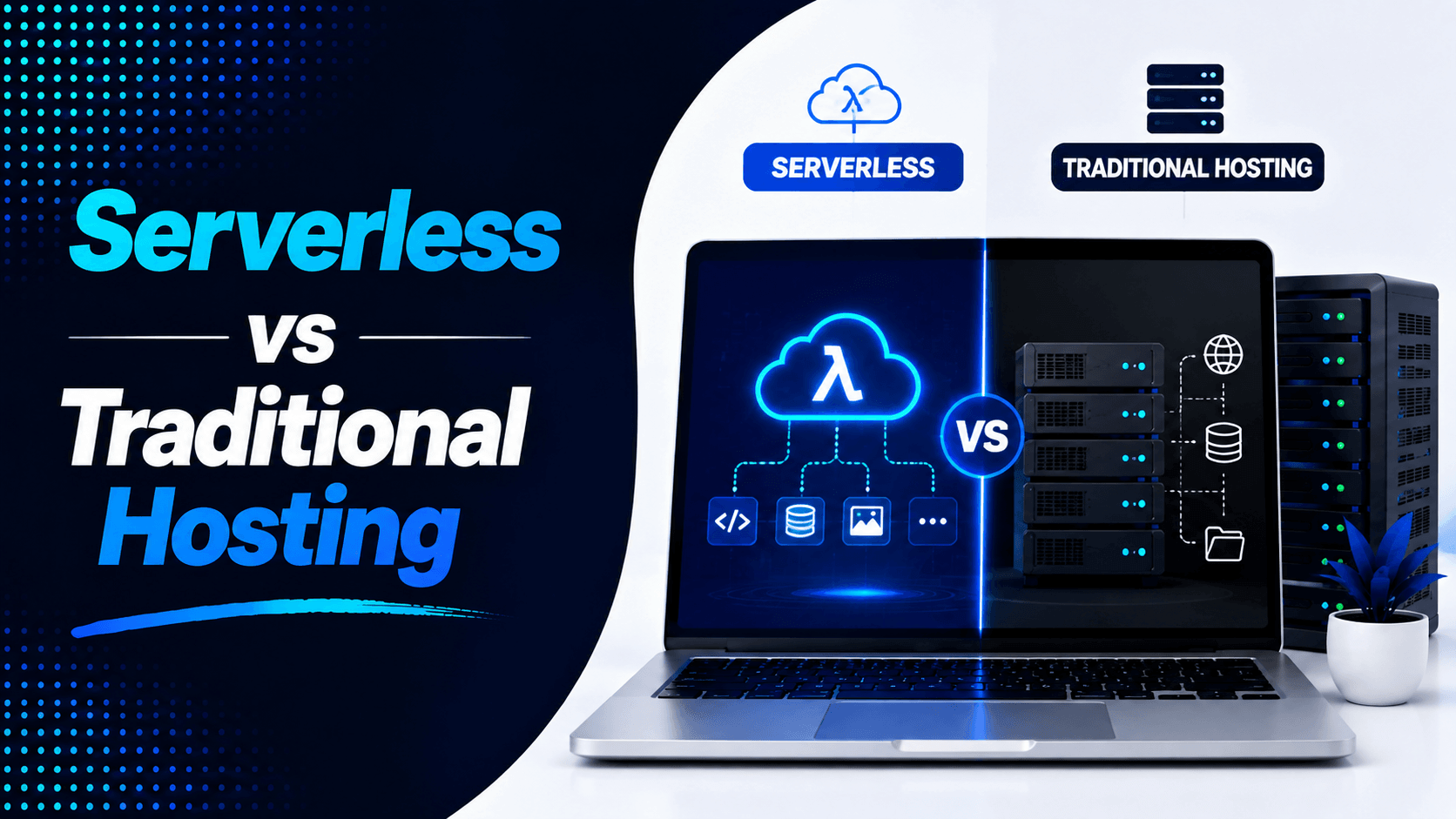
Choosing the right hosting solution matters for small website owners. You might run a blog, portfolio, business site, or online store. Your hosting costs can affect your budget. They can also impact your future growth.
Serverless hosting has free tiers. It offers automatic scaling. It delivers strong performance. Traditional hosting stays popular too. It is affordable and beginner-friendly. It works well with WordPress.
So which is cheaper for small sites Serverless vs traditional hosting? The answer depends on several things. Your traffic levels matter. Your feature needs count. Your technical skills play a role. Your expected growth is important too. This guide compares both pricing models. It looks at hidden costs. It examines overall value.
What Is Traditional Hosting?
Traditional hosting is the classic way to put a website online. Your files and data live on a server. That server stays on all the time. You pay for storage, CPU power, memory, and data transfer.
How Traditional Hosting Works
A hosting company gives you space on a server. That is where your website lives.
The hosting server:
- Storing website files and databases
- Processing visitor requests
- Running server-side applications
- Managing database queries
- Keeping your website online 24/7
Types of Traditional Hosting
Shared Hosting
Shared hosting puts many websites on one server. They all use the same resources. This is the cheapest choice for most people. It works well for new sites with few visitors.
Best for:
- Beginners
- Personal blogs
- Small business websites
- Low-traffic websites
Pros:
- Low monthly cost
- Easy to set up
- Easy to manage
- Control panels like cPanel
- Free email accounts
- Works with WordPress
- Works with other CMS platforms
VPS Hosting
VPS hosting gives you a virtual server. You get dedicated CPU, RAM, and storage. Several VPS accounts can run on one machine. But each one is more isolated than shared hosting.
Best for:
- Growing businesses
- Higher-traffic websites
- Developers
- Websites that need more control
Pros:
- Faster than shared hosting
- Dedicated resources
- More control over settings
- Easier to grow when traffic increases
Dedicated Hosting
Dedicated hosting gives you a whole physical server. It is all yours. You do not share with anyone else. This works best for big, demanding websites.
Best for:
- Large businesses
- High-traffic websites
- Enterprise applications
- Resource-heavy websites
Pros:
- Top server speed
- Full control
- Dedicated CPU, RAM, and storage
- High reliability
- Many customization options
Common Use Cases
Traditional hosting is commonly used for:
- Business websites
- WordPress websites
- Blogs
- Membership sites
- Small ecommerce stores
- Company landing pages
What Is Serverless Hosting?
Despite its name, serverless hosting doesn’t mean there are no servers. Instead, the hosting provider manages the servers and infrastructure for you. Your code runs only when needed, so you don’t have to maintain an always-on server.
This model can save money. It works well for sites with low traffic. It also works for sites with unpredictable traffic. You pay for what you use. You do not pay a fixed monthly fee.
Why Is It Called “Serverless”?
Servers still power serverless applications behind the scenes. The main difference is that the hosting provider manages the infrastructure for you.
The platform typically handles:
- Automatic scaling
- Resource allocation
- Server maintenance
- Security updates
- Infrastructure management
- Traffic distribution
Popular providers include platforms that automatically deploy websites worldwide without requiring server administration.
How Serverless Hosting Works
Instead of running continuously:
- Code executes only when triggered
- Resources scale automatically
- Idle websites consume almost no computing power
- Billing is usually based on usage
Typical pricing factors include:
- Number of requests
- Compute time
- Bandwidth usage
- Storage
- Database operations
Common Use Cases
Serverless hosting is well suited for:
- Static websites
- Developer portfolios
- APIs
- Jamstack websites
- Documentation websites
- Small frontend applications
- Landing pages
Serverless vs Traditional Hosting: How Pricing Works
Understanding pricing models is essential before comparing overall costs.
Traditional Hosting Costs
Traditional hosting follows a subscription model.
You typically pay:
- Monthly fee
- Annual fee
- Multi-year discounted plans
Your bill stays the same most of the time. It does not matter if you get 10 visitors or 10,000. That holds true until you go over your plan limits.
Typical Costs
| Hosting Type | Typical Monthly Cost |
| Shared Hosting | $2–$10 |
| VPS Hosting | $10–$80 |
| Dedicated Hosting | $80–$300+ |
Additional expenses may include:
- SSL certificates
- Premium backups
- Malware protection
- CDN services
- Hosting upgrades
Serverless Costs
Serverless uses a pay-per-use model. You pay for what you actually use. That includes requests, execution time, bandwidth, and storage. There is no cost for idle servers. If your site gets no traffic, you pay nothing at all.
Major providers offer free tiers. These are quite generous. For example, AWS Lambda gives you 1 million free requests each month. For small sites with low traffic, hosting can cost $0.
Charges based on:
- Requests: Number of times your function is invoked.
- Execution time: Duration each request runs (often billed in 100‑ms increments) .
- Bandwidth: Data transferred out.
- Storage: Persistent data storage costs extra.
Cost Comparison: Which Is Cheaper?
The answer depends on your traffic. Is it steady or does it come in bursts? For a portfolio, a small business site, or a low-traffic blog, here are the real numbers you would see.
The cost gap can be large. A traditional VPS might cost €4.90 each month. A basic shared hosting plan can start under €3. On the serverless side, AWS Lambda can cost as little as $1.12 per month. That is for an API handling 40,000 requests. But there is a catch. If you add extra services like a managed database, monitoring, and Redis, a serverless stack can climb to $65-80 monthly.
So how do you choose? It comes down to your traffic pattern. Here is a comparison of the key differences for small sites:
| Factor | Serverless | Traditional Hosting |
| Monthly Cost | Often free or very low (e.g., $1 for low traffic) | Fixed monthly fee (e.g., €4.90 – $10) |
| Setup | More technical; requires configuration of functions and gateways | Easier; often features one-click installers and cPanel |
| Scaling | Automatic; scales with demand | Manual; requires upgrading your plan |
| Predictability | Variable; costs can spike with traffic | Predictable; you know the bill every month |
When Serverless Is Cheaper
Serverless hosting becomes extremely cost-effective under specific conditions.
Websites get low traffic: With serverless, you pay nothing when no one visits. Traditional hosting charges the same fee every month. That means you pay for power you do not use.
Mostly static content: Static files like HTML, CSS, and JavaScript work well with serverless. You can host them on object storage like AWS S3. Add a CDN and costs stay very low. Storage bucket hosting can cost less than $1 per month for low-traffic static sites.
No constant server usage: Traditional hosting makes you pay for CPU, RAM, and storage. You pay even when your site is idle. Serverless scales down to zero during quiet times. That removes waste completely.
You want free hosting tiers: Major providers offer generous free tiers:
- AWS Lambda: 1 million requests per month free
- Cloudflare Workers: 100,000 requests per day free
- Netlify Functions: 125,000 function calls per month free
- Vercel: 100 daily builds, generous bandwidth limits
Traffic is unpredictable: Serverless handles spikes automatically. It scales up when traffic jumps. It scales down when things get quiet. This works great for sites with bursty traffic.
Examples:
- Landing pages: Promotional sites for short campaigns often sit idle. Then a marketing push brings a flood of visitors.
- Developer portfolios: Light usage and static content fit well within free tiers.
- Documentation websites: Popular open-source project docs benefit from CDN delivery. They also need infrequent updates.
When Traditional Hosting Is Cheaper
Serverless works well for many projects. But traditional hosting often costs less for small sites with steady, low traffic.
Serverless may be cheaper when:
- Website gets steady traffic: If your site gets 100-500 visitors every day, a fixed-price plan makes sense. A $5-15 monthly traditional plan is almost always cheaper than paying per execution.
- Mostly static content: HTML, CSS, JavaScript, and images are easy to serve. They can be cached well. Traditional hosting delivers static files without complex setup. Serverless adds extra overhead you do not need.
- No constant server usage: Serverless charges for every run. If your site runs all the time, you pay for every millisecond. A blog with always-on visitors is a good example. Traditional hosting charges one flat fee. Usage does not matter.
- Free hosting tiers: Many traditional hosts offer free plans. These work well for small projects. Static site hosting is often included at no cost.
- Traffic is predictable: Serverless can save money during spikes. But for steady, low traffic, a fixed plan avoids per-request fees. You know exactly what you will pay each month.
Examples where traditional hosting is ideal:
- Landing pages: A simple lead generation page with 100-200 visits daily.
- Developer portfolios: Your personal site showing your work and contact info.
- Documentation websites: A static site with consistently low traffic. Serverless billing adds costs you do not need.
- Small business brochure sites: A local business website with predictable traffic patterns.
Hidden Costs of Serverless Hosting
Serverless hosting looks cheap at first glance. But several hidden costs can push your bill higher than expected.
Vendor Lock-In
Building an application around a provider such as AWS Lambda or Vercel can make switching providers difficult. Different platforms use different APIs, configurations, and services, so migration may require significant development work.
Learning Curve
Building your app around a specific provider like AWS Lambda or Vercel makes it hard to switch later. Each platform uses different APIs and configurations. Migration often requires a lot of development work. You may feel trapped with one provider.
Unexpected Bills
Usage-based pricing can surprise you. A sudden traffic spike can increase costs fast. Inefficient code uses more resources. An application error can trigger thousands of extra requests. Your bill can jump without warning.
Additional Services
Many serverless projects also require paid services for:
- Databases
- Authentication
- Object storage
- Image optimization
- API gateways
- Analytics
These services may each have separate pricing.
Hidden Costs of Traditional Hosting
Traditional hosting has its own hidden expenses. Some are not obvious at first.
Paying for Unused Resources
Traditional plans give you fixed amounts of CPU, RAM, storage, and bandwidth. You pay for the full amount. It does not matter if you use it all or not. For sites with low or uneven traffic, you waste money on resources you never need.
Manual Scaling
When traffic goes up, you must upgrade your plan yourself. You cannot automate it easily. A sudden spike can cause slow loading. Your site might even go down. This happens if your current plan cannot handle the extra load.
Server Maintenance
Maintenance takes time and money. You may need to handle software updates yourself. Security patches must be applied. Backups and performance tuning also require work. Managed hosting reduces this workload. But it usually costs more each month.
Performance Upgrades
As your site grows, you need more power. Extra CPU, more RAM, and larger storage become necessary. Faster NVMe SSD hosting may also be required. Moving to a higher-tier plan raises your monthly bill.
Backup and Security Add-Ons
Budget hosting plans often charge extra for important features. Automated backups cost more. Malware scanning is an add-on. Advanced firewalls and enhanced security are not always included. These recurring fees can add up fast. They increase the real cost of traditional hosting significantly.
Performance Comparison
Price is not the only thing to think about. Performance, control, and maintenance also matter. These factors affect which option gives you better value.
Serverless Hosting
Advantages:
- Fast global delivery: Platforms like Vercel and Netlify use edge networks. They distribute your content worldwide. This reduces delays for visitors in different regions.
- Automatic scaling: Serverless functions handle demand on their own. They work well during traffic spikes. You do not need to upgrade anything manually.
- Good for modern websites: Serverless fits Jamstack sites perfectly. It also works with React, Next.js, APIs, and event-driven apps.
Limitations:
- Cold starts: Some functions take longer to respond after being idle. This can affect sites with infrequent traffic. Visitors may notice a slight delay.
- Platform dependency: Serverless apps rely on provider-specific tools. Moving to another platform becomes harder. Migration takes more work.
Traditional Hosting
Advantages:
- Consistent performance: VPS and dedicated hosting give you fixed resources. CPU, RAM, and storage are predictable. There are no startup delays to worry about.
- Full control: You have more power over your server environment. You can run databases and background processes. Cron jobs and other apps work without issues.
- Easy for common websites: Traditional hosting works great with WordPress. It is also good for blogs, business sites, and ecommerce stores.
Limitations:
- Resource limits: Your site is tied to your plan’s limits. CPU, RAM, storage, and bandwidth are fixed. You cannot go beyond what you pay for.
- Manual optimization: You may need to handle updates yourself. Security, caching, and monitoring are your responsibility. Performance tuning also takes effort.
Which Hosting Is Better for Different Small Websites?
Not every website works best with the same hosting type. Each site has its own needs. Here is what fits which project.
Portfolio Website – Winner: Serverless
A simple portfolio has mostly static pages. Visitors come occasionally. Serverless is a smart choice here. Platforms like Netlify and Vercel offer free tiers. They scale automatically. They also deliver content globally. You do not pay for an always-on server when your traffic is low.
WordPress Blog – Winner: Traditional Hosting
WordPress runs on PHP and databases. It is a dynamic platform. Traditional shared or managed WordPress hosting works well. These plans often include helpful features. Caching, automatic updates, backups, and WordPress support come built in. Setup is much easier for beginners.
Small Business Website – Depends
It comes down to your site type:
- Simple site (static HTML/CSS): Serverless is cheaper and simpler to keep running. You pay very little for low traffic. The platform handles global delivery automatically.
- CMS website (WordPress, Joomla, etc.): Traditional hosting is usually better. You get predictable monthly costs. Full database control is included. There are no cold start delays to worry about.
Ecommerce Website – Winner: Traditional VPS/Cloud Hosting
Small online stores need reliable performance. Secure databases are a must. Payment processing must work smoothly. Backups are essential. You also need to handle traffic growth. A managed VPS, cloud hosting, or managed WooCommerce solution gives you the control and resources you need. It runs your store reliably every day.
Beginner-Friendly Decision Guide
Choose Serverless Hosting if:
- You have a static website
- Traffic is relatively low
- You’re comfortable with developer tools
- You want automatic scaling
- You prefer minimal server maintenance
Choose Traditional Hosting if:
- You use WordPress or another CMS
- You need email hosting
- You want a simple control panel
- You prefer fixed monthly pricing
- You want beginner-friendly website management
Popular Options to Mention
Your choice of platform affects cost, speed, and ease of use. The right pick depends on your site type, traffic, skills, and budget.
Serverless Platforms
- Vercel: Great for Next.js and modern frontend apps. It offers automated deployments and global delivery. Preview environments are included. The free tier works for small projects. Costs can rise with higher bandwidth and function usage.
- Netlify: A favorite for static sites and Jamstack projects. It includes automated deployments, forms, and serverless functions. Beginners find it easy to use. It works well for smaller websites.
- Cloudflare Workers: Runs code at the edge. This delivers fast responses worldwide. It works for lightweight apps and APIs. Extra services like storage can increase costs.
Traditional Hosting Examples
- Shared hosting: Providers like Hostinger and Bluehost offer low-cost plans. They work for blogs, portfolios, and small business sites. Performance can vary. Multiple websites share the same server resources.
- VPS hosting: Providers like DigitalOcean, Hetzner, and Vultr give you dedicated resources. Pricing is predictable each month. A single VPS can host several small projects. This makes it cost-effective for developers.
- Managed WordPress hosting: Services like Kinsta and WP Engine are optimized for WordPress. They include security, backups, and expert support. They cost more than basic shared hosting. But they reduce the work of managing servers.
Final Verdict: Which Is Cheaper?
For simple websites, serverless is often cheaper. You only pay for what you use. This works well for static sites and low-traffic projects.
However, traditional hosting is usually better value for WordPress sites. It also suits sites with databases. Email hosting and continuous server processes also fit better here. Prices are predictable. Management is easy. Compatibility is broad. These features make traditional hosting a practical choice for small businesses and bloggers.
So, which is cheaper for small sites? Serverless vs traditional hosting? The answer depends on your traffic, features, skills, and growth plans.
Pick serverless for simple static sites. Pick traditional hosting for dynamic websites. Ready to choose the right hosting? Compare your options today. Pick a plan that fits your site and budget.

Leave a Comment